COVID-19 BIRRR Connectivity Tips

With the recent outbreak of COVID-19 in Australia many BIRRR members are faced with the prospect of working from home, running businesses from home and educating children (and themselves) from home.
NB: Some of us actually already do this as part of our everyday lives.

PROVIDER COVID-19 ANNOUNCEMENTS

Check with your provider if they are offering any special deals or discounts during this time e.g. free landline calls, extra data, un-metering, add on school holiday data packs etc. Ensure you check out the terms and conditions of each offer to determine if you are eligible and how to activate the offer. Also check with your provider to see if they have Financial Hardship assistance available or offering additional help such as temporarily waiving late payment fees. This page will be updated as offers are announced

NBN SKY MUSTER PROVIDERS

Click on links for terms and conditions. Please note MOST nbn Sky Muster Providers have extended their extra data offers until 30/11/2020, however BIRRR advice is to check with your provider regarding their current COVID offerings.

  • SkyMesh– starting 23rd March  (ends 30/11/2020) Sky Muster satellite customers on normal plans and nbn Fixed Wireless customers, will receive 10GB of relief data blocks delivered every Monday.  Historically SkyMesh have had school holiday data, their network engineers are currently investigating whether school holiday data can continue for the Easter Holidays, without causing a congested experience. 
  • Activ8me – nbn Sky Muster users will get an extra 15GB of data per week at no cost between 23rd March – 30th November 2020 + three months free trial of PlayOn Cloud app including 21 free recordings per-month
  • HarbourISP – FREE additional 45GB monthly data for Harbour ISP’s Sky Muster™ customers until 30th November 2020 for normal SM plans.
  • Clear Networks – All Sky Muster plans have an additional 45GB Peak data for the next 3 months, starting from April 2020. Use Promo code:  SKYCOVID19 on checkout to get a new Sky Muster plan at half price for 6 months on 12 month contract plans (plans $59 and above).
  • IpStar – From Monday 30th of March 2020 IPSTAR Broadband will be providing an additional 10GB per week of download data allowance for each service on standard nbn Sky Muster Plans for the next 3 months. This additional data will continue until 30th November 2020 and will be applicable only normal Sky Muster plans (not PLUS).
  • Reachnet -From Monday 30th of March 2020 IPSTAR Broadband will be providing an additional 10GB per week of download data allowance for each service on standard nbn Sky Muster Plans for the next 3 months. This additional data will continue until 30th November 2020 and will be applicable only normal Sky Muster plans (not PLUS).
  • BordernetSky Muster satellite customers on normal plans will receive 10GB of relief data blocks delivered every Monday, (ends 30/11/2020). 
MOBILE BROADBAND, ADSL, NBN Fixed Line & NBN FIXED WIRELESS
    • Telstra – consumer & small business home broadband customers (ADSL, NBN & Cable)  unlimited data at no extra charge, consumer & small business mobile customers (both post and pre paid) extra data (NB: MUST be applied for through the Telstra app, whilst connect to the Telstra network – not wi-fi), unlimited local, national & 13/1300 calls to eligible pensioners, un-metering of certain education sites. Click on link for terms and conditions. Regular updates on what Telstra are doing can be seen here Extra Data offer has now ended
    • Optus – extra data offered for mobile broadband pre-paid and post-paid users. Offer has now ended
    • Vodafone – extra data to post-paid & pre-paid mobile broadband users (check for conditions), un-metering of certain health sites, payment assistance for those demonstrating financial hardship, unlimited standard national calls for those who have capped call plans. Reduced the cost of data overage in Australia to $5/GB permanently for consumer and business postpaid mobile, tablet or mobile broadband plan customers who are not on endless data plans from 6th May 2020 Click on link for latest information and terms and conditions (some offers may hav enow ended).
    • Aussie Broadband –  Click on link for all current offerings and terms and conditions.
    • Superloop – all fixed line customers will be moved to unlimited plans until 30/04/2020 Click on link for latest updates.
    • Southern Phone 24/7 unlimited data to all NBN (excluding Satellite) & ADSL Broadband from 23/03/2020 – 30/06/2020. You don’t need to do anything, the unlimited data will be provided automatically to you, at no extra charge. Click on link for terms and conditions.
    • Amaysin – All plans will be given additional data and upgraded to unlimited talk and text. Click on link for latest updates.
  • ALTERNATE FIXED WIRELESS PROVIDERS 
    • RemoteISP – In the event of schools closure or you require to work from home, we will ensure that your data limits are doubled if needed at no extra cost to you.   Contact Fiona – accounts@remoteisp.com.au
      or  0422 73 66 83 to activate.
NBN EDUCATION ASSISTANCE PACKAGES
  • NBN has provided funding for telcos to offer cheaper nbn plans for low-income families, this offer has been extended until 15/01/2021. Find out what plans are available and if you are eligible.

Check your emails and your provider’s website for your provider’s specific offerings.

ACCAN Telco Assistance Packages

Here are BIRRR’s top 10 connectivity tips.

  1. Do not panic. Be resourceful and resilient. 
  2. Do not comment on media posts that the internet in regional Australia will fail and crash or will not cope with an influx of usage or will disadvantage regional students – these comments are NOT helpful and NOT true.
    NB: If you believe someone is spreading incorrect information or is not sure on how to get the best connection, send them our way. We are experienced in informing, reassuring & supporting people on how to get connected and how to stay connected (and explaining this in simple terms).
  3. Use this time to review and research your plans and technology to ensure your connection/s meet your family’s needs. Chat with your provider about what they can offer you and what your needs are in regards to working at home and/or educating from home. You may be able to ask for a ‘plan match‘ that gives extra data or increase your speed tier without paying much more than what you pay now. Many providers have social media chat facilities or you can ask for a ‘callback’ if the line is busy. Ensure that your provider has useful data usage statistics that you can access, so that you can keep track of your data. Check out the BIRRR tips on how to choose a good nbn provider.
  4. For those on nbn Sky Muster connections, utilising BIRRR tips on how to save data/use off peak data:

5. NBN Sky Muster users could consider upgrading to a nbn Sky Muster Plus planFrom 1 April 2020, nbn Sky Muster PLUS plans unmetered activities will be significantly expanded to cover all online content and applications, with only two exclusions – video streaming and VPN traffic – which will continue to be metered. Read our Sky Muster Plus fact sheet for further info. NB: These plans are to continue permanently.

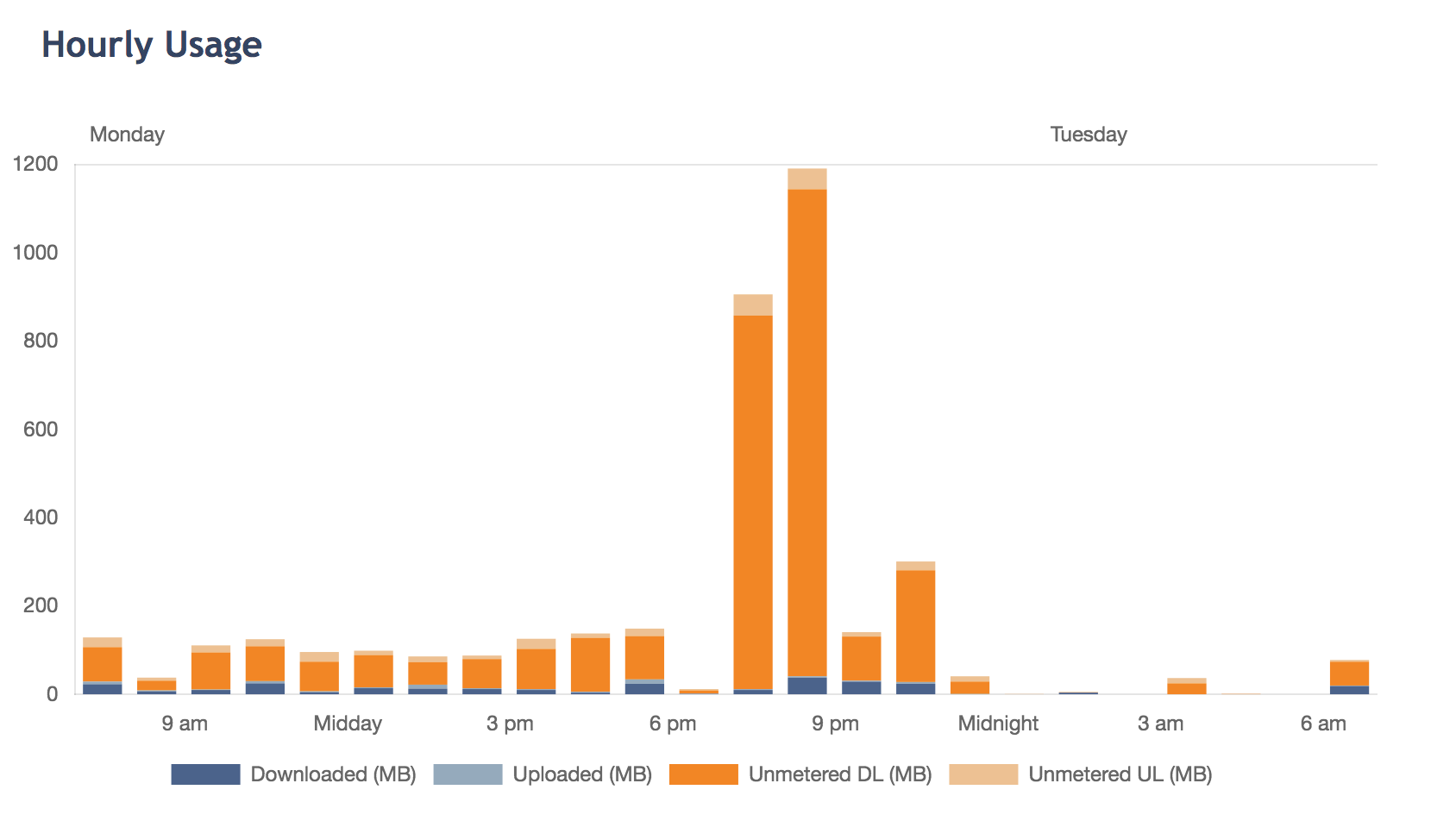
nbn Sky Muster Plus account highlighting a customer who watched a 2 hour online tertiary QUT video lecture on Monday evening. The two orange columns show that the lecture was unmetered (ie the data used did not count towards their plan allowance).

6. Be patient, providers have busy call centres and may be limited in staff. Ask for a call back if your provider offers one, or try contacting them by their social media page/s or via email.

7. NBN is actively working with retailers to ensure they optimise the network to support Australians in anticipation of unprecedented demand. Please bear in mind that nbn are a wholesaler so any developments have to be approved by providers.

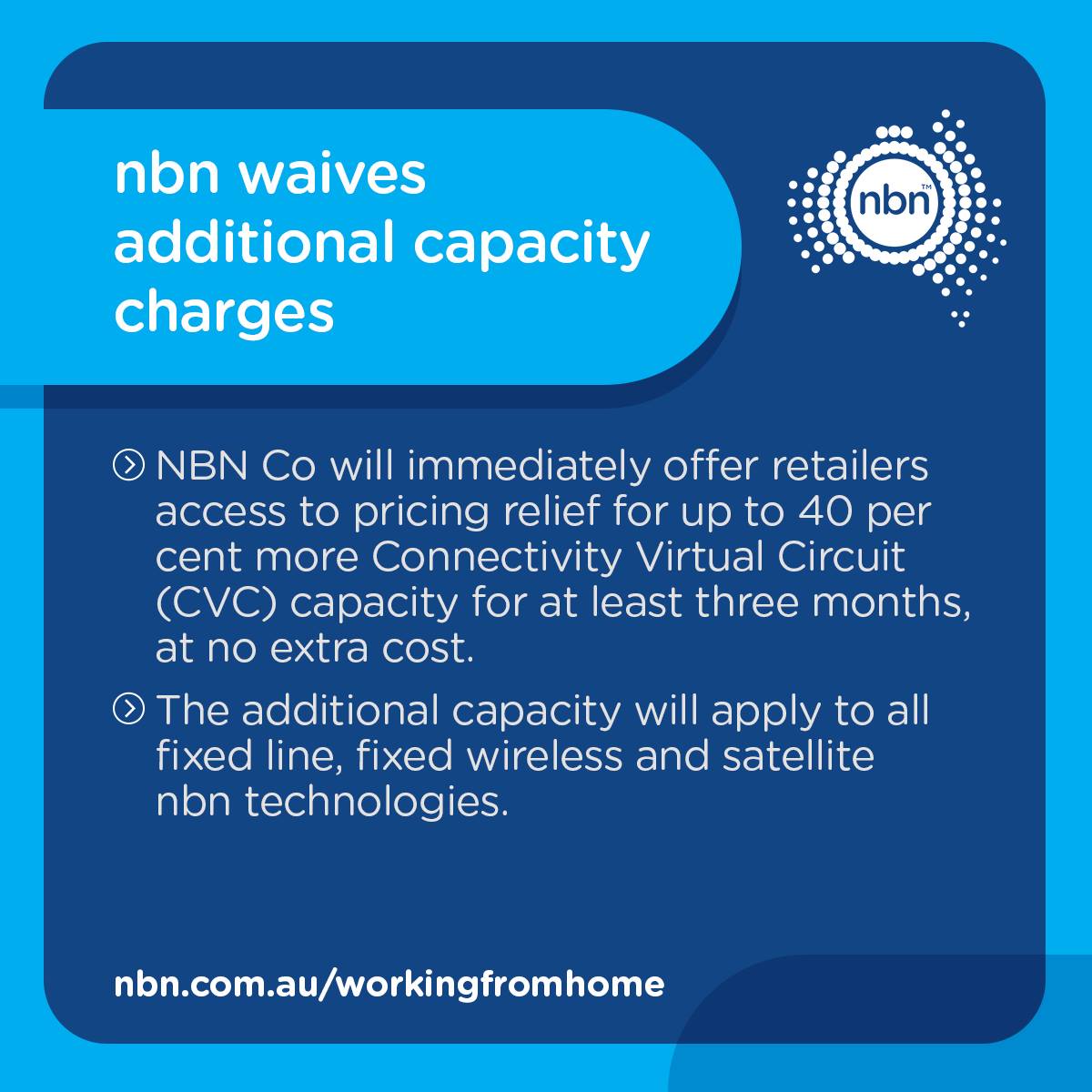
From Monday 23 March NBN Co will immediately offer internet providers access to pricing relief as required to help meet demand over time at no additional cost.

NBN Co has also announced satellite broadband retailers will have temporary access to an additional 45 Gigabytes (GB) of download data for each standard Sky Muster plan from 31 March 2020 – 30th November 2020. NBN Co will review demand and determine the appropriate level of allocation for an additional two months. nbn Satellite providers are encouraged to pass this data onto their customers.

NB: NBN Co has also committed to suspend the managed disconnection of legacy copper services to the 70 per cent of regional premises that can access the NBN via fixed line services, and to suspend all non‑essential work on its fixed wireless network to minimise disruptions to services and keep regional Australians connected.

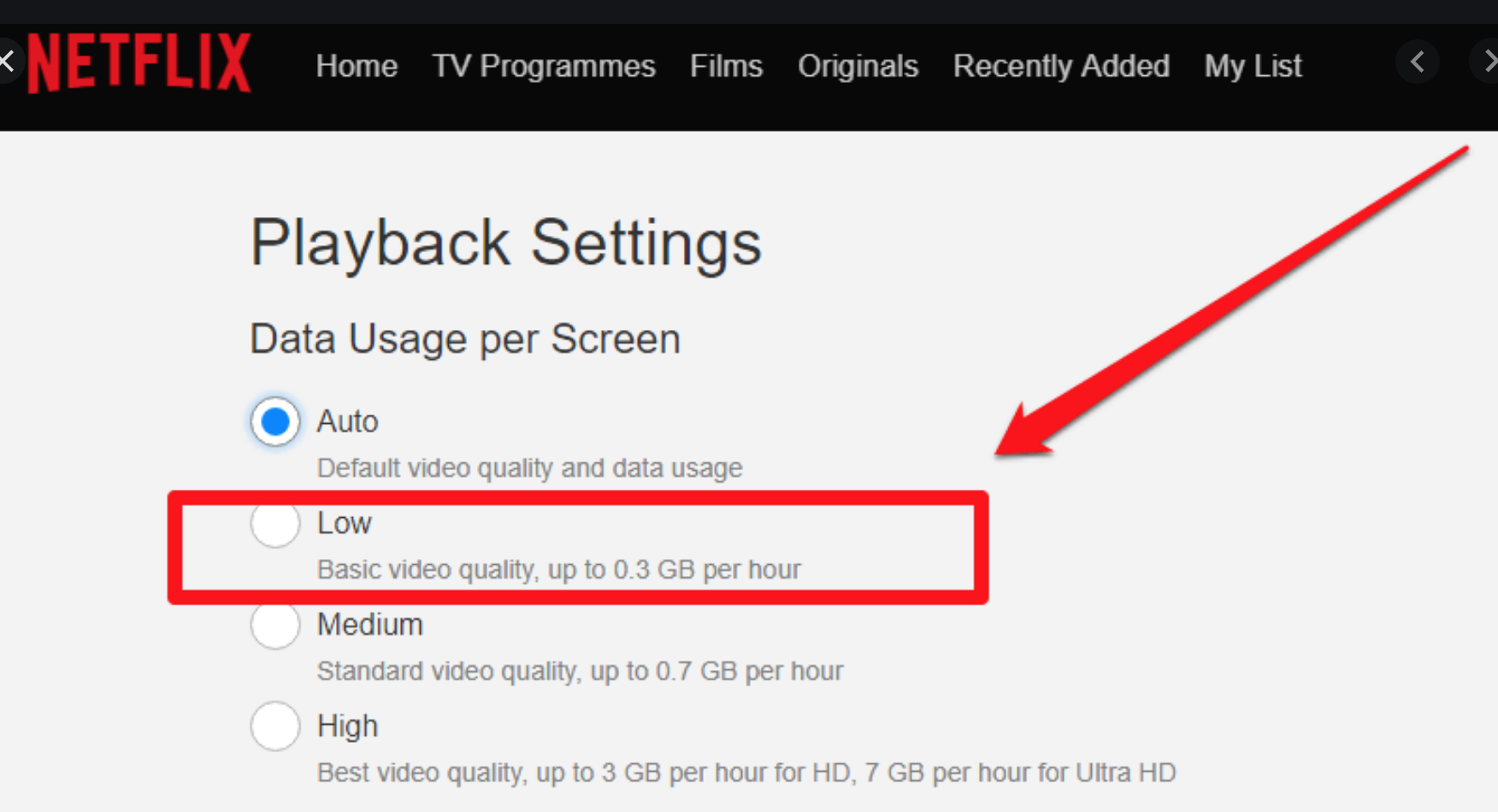
8. Use Apple screen time settings to limit non essential tasks on your smart phone or tablet i-devices. Reduce the settings on video streaming programs such as Netflix . Unless required turn off video in conferences (e.g. uni lectures often don’t require the student to have video – only audio, switched on)

9. If you aren’t getting the experience you want from your internet service or aren’t sure how to chose the best connection for your needs BIRRR has many tips and advice that may help you to decide or troubleshoot your connection. Check out our website or create a post in our Facebook group stating your specific technology, your provider and your location, alternatively you can email us for advice – birrraus@gmail.com

10. KEEP CALM – explain to your workplace/school/university that it may take a few days to get yourself set up and find out all the information you need to optimise your service. Don’t be afraid to highlight any difficulties you feel you may have in regards to working or educating from home.

The Government have held a telecommunications roundtable to ensure measures are in place to support telecommunications during this time.

Prepared for BIRRR by the BIRRR Admin team, updated  25/10/2020.  Please check with your provider for correct advice regarding your connections.

Landline Phones and the Universal Service Obligation (USO)

The Universal Service Obligation (USO) is a long-standing consumer protection that ensures everyone has access to landline telephones and pay phones regardless of where they live or work.

Telstra is responsible for delivering the USO, and must provide standard telephone services (STS) on request to every premises in Australia within reasonable timeframes. This is both a legislative and contractual obligation.

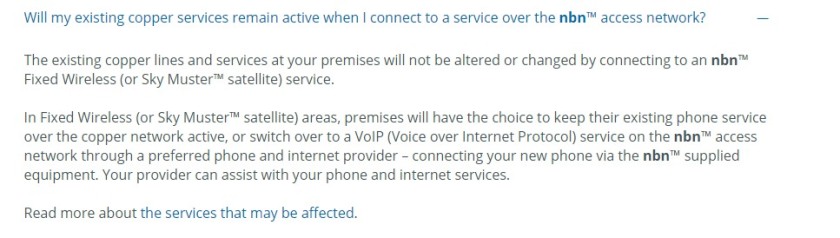
Please note Telstra are required to maintain landlines in nbn Sky Muster and nbn Fixed Wireless mapped areas, people in these areas DO NOT have to move to an nbn landline and can keep their current landline service.  BIRRR recommends that you maintain your standard landline service in addition to your internet service. If you are told a different story to the above information by a provider, please contact the BIRRR team.

68314933_10157633418443417_281456997977554944_o
Existing landlines and nbn

Telstra delivers the USO STS (Standard Telephone Service) using a mix of technologies, including copper, fibre, point to point radio (e.g. high capacity radio concentrator system or HCRC), NGWL and satellite infrastructure (i.e. Telstra’s USO Sat service).

51748963_2319644304733706_7223177935719497728_n
HCRC in North Western QLD during the devastating 2019 Floods.

Telstra fulfil their obligation to provide an STS by giving customers access to a reliable telephone service that has good voice reception and ensures connections and faults associated with this service are undertaken and repaired within a reasonable time.

You can read what features are included in a USO STS here.

How to order a STS

Orders can be placed at your local Telstra store, by calling 13 22 00, or visiting Telstra online.

Telstra national pricing ensures that customers in remote areas pay the same price for an STS as customers in cities. While this service has traditionally been provided as a fixed line telephone service, Telstra’s obligation is technology neutral meaning they can choose the technology over which they provide you with the service.  For example in some remote areas Telstra provide customers with an STS over satellite.

For more details on appointment, connection and repair times, visit the Telstra website

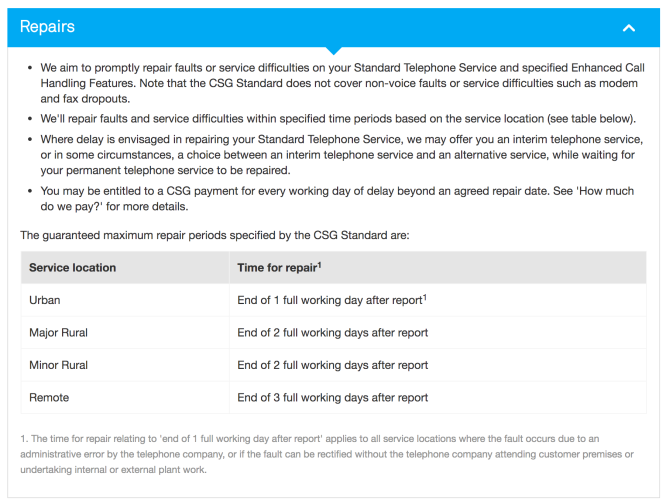
Telstra STS Repair Times

Screen Shot 2019-08-18 at 1.26.24 PM

Telstra Consumer Service Guarantee (CSG) Payments

If Telstra are unable to repair your landline (STS) within the agreed timeframe you may be entitled to a CSG payment. Keep a record of when you report faults and fault numbers to assist with this process.

Payments are currently:

  • $14.52 (for residential/charity customers) or $24.20 (for business customers), for each working day missed, for the first 5 working days of delay.
  • After the first 5 working days of delay, you may be entitled to receive a CSG payment of $48.40 per additional working day of delay.

The CSG payment does not apply in some cases e.f  if you are offered (even if you don’t accept) an interim telephone service, delays due to natural disasters or circumstances beyond the control of Telstra or if you don’t allow access to your property to a technician.

Screen Shot 2019-08-18 at 1.27.43 PM

For more information please call 13 22 00.

USO arrangements were put in place before the widespread availability of mobile and broadband services. In April 2016, the Government requested the Productivity Commission (PC) undertake an inquiry into the future direction of the USO in an evolving telecommunications market.

The Government released the PC’s report into the telecommunications USO on 19 June 2017. The report provides a range of recommendations regarding the future of universal access to a minimum level of retail telecommunication services.

The final report is available on the Productivity Commission’s websiteYou can read the BIRRR Submission to the Productivity Commission here.

The Government released its response to the Productivity Commission’s inquiry into the Telecommunications Universal Service Obligation on 20 December 2017. The response outlined the Government’s intention to establish a Universal Service Guarantee to cover both broadband and voice services.

ACCAN TIP SHEET ON USO

*Please note, while all care has been taken in compiling BIRRR documents, we recommend that you check with your service provider regarding any specific information for your service. Updated 18/08/19

Prepared for BIRRR by Kristy Sparrow.


PlayOn Cloud

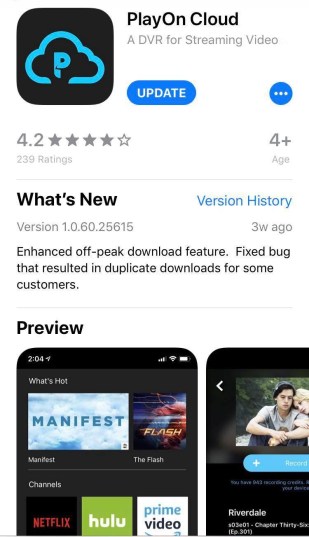
PlayOn Cloud is a mobile app that can be used to record and then download video files during off peak times.  This is useful for those on satellite connections (who usually have unused off peak data), those who are experiencing network congestion, slow equipment and those wanting to download movies and clips for times when you need to watch offline e.g plane trips and travel.

How PlayOn Cloud Works

PlayOn cloud is a streaming video recorder that is located in the cloud.  When you select a video file in the app, PlayOn streams and records the file to their server in the cloud (the recording does not use your data/connection).  Once the recording has completed you can download the file from the cloud to your device, and downloads can be scheduled to occur in off peak times or times when there is no network congestion. Cloud recordings are stored for 7 days and must be ‘downloaded’ before then or the recording will expire.

The PlayOn Cloud App is both Apple (iOS) and Android compatible.

Steps on using PlayOn

  • Download the app from the Apple Store or Google Play
  • Set up your PlayOn Cloud account

68701113_448858545962418_5045470074576568320_n

  • There are two ways you can get recording credits – Purchase recording credits from PlayOn (prices below as at 01/08/2020), prices vary depending on the pack you choose. Recordings can be as low as 29 cents per video download.Screen Shot 2020-08-02 at 9.00.39 AM
  • Or purchase a monthly recording plan (monthly subscription).  Recordings can be as low as 25 cents per video download (prices below as at 01/08/2020). Check with your Internet Provider for any special discounts available for PlayOn Cloud.

Screen Shot 2020-08-02 at 9.00.49 AM

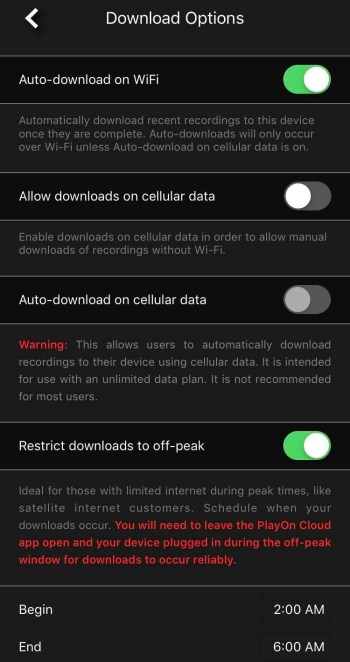
  • In Settings, select download options.  Select Auto-Download on WiFi & Restrict Downloads to off peak, set the off peak times (nbn Sky Muster off peak times are 1am – 7am for all providers).  PlayOn Cloud works off your local time.
  • Set your video quality (High Definition if wanting to watch on a large screen)

67966841_954754188194623_1443734813960830976_n.jpg68510617_968883196776799_3277621764145807360_n

  • Select channel settings and sign in to any channel accounts that you have e.g. Netflix, You Tube, Disney
  • Select the channel you want to stream from and the video, file you want to record.  Select record. The video file will now begin recording in the PlayOn Cloud, this will show in your Queue section.
  • Your video will download (this is the part that uses YOUR data) during the times you have setup in the settings tab.  Your device must be plugged into power with the app left open for this to occur, you must also have enough storage space on your device. The file will then be downloaded to your device and can be located in the Recordings tab, select device at the top of the tab to see your recording..
  • You can also download the files to your PC using the PlayOn Companion AppThe app works on both Windows and Mac systems. You still schedule recordings as normal in the PlayOn Cloud app, the files can then be downloaded directly to your choice of either the companion app on your PC or to your mobile device as normal. Download recordings automatically overnight while you sleep to use your Off-Peak data, and do it straight to your PC without the hassles of transferring the file afterwards.
  • PlayOn Cloud allows AdSkipping – Automatically skip ads when you watch recordings.

Synching between devices

If you login with the same PlayOn Cloud account, your recordings will sync across all of your devices that have the app installed. Please ensure your settings are updated in each version of the app.

Recording Failure

In the unlikely event of a recording failure, you’ll automatically be issued a replacement credit. If you encounter any further issues, contact the PlayOn support team at support@playon.tv

Playing your files on a big screen

To play your downloaded files, you can watch them directly from your device or cast them to your TV screen using a device such as Google Chromecast or Apple TV, or watch on your PC/Laptop using the PlayOn Companion App.

PlayOn Cloud Supported Channels

Screen Shot 2020-08-02 at 8.58.46 AM

You can suggest alternate channels via email to support@playon.tv

NB: Customers who downloaded the PlayOn Cloud app prior to it becoming available in Australia may have access to different channels and recording credit prices.

*Please note, while all care has been taken in compiling BIRRR documents, we recommend that you check with PlayOn regarding any issues.  

Thanks to Jeff from PlayOn for his assistance in compiling this document.  Prepared for BIRRR by Kristy Sparrow,  updated on 1st August 2020.

What is a Mobile Small Cell ?

What types of towers/cells are used in MBSP projects?

The Australian Government is improving mobile phone coverage and competition in regional and remote Australia through the Mobile Black Spot Programme (MBSP). As of 18/3/19 there have been 4 rounds of Federal Government MBSP funding, you can read about each round here.

Types of Base Stations that maybe used in the Mobile Black Spot Program
Base Station Type Typical Coverage Radius Typical Use
Picocell 200m high rise building, hotel or car park use
Microcell 1-2km shopping centres, transport hubs, mine sites, city block, temporary events or natural disasters.
Macrocell 5-32km suburban, city and rural use
Macrocell – Extended Reach 50-150km using extender cell technology suburban and rural use

More details here

What is A Small Cell ?
Small Cells can be either Picocells or Microcells
  1. What is the range of a small cell?
    The range of a small cell is dependent on a number of variables. Small cells are only viable when they can be achieved at the right price point, which in simple terms means the site’s antennas (especially for small cells deployed as part of the Black Spot program) are normally mounted on an existing building. Coverage typically therefore extends a radial distance of approximately 300m from the site.
  2. Does it only support 4G?
    The small cells we are deploying are 4G only. Telcos believe that this provides support for advanced voice and data features at the best cost point. Addition of 3G capability would significantly add to the deployment cost and render it economically unviable.
  3.  And therefore they need to use Voice over WiFi
    Voice calls on 4G small cells require the handset to support VoLTE (Voice on LTE). If the handset also supports Voice over WiFi (e.g. the new Samsung S8 & S8+ blue tick phone) then it will seamlessly handoff from VoLTE (outside coverage) to VoWiFi if say a premise has fixed broadband connected to a WiFi access point.
  4. If a community wanted to upgrade the small cell to increase coverage, is that something we’d consider.
    The viability of a small cell program relies on a low cost solution delivering an acceptable coverage solution for our customers. The rollout of the Small cell program for the Federal Government Blackspot program is a good example of this. Telcos always aim to maximise the coverage we provide for a community within the funding constraints. If a community wishes to contribute towards augmentation of a site then we are happy to review that on a case by case basis.

Thanks to Telstra for the above information on small cells.

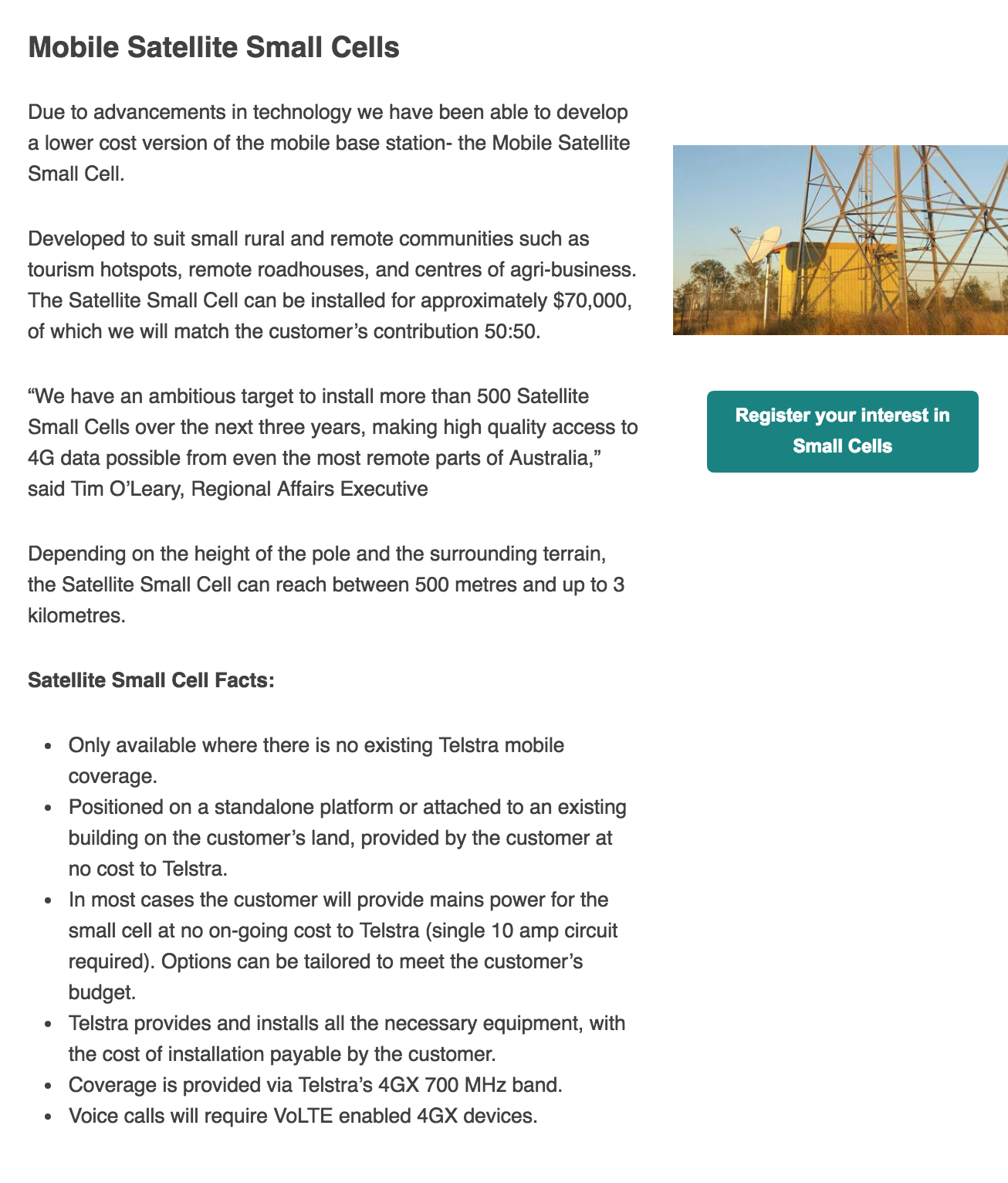
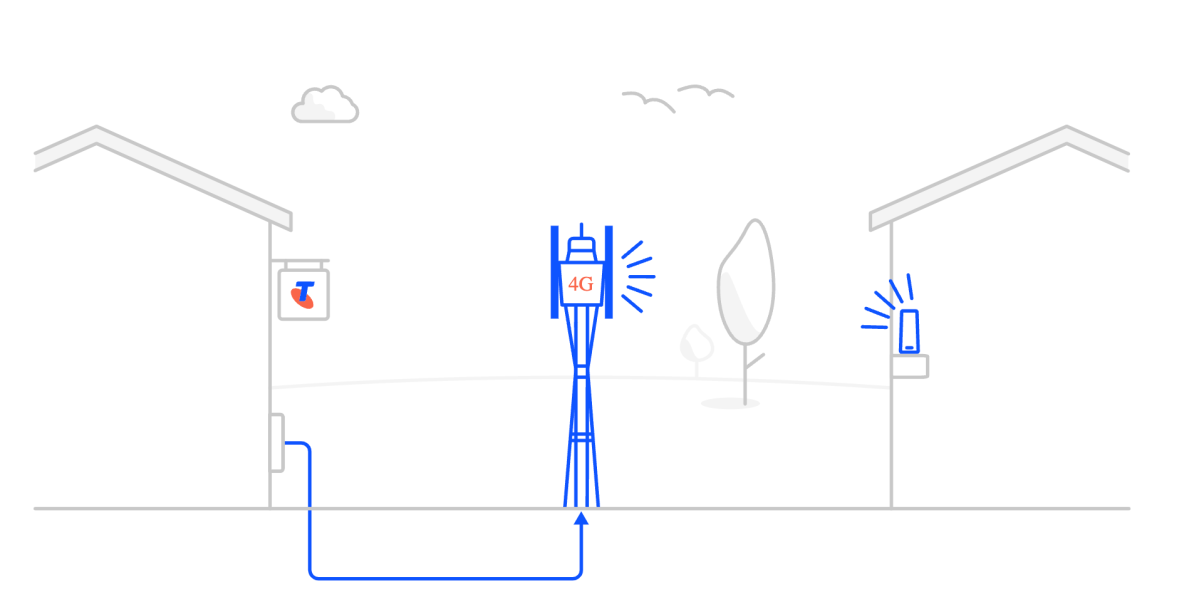
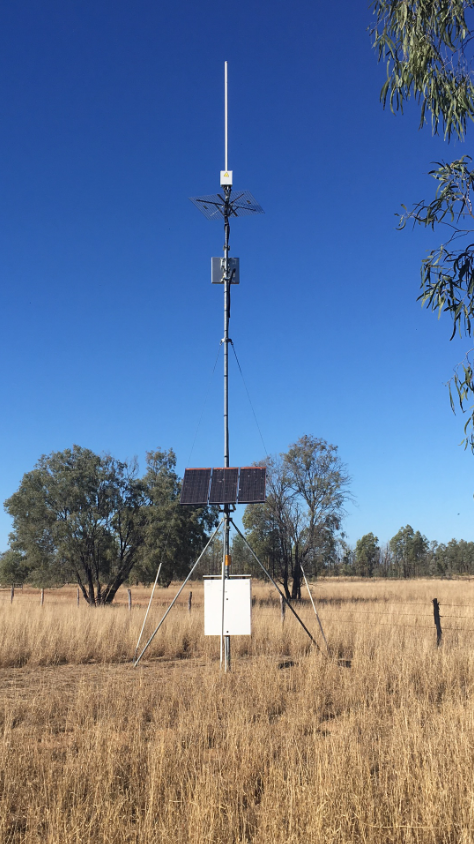
Telstra have also developed a lower cost version of the Mobile Satellite Small Cell, see details below.  To register your interest in a small cell, contact Telstra via email – TelstraRegionalAffairs@team.telstra.com

Prepared by Julie Stott & Kristy Sparrow for BIRRR, Source: Australian Financial Review Source: Department of Communications and Arts

*Please note, while all care has been taken in compiling BIRRR documents, we recommend that you check with your service provider regarding your own connection issues and best plans available.

nbn Sky Muster Standard & Premium Plus

There are currently two types of nbn Sky Muster satellite plans.

  1. nbn Sky Muster Standard Plans (metered data)
  2. nbn Sky Muster Premium Plus Plans (unlimited data)

You can read about the differences between a standard nbn Sky Muster plan and Plus Premium plans here.

NB: On 5th August 2025 nbn announced a partnership with Amazon’s Project Kuiper. From mid 2026 nbn Sky Muster satellite users will be migrated to Amazon’s Low Earth Orbit (LEO) satellite service. Read more here

Sky Muster Plus Premium

nbn Sky Muster Plus Premium Plans are the best value for money plans currently available on nbn satellite. Thus, going forward BIRRR will only be offering comparison of these plans, and not other nbn Sky Muster plans.

BIRRR Sky Muster Plus Premium Comparison Table – Updated 7/8/2025

NB: Not all providers offer all types of nbn Sky Muster Plans. Providers offering nbn Sky Muster Premium Plus Plans can be viewed here

Please note iiNet & Westnet no longer sell nbn satellite plans, Telstra and OPTUS do not sell NBN Sky Muster Satellite plans.

Important questions to ask when choosing a nbn Sky Muster Provider

Providers can differ in performance, depending on their customer numbers and how much they have invested in their network. It is not expected that each retail service provider will offer the same level of service. Therefore, you should check that the level of service offered matches what you need.

  • Is there an activation or installation fee (most providers offer FREE Sky Muster installs)
  • Is a plug & play wi-fi router provided ?  At what cost? NOTE: you will need to order this when you order your installation if you require wi-fi.
  • How can you pay for your account ?  Does the provider accept direct deposit, credit card, BPay etc?  Does the provider charge an account fee, late fee, credit card fee or invoice fee ? (most providers DO NOT charge invoice fees)
  • If a Standard plan – Can you purchase a data block ?
  • What speed tier are you signing up to 12/1, 25/5, 50/10 or 100/20 Mbps?
  • Is there a contract for your Sky Muster account ?   Most providers offer 30 day plans so please DO NOT get locked into a contract for 12/24 mths unless you are happy with your provider & their customer service.
  • What customer support specifics are available e.g. hours/days, public holidays, Australian support centres? What notifications do they send for outages and data usage? How can you view your data usage ?
Things to note:
  • It is important to review the RSP’s Critical Information Summaries or CIS. The CIS was mandated by the ACCC to make it easy for customers to compare ISPs’ offerings. Don’t make a decision on price alone.
  • Check the contract terms stated by the provider you choose, contracted plans are usually cheaper.
  • Some providers may offer bonuses such as a month free, or a free router. Check with your provider regarding these offers.
  • If you already have a nbn Sky Muster installation, changing plans does not require any additional equipment. In most cases you can use the equipment you already have, although it is recommended you upgrade your wi-fi router if it is more than 3 years old.
  • NBN Fair Use Policies apply to SM+ and +Premium, to ensure the finite satellite capacity is responsibly shared among users.

Developed for BIRRR by Kristy Sparrow, in conjunction with nbn & updated 07/08/2025

*Please note, while all care has been taken in compiling BIRRR documents, we recommend that you check with your service provider regarding your eligibility and best plans available.

Using PlayOn Desktop to Schedule Off Peak Video Downloads

What is PlayOn?

PlayOn Desktop is a program that allows you to schedule the download of movies and tv shows during Sky Muster ‘off peak’ data times. It is relatively cheap and very simple to use, you don’t have to be very tech savvy and its an excellent way to utilise your off-peak data that often goes unused.

What Do I Need?
You need an existing Netflix account or You Tube account to use PlayOn and a PC or laptop with Windows installed. Unfortunately PlayOn Desktop doesn’t work for Macs. 

BIRRR is currently researching the Play On Cloud app which works in a similar way on idevices, we will update when our research is done.

How Much Does it Cost?
PlayOn costs $4.99 USD per month or $30 USD annually or you can pay a one off lifetime membership charge of $69.95 USD. Prices do change regularly so check out current pricing on the Playon Website. Look into downloading a limited time trial, if you want to test the software without the commitment.

PlayOn charges are  an additional cost on top of your Netflix subscription. (Netflix AUS costs $9.99 per month for the basic package, which allows you to stream or download Netflix on 1 screen at a time in Standard Definition). Other plans are available, however it is not ideal to download from more than one device on Sky Muster. You may want to ‘trial’ Netflix for free for a limited time first.

How Does It Work? 

You can set your Play-On to record and download videos as .MP4 files during Sky Muster off-peak times.  PlayOn will start and end the recordings automatically. The recording works in a ‘streaming’ fashion. Meaning that if a movie is 3 hours long it will take 3 hours to record, and you can record up to 6 x 1 hour episodes of a TV series during your off-peak times. This means you can download up to 180 hours of movies and TV shows per month during your off peak time (subject to your data limits). This enables Netflix and You Tube to be more accessible to those on limited data connections.

PlayOn records during normal times too so if you find yourself at the end of your billing period with some leftover peak data and not enough time to use it up you can use PlayOn to record shows during peak times as well to use your data effectively.

How much data does it use?
You can easily adjust the quality of your recordings (similar to adjusting the streaming quality on your Netflix account), which will reduce the amount of data that is used per recording. However, I find anything less than Medium quality to be unwatchable and if you have a decent sized tv then you may want to stick to a High quality download setting.

Low Definition: reduced standard definition video quality, can use up to 300MB per hour.
Medium Definition: standard definition(SD) video quality, can use up to 700MB per hour.
High Definition: high definition(HD) video quality, can use up to 3GB per hour.

How to Watch?
Once you have downloaded your movies and TV shows there are multiple ways to watch them. You can use a streaming device (such as Chromecast) from your desktop, tablet or device. You can also put the files onto a USB or hard drive and plug that straight into your TV. If you have downloaded onto a laptop you can also use an HDMI to plug your computer directly into your TV.  Mirroring apps (try Googling one that is compatible with your TV and device) are also an easy way to watch.

Problems & Tech Support
PlayOn works really well the majority of the time. You can have issues where shows have not recorded properly or not at all (this can be from a minor Play-On glitch or a short Sky Muster outage or update). The program will flag the ones that failed to record overnight so you can add them to the queue to record next time.

PlayOn is a US based company so doesn’t offer phone based support in Australia, however there is a ‘tech support’ button in PlayOn settings which details problems and glitches and how to fix them.  PlayOn tech support can also be contacted via email.

How to Use?

  1. Create an account on the PlayOn website. (you will also need to have created a Netflix or YouTube account)
  2. Choose which payment option you want.
  3. Download the program to the computer you want to use (remember it is not compatible with Mac Computers)
  4. Follow the prompts as instructed.
  5. Once the PlayOn desktop program has downloaded go into settings and the ‘channels’ tab and enter your Netflix or YouTube logon and password details.
  6. In that same settings screen under the ‘General’ tab you can choose the quality of your download from HD to Low Quality as discussed above.
  7. Once this is set up you can go to the top right hand side of the screen and see an ‘off peak’ button. Click it to set up to record during off-peak times. You will need to enter your off-peak times in. PlayOn is very definite and only starts once the off-peak time has begun, it also won’t continue to record past the off-peak time you have set. e.g. If you have a 55 minute episode to record, but only 45 minutes of off-peak time remaining PlayOn will simply not record that episode (rather than record most of it or go over the specified time) and it will remain in the ‘Recording Queue’ until next time.
  8. Now the fun part. Click on the channels tab and choose the Netflix channel. Now you can choose whichever movies and tv shows you want to download. Once you have found what you want to record you will see the button on the far right of the show/episode description that says ‘record’. Click that and it will add it to your ‘Record Queue’ to be recorded during off-peak. You will have to click record for each episode of a series.
  9. Click on the ‘Record Queue’ button on the top right of the screen to see everything you have in your queue. You can change the record order etc from there if you want.
  10. Keep your computer turned on and connected to the internet overnight for the recordings to work (turn the volume down on the computer if you don’t want it annoying you through the night).
  11. You can see which recordings have downloaded successfully and which haven’t in the ‘new recordings’ and ‘failed recordings’ tabs on the left hand menu. Any ‘failed recordings’ you can just add to the ‘Record Queue’ again for next time and they will usually record successfully.  If you continue to get failed recordings or have other problems go to the ‘Help’ button at the bottom left of the screen.
  12. Sometimes when you open the PlayOn program you will get a screen that says ‘Server can’t be found’. Simply click the ‘Open Settings’ button and you will see a ‘Start/Stop Server’ button on the right of your settings. Click it and wait for the box to become green and say ‘Running’ and you are good to go. This happens often and is due to settings that don’t start the server automatically (to save data).

How to View
Refer to the How to Watch section above. You can open the PlayOn program to watch them, otherwise the recordings are also stored in a ‘Play-On’ folder in your Video files on your desktop. From that folder these can be transferred to a USB or hard-drive for viewing (and travel etc) if you want.

Check out Skymesh’s PlayOn hack article

Prepared for BIRRR by Sophie Parbury & Ben from SkyMesh.

*Please note, while all care has been taken in compiling BIRRR documents, we recommend that you check with your service provider regarding your eligibility and best plans available. Page updated 25/10/18.

Telstra NGWL Migration

Telstra NGWL services are being decommissioned when the Telstra 3G network is shut down on 28th October 2024. Telstra will migrate customers to newer technologies before the 3G closure. Most customers will be migrated to Telstra’s 4G Fixed Wireless network (4GFW). Telstra have stated they “will be working to ensure the voice service will meet current USO requirements“. You may also hear this new voice service referred to as 4G Home Voice, a wireless landline or 4G landline / home phone & possible other name variations. More information on Telstra’s 3G network closes on 28th October 2024 here

4G fixed wireless (4GFW) is a type of connection that utilises 4G LTE (Long-Term Evolution) wireless technology (4G mobile) to provide broadband and voice services to your premises. More details from Telstra here.

Migration process: Existing NGWL users will receive a text, mailed letter and/or an email regarding the migration process. These are being done in batches and all NGWL customers in an area will not receive the migration information at the same time.

To arrange migration Telstra needs to be contacted on 1800 258 503. They are open from Monday to Friday, 8am to 7pm AEST. If you haven’t received any correspondence as yet, BIRRR encourages NGWL users to contact the migration team ASAP.

What you need to know when migrating your NGWL service with Telstra – click here.

BIRRR – NGWL Migration Assistance. If you are experiencing migration issues, please complete this BIRRR – NGWL Migration Assistance form and BIRRR will escalate with Telstra.

Equipment Needed: NGWL consumers will need a Telstra Smart Modem and in some cases a compatible antenna to transition to 4GFW. If you already have an external antenna, Telstra expect that in most cases this will be re-usable with the 4G FW solution. The Telstra Smart Modem (Generation 3) will have an antenna port allowing for connections to the external antenna (if you have one). In most cases you will be able to use your existing telephone handset.

In some cases Telstra will send out the smart modem and instructions for you to self install, in other cases a technician will need to attend your premises to install additional equipment, such as a compatible antenna.

Telstra Smart Modem

Set up guide can be accessed here

Some consumers may have extra equipment at their location including a repeater tower, cel-fi set up, antenna etc (as pictured below). BIRRR has sought further clarification from Telstra as to the future of this equipment. Please be aware that if you choose to cancel your landline service this may affect your existing mobile coverage, especially if you have any of the equipment shown below.

Examples of a NGWL repeater tower, equipment and antenna, with new 4G FW equipment installed.

Costs:A voice service delivered via 4GFW with the smart modem and antenna (if required) is supplied by Telstra. There are two plans available:

  • Telstra Upfront Home Phone Plan is $50 per month.
  • Upfront Starter Plan (with 50GB data allowance) is $65 per month.
  • Customers who are eligible for concessions will be eligible under these plans too.

Telstra Upfront Home Phone Plan & Upfront Starter Plan Specifics

Plans are not contracted. Customers can change plans or cancel at any time, at no cost. However, if customers decide to cancel their service within the first two years, they will need to return the modem back to Telstra or pay a $200 fee.

Inclusions: The 4GFW Telstra Upfront Home Phone Plan voice service will include 2GB data (The 2GB of data is incidental to the phone plan and only suitable for very limited internet usage – there is a possibility of data unavailability during peak hours for some customers on the 4GFW network.). Telstra’s CIS is here.

The Telstra Upfront Starter Plan includes a 50GB data allowance. Telstra’s CIS is here.

Both plans also include:

  • MessageBank, Caller ID, Same number porting
  • Caller Line Identification and Directory Listing are disabled by default and will need to be activated by the customer via the Telstra app. Unfortunately, any saved Message bank messages cannot be migrated and will be deleted once the NGWL service is disconnected.
  • Unlimited local, nation, mobile and 13 number calls
  • 30 minutes of standard calls to any overseas countries.
  • BIRRR recommends consumers should look at other options for broadband, as these plans are data capped. The Regional Tech Hub can produce a free independent connectivity report to advise on broadband options.
  • NB: although Telstra mentions your plan is unlimited, once the data limit of 2GB or 50GB (depending on your plan) is exceeded, your broadband speed will be capped at 256kbps until the next month.

Power, Priority Assist & Medical Alarms: You will not be able to use your 4G FW service in a power failure – including emergency calls, any back-to-base alarm or medi-alert functionality, without a back-up in-home power source. If you have a back to base security alarm or a medi-alert, you will need to check with the manufacturer to make sure it is compatible.

Priority assist will be available on this technology. Telstra will supply a battery backup device for all Priority Assistance customers that will help provide short term connectivity in the event of a loss of power. This backup battery will not be included as part of a standard setup for non-Priority Assist.

Please ensure any mobile devices, medical alerts and other 3G equipment is compatible with the 4G network as 3G is being closed down. More details here

If you live in an area prone to power failures/outages BIRRR recommends a non-powered phone (cordless phones will not work during power outages), which can be purchased from Telstra here for $48 and an Uninterruptible Power Supply for the Telstra Smart Modem which can be purchased from Telstra here for $120, this provides a power back up of approximately four hours. You can also purchase power redundancy and non – powered phones from other suppliers such as Harvey Norman, Officeworks, JB Hi-Fi etc.

If you require a longer length power solution a power station like the Energizer Everest 1100 Power Station, will provide power redundancy for your Telstra Smart Modem for 12 – 18 hours, a solar panel can also be added to the power station to enable charging via solar. Available from Mitre 10, Bunnings and other retail stores. BIRRR recommends a Google Search to find the current best available price (typically around $1000).

Recycling. The best way to recycle your old device is through MobileMuster, the Australian mobile industry’s official recycling scheme.

Billing and Payment: Telstra is in the process of rolling out a new billing software system. For customers still on the old billing system, their new service will be listed on Telstra’s new platform and in the short term, this may mean two separate bills. Ultimately all of Telstra’s existing accounts will be moved to the new system and all services will appear on one bill again. The new bills do not currently display customer ABNs. This feature has been requested and is in development for a future update. AutoPay from a credit or debit card (Visa, MasterCard or American Express) or a bank account. You can also call Telstra on 132 200 or visit one of their stores.

Same number porting: Customers can retain their existing phone number. Every service has a unique phone number. When the 4GFW service is first connected, as part of the migration Telstra will provide an interim phone number. Once the service technology is confirmed as working, Telstra will migrate the existing NGWL phone number onto the 4G service and then cancel the NGWL service and the interim 4GFW number.

Support: You can sign in to My Telstra to check your service, run simple tests and automatically raise a fault ticket. The My Telstra App uses a 2-factor authentication process and has multiple options such as text messaging, email and a pin to verify your sign in.

Telstra have advised that customers should use the contact us details to raise a fault and speak to an agent to help you resolve issues. You can also call Telstra on 132 200 or visit one of their stores.

At this stage Telstra DO NOT plan on having a specialised support number for this service, similar to the 1800 MYNGWL.

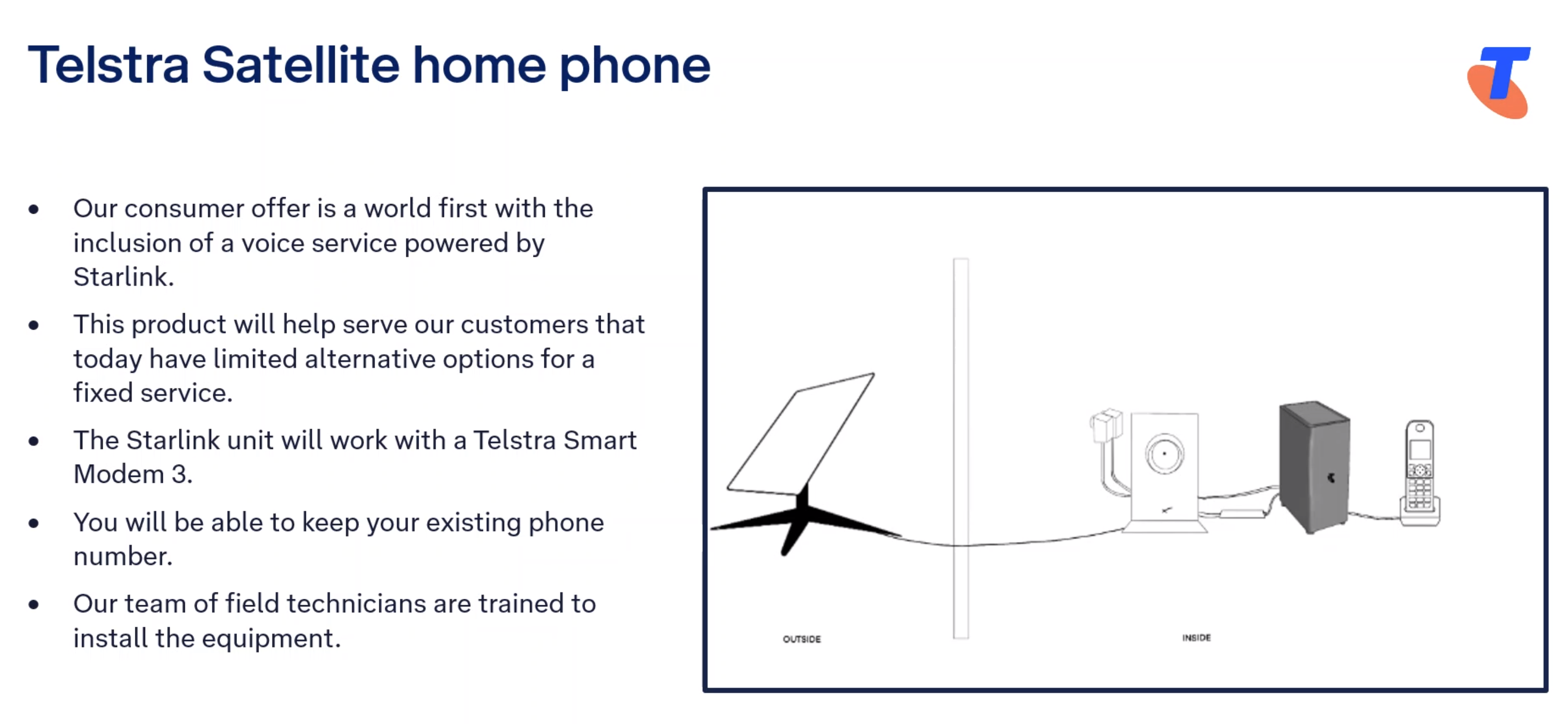
Some NGWL customers (those who don’t have adequate mobile coverage at their location), will be transitioned to a Starlink voice service. Telstra have stated that this service is “USO complaint”, which means that if you are migrated to a Starlink voice solution Telstra will cover the cost of the Starlink equipment and installation. It also means that Telstra need to ensure the service meets Consumer Service Guarantees under their Universal Service Obligations.

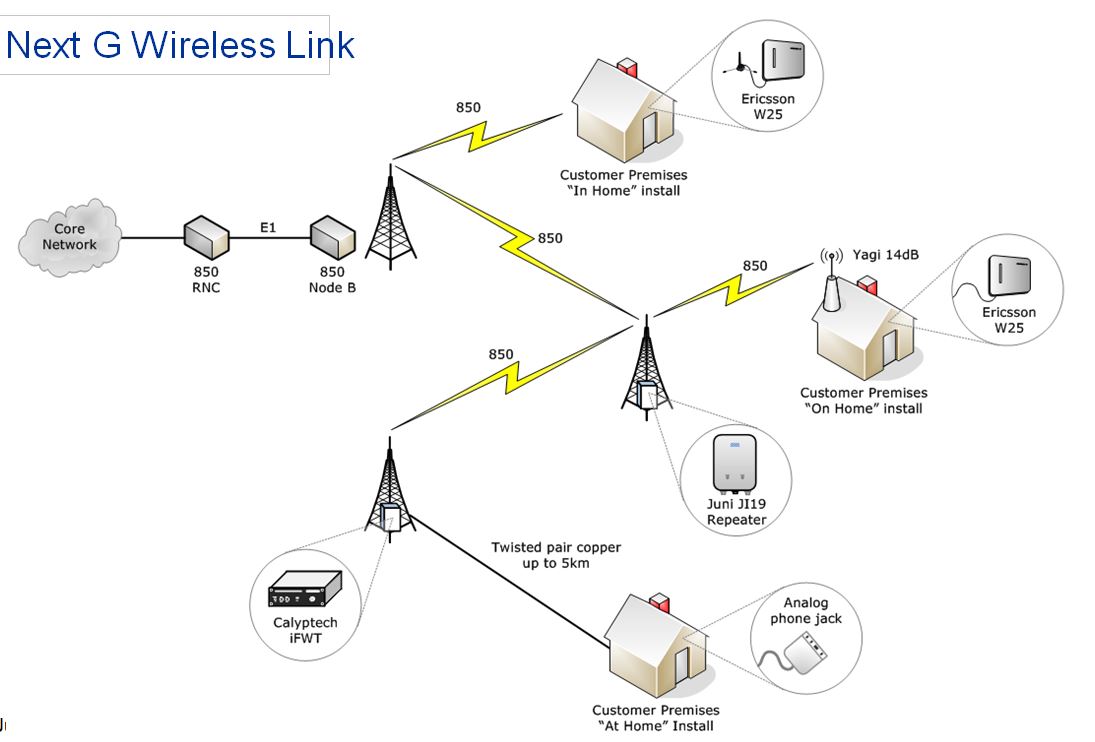
It is likely that current NGWL customers using the Analog phone jack inside their premises will be moved to a Telstra/ Starlink voice service, particularly if they have no existing mobile coverage at their location i.e. for NGWL connections that utilise a copper landline connection to the tower (image of NGWL varieties at the bottom of this page).

Satellite Voice (Powered by Starlink) Plan Details here

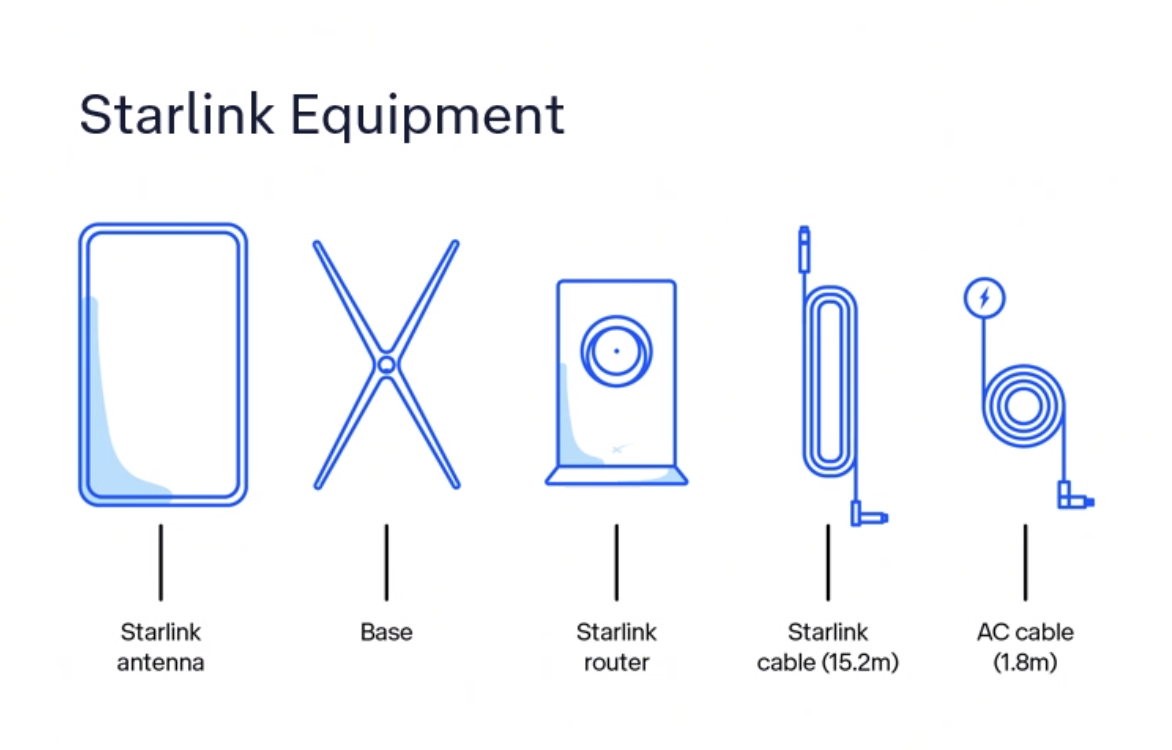
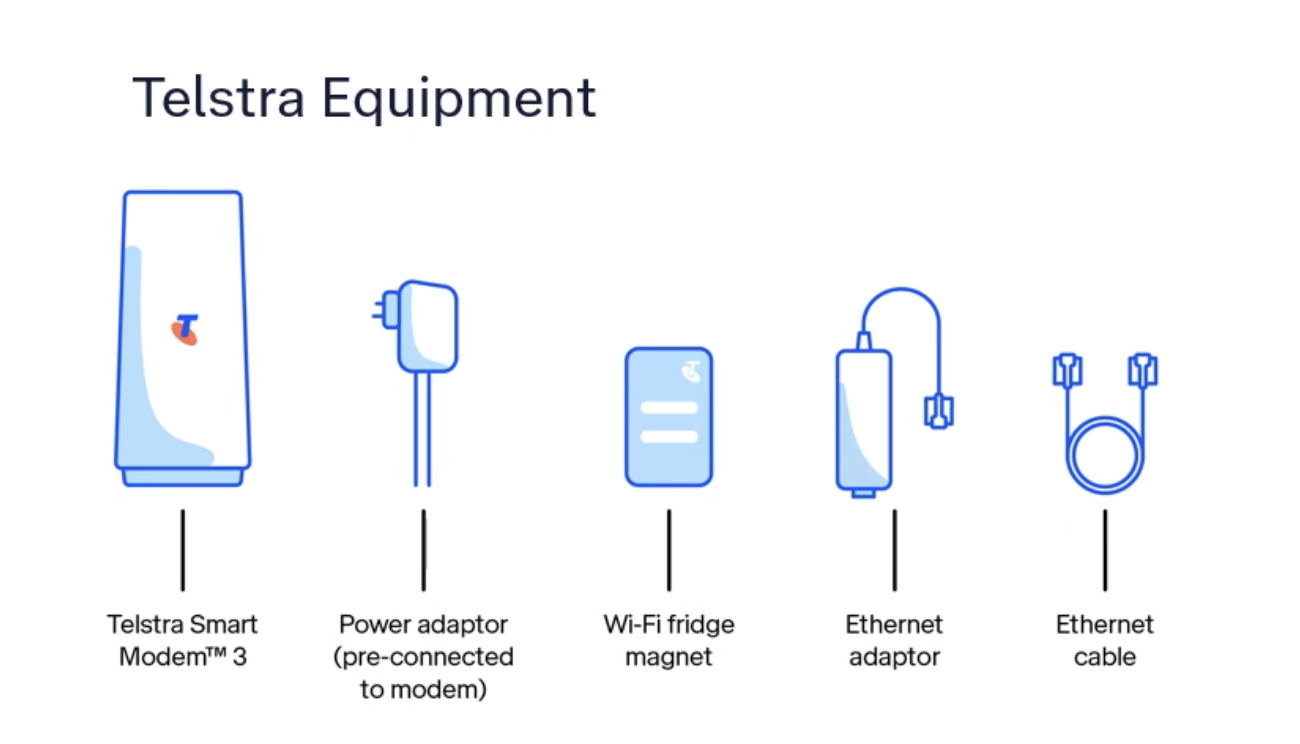
If you are being migrated to the Starlink voice solution you will receive two sets of equipment.

The Starlink voice service will be $50 per month for a voice only service (with all local, national, mobile and 13 calls included).

BIRRR has the following page with details on the new Telstra Satellite Home Internet (Powered by Starlink) product offering. Please note that the Telstra Satellite Home Internet has different pricing and inclusions to the USO compliant voice service offering, in particular in regards to installation and equipment costs.

You do not have to bundle broadband and voice to receive this product and BIRRR highly recommend you ensure you have an alternate method of communication, so that you have redundancy in communications. If you already have a Starlink kit we do not recommend you use this kit for the Telstra voice solution. You should request a new kit and installation from Telstra for your voice service.

Billing, same number porting, ID checks, accounts, support and power redundancy information listed above will all be also relevant for the Starlink Home Voice solution.

Things to note:

  • A Static IP is not available for Telstra Satellite Internet services.
  • Telstra Satellite Internet is restricted to use at the home address it is connected to. Satellite Internet can’t be moved around or used on moving vehicles or vessels like cars, vans, RVs, boats or aircraft.  Customers will need to contact Telstra to move their Telstra Satellite Internet service, similar to other fixed line connections. 
  • There is some voice prioritisation that occurs locally on the customer’s service but there is no voice prioritisation across Starlink’s network.
  • The manufacturer’s warranty is 24 months from the date of the original purchase.
  • Customers can message Telstra, use the My Telstra app, call Telstra’s contact centre or visit a store. There is no dedicated number for Starlink support, you will be prompted with questions to reach the right support team. More information on how to contact Telstra for Starlink support here.
  • If Telstra elects that the customer’s voice service needs to be migrated to Telstra Satellite powered by Starlink, and the customer meets Priority Assist requirements, then Priority Assist is available.
  • Customers who are eligible for concessions will be eligible under this plan too.
  • Telstra has been conducting trials of the Starlink product over many different locations, throughout various states for many months.  This testing has covered everything from the impact of rain, voice performance, service up time and general home usage. Telstra are continuing to undertake testing to gain further information about this technology.

NextG Wireless Link (NGWL) used the 3G Telstra mobile network to provide home phone services to some customers in rural Australia. It was a landline voice service supplied by Telstra in order to meet their USO (Universal Service Obligation) obligations. The service operated via the 3G mobile network, with consumers being migrated to newer technologies in 2024, due to the closure of the 3G network. It is believed that there were over 5000 NGWL services Australia wide.

NGWL used the coverage and data capabilities of Telstra’s 3G 850MHz network to provide a Voice ( landline service) and limited Broadband internet (limited in data and speed, with high costs)

The NGWL service was supplied by Telstra in several different formats, using a variety of different equipment options. The service did not provide calls at 3.1kHz bandwidth. Telstra offered a dedicated support line for NGWL consumers – call  1800 MY NGWL (1800 696 495 ) however they have stated they will not be offering dedicated support numbers for 4GFW or Starlink voice solutions.

Telstra applied the Customer Service Guarantee (CSG) to its NGWL services in 2018. Historically, Telstra’s NGWL customers opted for the service in place of a USO standard voice service on a fixed copper line. These customers made an informed choice to take up NGWL as an economic alternative to copper installation or replacement of High Capacity Radio Concentrator (HCRC)landlines.

 (More information here)

NGWL Set Ups

Developed for BIRRR by Kristy Sparrow, Julie Stott & John Kitchener updated 12/05/24

*Please note, while all care has been taken in compiling BIRRR documents, we recommend that you check with your service provider regarding your landline service and your rights as a consumer under the Universal Service Obligation.

Using PtP to relay nbn Fixed Wireless from a Farm Shed

This is our long story about over coming hills to get a nbn Fixed Wireless Connection!

We live on a farm between Ariah Park and Temora NSW. We are 9km from NBN tower in Ariah Park but have hills in between. My brother in law lives 1km from us which put him at 14km from a tower near Temora and us at 15km away. He was able to get NBN without an issue so we applied to get it. We had a technician come out and say we had strong signal from our roof so he set it all up. He said the green light would come on in a couple of hours and we would be set to go. It didn’t come on so we rang Telstra (our provider) who then rescheduled another visit by the same technician Of course we had to wait another week or two. The same technician came out and couldn’t work it out, said he would look into it and get back to us. We never heard back from him. We rang Telstra to get someone else out. They put us onto Skybridge (nbn installer company), we requested the same technician who put my brother in laws in.

So 2/3 weeks later he came out and he didn’t have any luck either. He said it is because we are past 14km from that tower (beyond nbn limits for Fixed Wireless). He said physically it was possible but NBN have gotten really strict with having to be within 14km from the tower. Another dead end. Telstra kept telling us we needed to go on satellite but we didn’t feel we would be any better off as we had friends who had a lot of trouble with it. Also because you still pay a high price for not a lot of data. We had upped our phone data and used hot spotting and shared data so we could get 45gb all up, which was never enough but much more than we used to get before we joined all our data together. Our kids were desperate for netflix like their cousins over the road!

We had a friend who knew a local technician who had bounced a signal off her in-laws, we got in contact with BIRRR and they told us to look into this. We knew it wouldn’t be ideal because we would have to share data with them (they have 6 kids) and it may slow down when we are all on it, this would have made us feel bad, as theirs is great now and we didn’t want to mess with their connection.

We contacted Michael, the local technician. He asked if we had a shed with power on our property that was within 14km from the tower. We had a tiny shed that had a pump in it and therefore power. It has to be waterproof and you need to put a cupboard in it to keep dust off. We needed to get the lot number from the rates- we rang the local council to get the lot number- they got on google earth and worked it out. Once we did this we could get an nbn location ID number (LOC ID) which Telstra needed to apply for NBN for us. This took a couple of weeks. It was then approved so Telstra scheduled a technician to come out a couple of weeks later.

We got our local guy Michael to come out the day before to make sure he would be able to bounce the signal from the small shed to our house (3km away). Of course, it wasn’t that simple as there were quite a few trees in the way.

Nina6Nina1Nina2
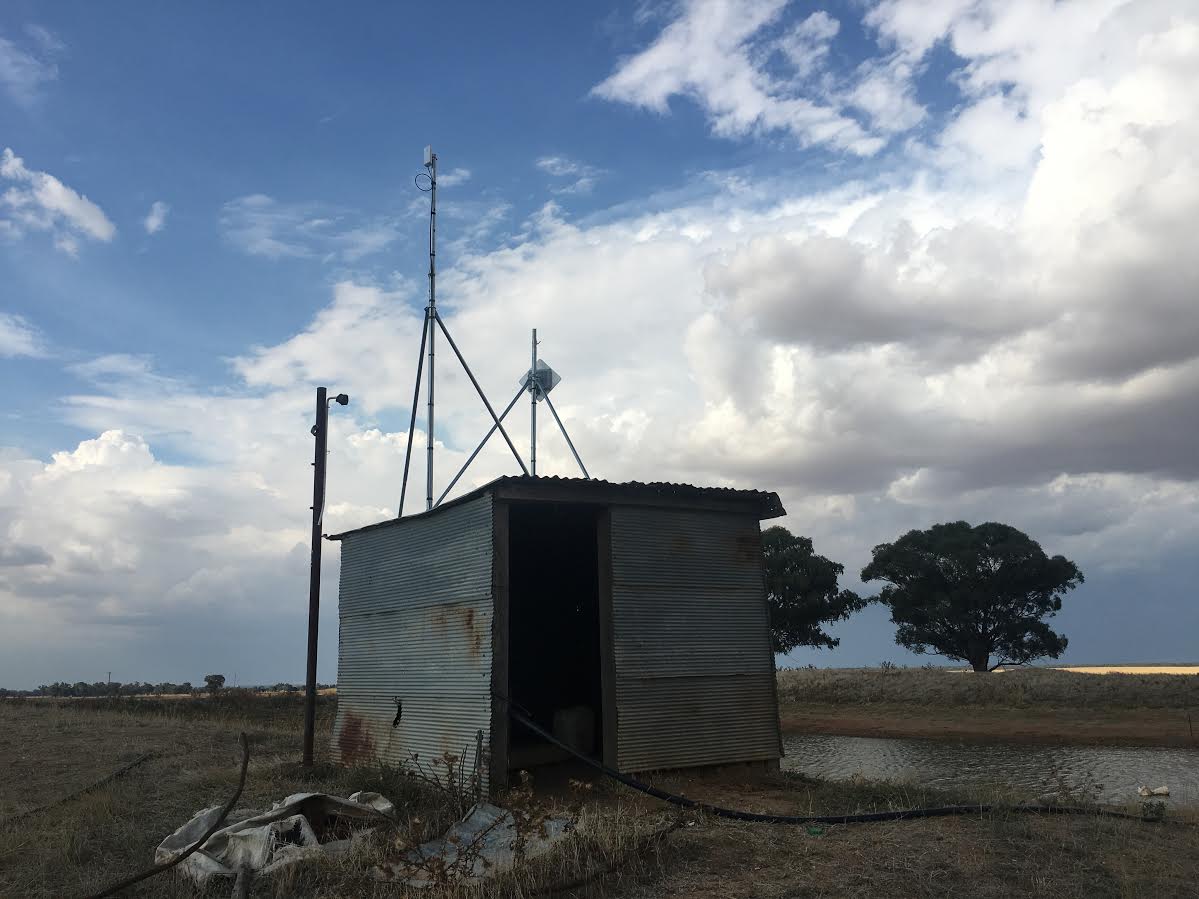
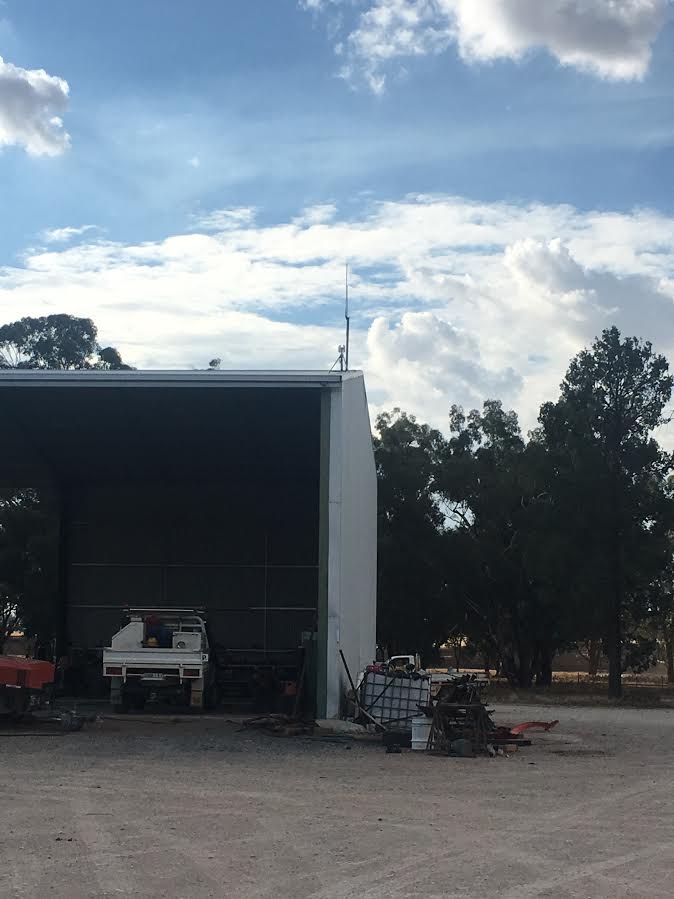
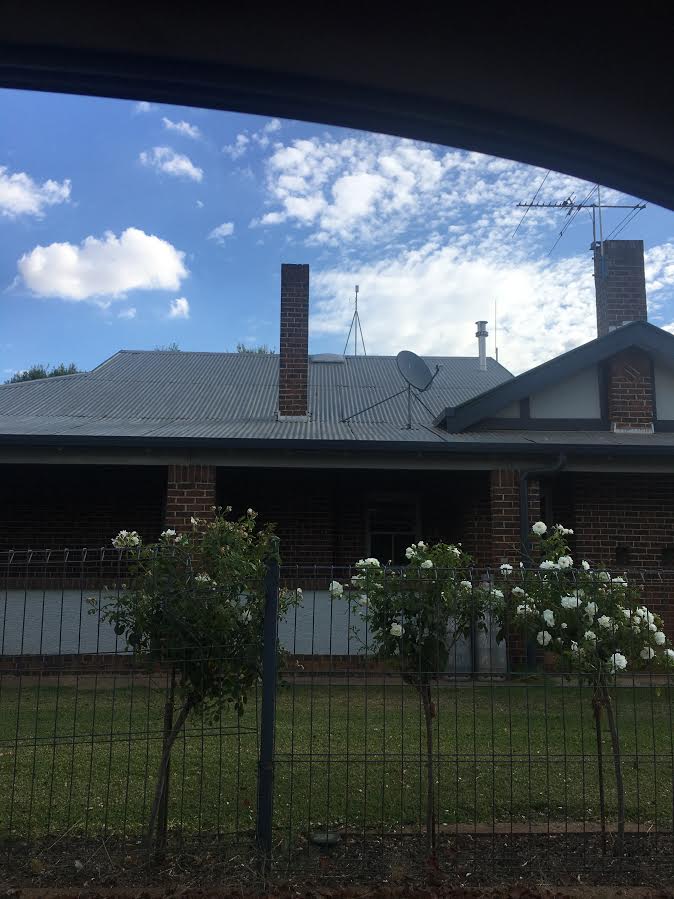
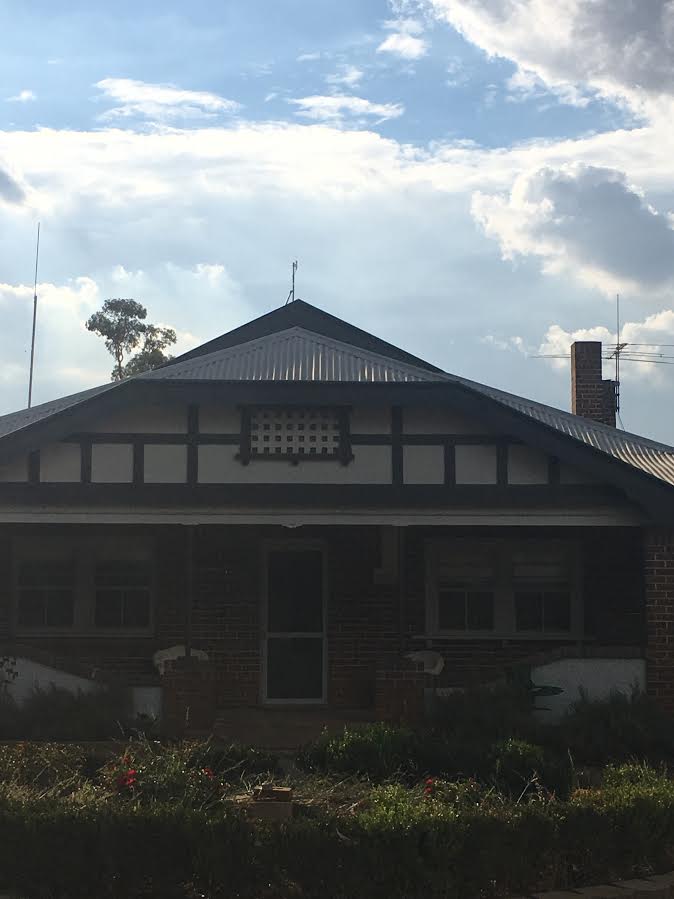
Michael suggested we put an antenna on our big machinery shed (100m from our house) to pick up the signal from the nbn NTD (in the small shed) then throw it to our house. So the plan was for NBN technician to come out the day after then Michael back the day after that to set up the booster. Again, that didn’t work out as the NBN technician needed a pole to put on the shed to get some more height, he didn’t have one with him (apparently they are supposed to) so once again we had to reschedule for a couple of weeks….so frustrating. We rang Michael to tell him what happened, he thought that was terrible as he should have had a pole with him so he rang Skybridge and asked if he can just do the install himself. Skybridge said that was fine. So Michael came the next day, installed the modem into a cupboard in the tiny shed, put a booster on our large machinery shed to throw the signal to the antenna he put on our house roof. This took two days and cost us over $3000.

We are really glad we didn’t take the easier option and go with satellite. We now get 1000gb for $80/month, the boys can get internet in the machinery shed, we have really fast internet and the kids can watch Netflix, so despite the hassles we had to go through for 5 months, it was worth it!!

Nina3Nina4   Nina5

Disclaimer: This document is meant as an informative document based on my own research and experience. Any views, opinions, information etc. provided is not necessarily the same as that provided by NBN Co, BIRRR, or any other organisation referred to here.  Prepared for BIRRR by Nina & Damien Gaynor.

Peel NSW PtP nbn Fixed Wireless & FTTN Shared with Neighbours

The idea of getting a NBN fixed wireless instead of satellite has been the driving force
behind this project. I had looked at many ideas in the early stages of getting better internet, long before NBN being rolled out, from relaying a link from son’s ADSL2 in Bathurst with a link of about 15km using a high hill in between with solar, but this was given the flick when nearby a NBN fixed wireless tower was being built, only to find out about 90% of Peel Village was shaded by a large hill between the new NBN tower and village, which included myself missing out on NBN fixed wireless.
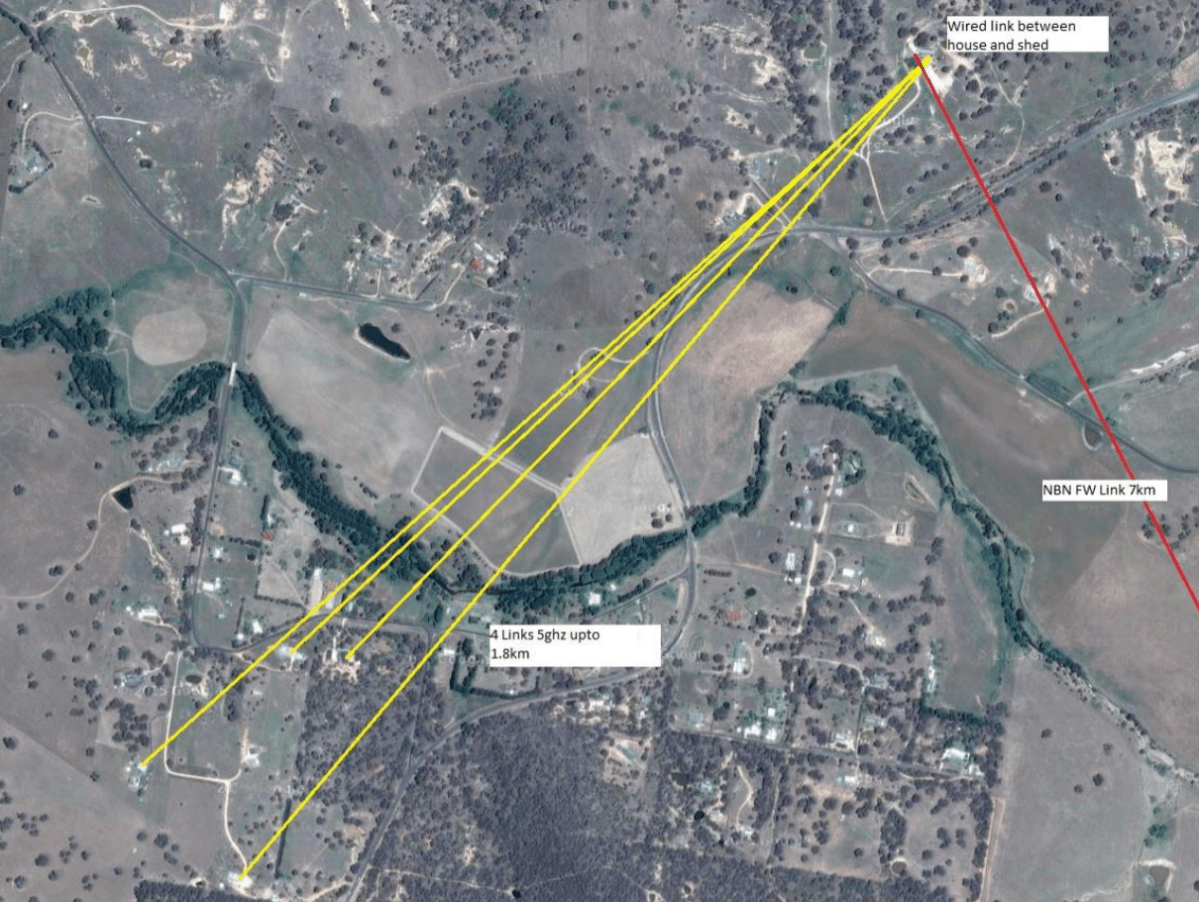
How to go about getting a link was to use about 2km Wi-Fi link from a neighbour that was within a NBN fixed wireless line of sight of tower, I had already a few years before I brought a box of 5 Ubiquiti Nanobridges (NB-5G22) while I was thinking about a long link intoBathurst.
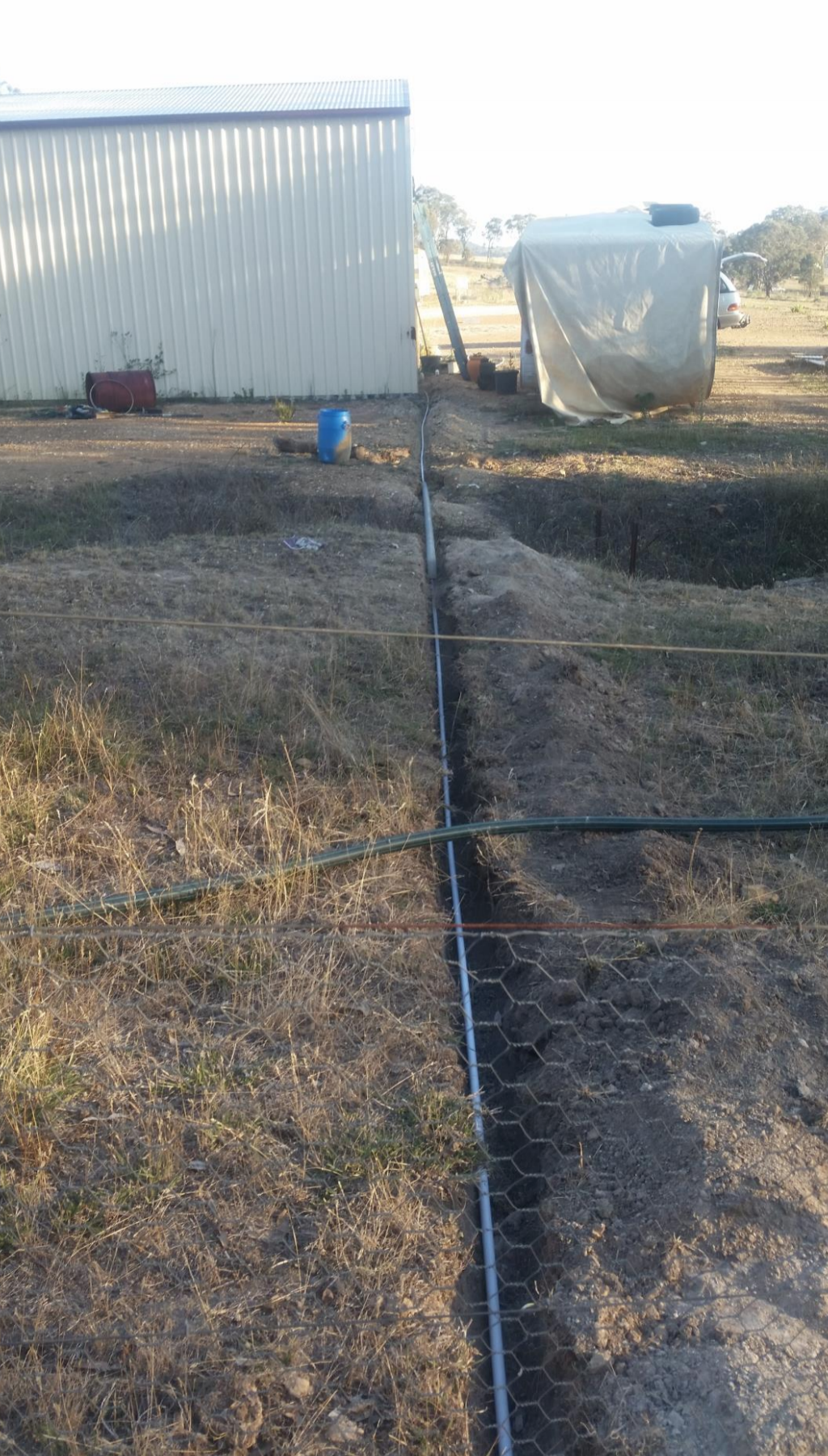
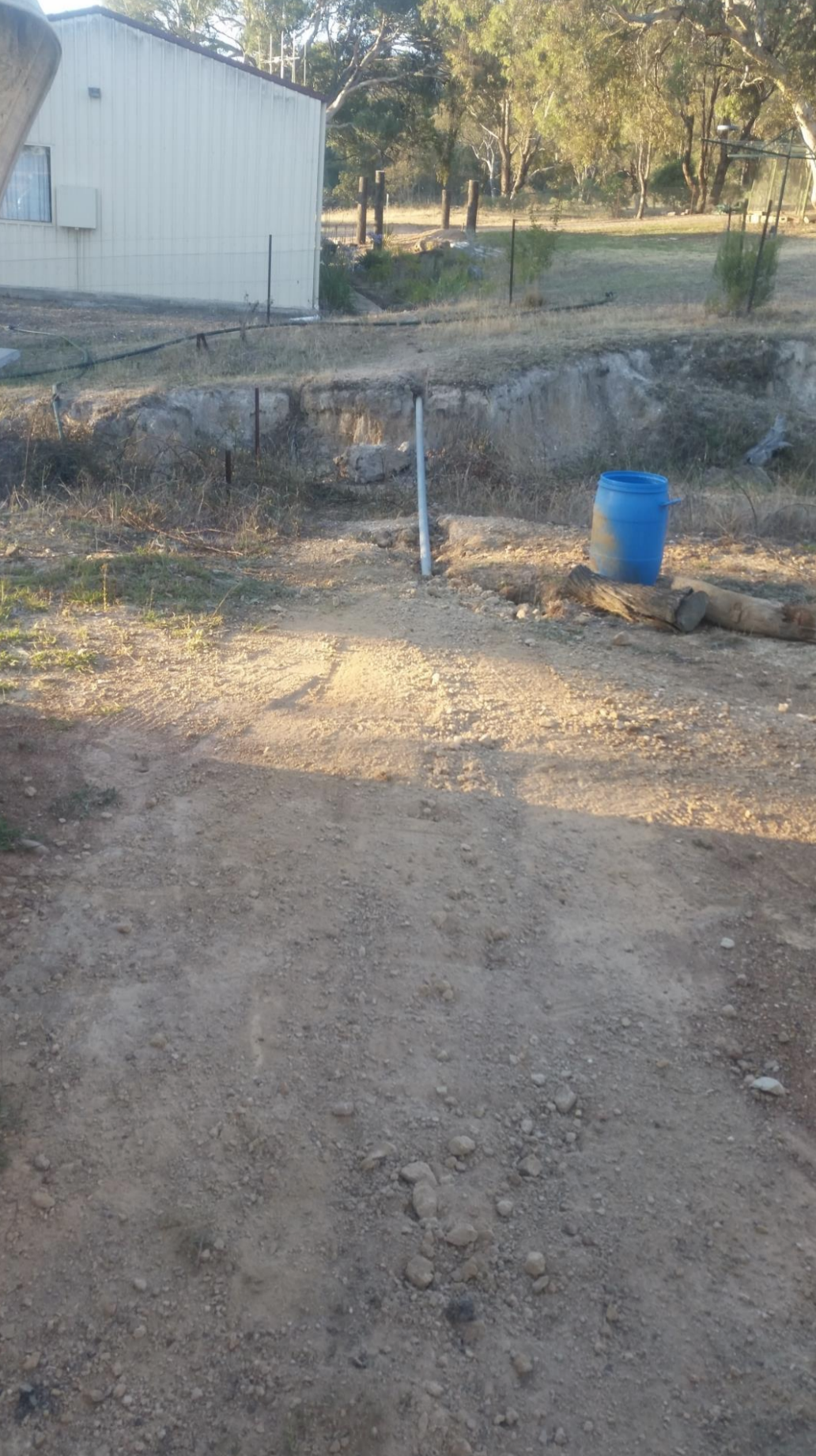
The neighbour’s property had problems with line of sight from his residence to my house, but his shed was just enough to get a good line of sight to my home with a 5hgz Wi-Fi link, so then it was a matter of cabling between neighbour’s house and shed which was about 55m of cable, looking at the time of lying the conduit it was decided to run 4 cables in the conduit (4 x 55m), using only using one cable but have capability of up grading the service to allow more upgrading. The cable that was decided to use was a underground rated Cat6 gel filled cable to aid in keeping moisture out of it at all cost. The cable will power the Nanobridge by Power over Ethernet, so no need to run a separate power cable. There was a small problem of a wash away some 1m deep and about 4 m wide that was solved by running a 6.5m heavy wall pipe across the gap with the conduit running continuously through it to avoid moisture entering the conduit.

Screen Shot 2018-01-27 at 9.34.05 AMScreen Shot 2018-01-27 at 9.34.14 AMScreen Shot 2018-01-27 at 9.34.25 AM

Screen Shot 2018-01-27 at 9.34.33 AM
View of Nanobridge from shed to my home about 2km away

Screen Shot 2018-01-27 at 9.38.41 AM
Junction box that has the spare cabling coiled inside for further upgrading

Screen Shot 2018-01-27 at 9.38.49 AM

After I had got the link up and running and being neighbourly I ask the question that all neighbours like to hear and that is do you want to get off Satellite Internet or Telstra Mobile internet, the answer was a sounding “Yes”. Knowing that the link was with a very directional when using Nanobridges that is capable for links up to 50km I wasn’t sure how well they would work when alignment was slightly out, but to my surprise they do work under short distances without problems.

Screen Shot 2018-01-27 at 9.38.57 AM
Nanobridge at my home

Screen Shot 2018-01-27 at 9.39.06 AM
Nanobridge at Neighbour

Screen Shot 2018-01-27 at 9.39.14 AM
Nanobridge at Neighbour

Screen Shot 2018-01-27 at 9.39.22 AM
Nanobridge at Neighbour

Screen Shot 2018-01-27 at 9.39.29 AM
Final layout of Nanobridge Links to 4 Neighbours

Screen Shot 2018-01-27 at 9.39.40 AM
Original NBN Fixed Wireless map of Peel


The choice of which Wi-Fi gear to use is up to your personal choice, the Ubiquiti Nanobridges are a bit of an over kill for something like this link but as I had already had them there was no point in re buying something else that could have done the job just as well. There are quite a few internet calculator links that can used to work out the links if it is possible, but I used the Ubiquiti Outdoor Calculator.  When using the Ubiquiti gear the main Nanobridge on the shed is set to be an “Access Point” and the 4 residences are set to “Stations”. This is only a guide of what is possible if you have the time to do as much as possible yourself. With 5 residences with kids using the NBN Fixed Wireless at a speed of 25/5 we all have Netflix. Total data use is approx. 700 to 800 GB a month and increasing.


UPDATE 6/7/17 Changing PtP from Fixed Wireless to FTTN

Wifi bridge going in to replace the existing bridge that will change our speed from nbn fixed wireless speeds to nbn fttn speeds of 100 mb with a 18.25km bridge from Bathurst to Peel village. 400w of solar running on a 24v setup running 6 x 12v x 7ah batteries with a total watt/hours of about 500.

19274907_10209731254337720_3902871543447459630_n19702462_10209731254537725_3287906403944675996_n19884345_10209731253857708_2956419960519180951_n19702065_10209731253537700_4406111137749633362_n19756649_10209731254137715_8521376030115093860_n


19731968_10209731253417697_1570492534766246140_n
3.2mm stainless steel cable

You can read more about Ross’s FTTN PtP on the BIRRR Facebook Page


Disclaimer: This document is meant as an informative document based on my own research and experience. Any views, opinions, information etc. provided is not necessarily the same as that provided by NBN Co, BIRRR, or any other organisation referred to here.  Prepared for BIRRR by Ross Mitchell. For further enquiries email:  rosspeel@gmail.com 

VoWIFI or WIFI Calling

VoWIFI or WIFI Calling is currently supported by the Telstra, Optus and Vodafone networks. It allows you to make and receive calls with a compatible mobile phone using your home internet (you don’t need mobile coverage).

The Regional Tech Hub have the latest information here

*Please note, while all care has been taken in compiling BIRRR documents, we recommend that you check with your provider regarding WIFI Calling.  Thanks to BIRRR member  John Kitchener for compiling this document.  

Jostin’s nbn non Standard Fixed Wireless Story Using PtP link

Pre-Planning Investigations for nbn Fixed Wireless
After reading about the experiences of others with Fixed Wireless NBN non-standard installations on BIRRR and the Whirlpool Forums, I began investigating our own non-standard installation. The main challenge being that a corner of the property was included in the fixed wireless coverage however the house was located approximately 6 kilometres away with no direct line of sight. Further to this, the location where I wanted to install the NBN FW receive station was outside of the NBN FW coverage map despite having direct line-of- sight to the NBN tower. I provided the RSP with the
following:
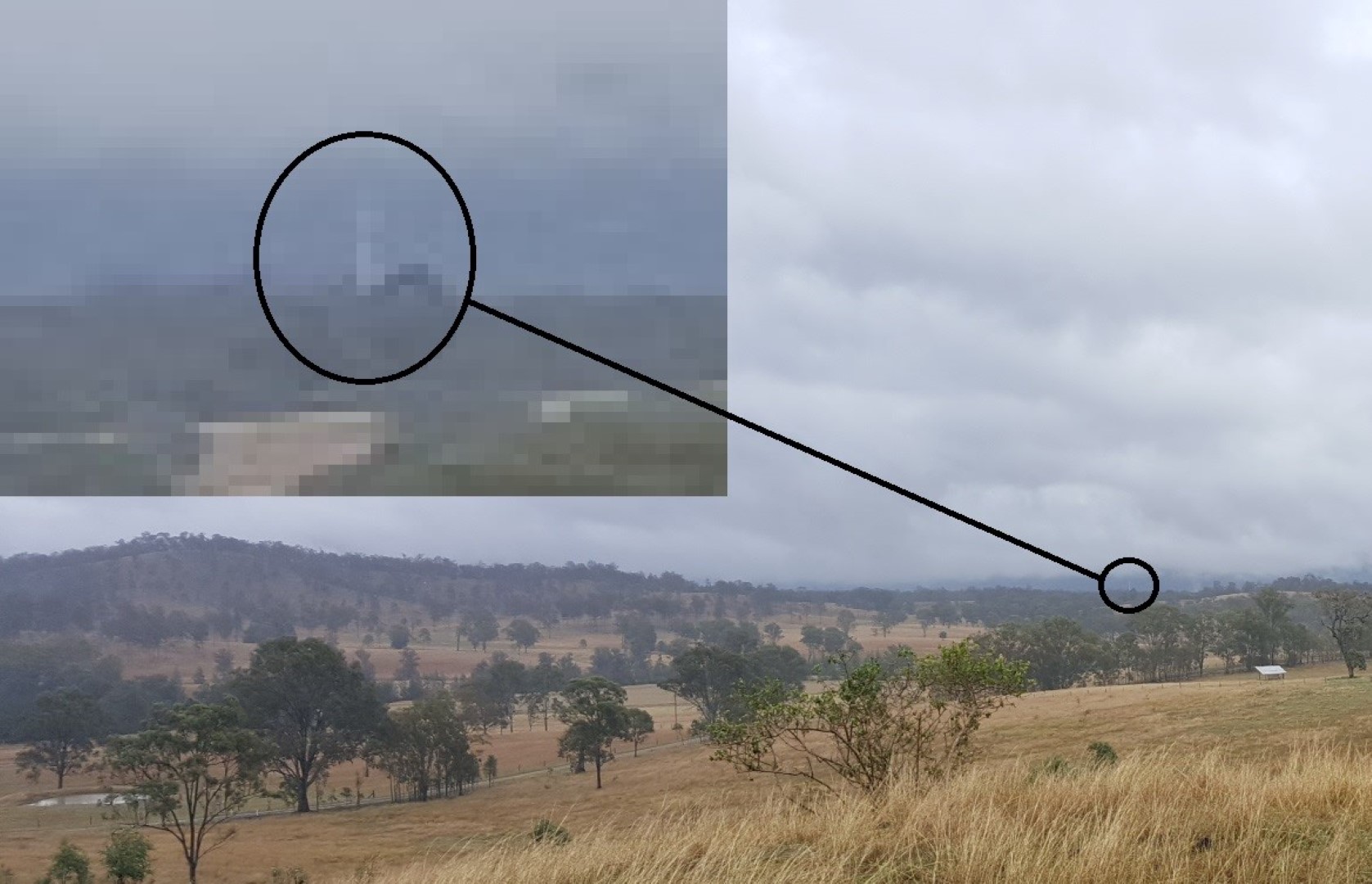
 The direct line-of- sight photograph Photo 1 (Large) - Copy
 A Ligowave link simulation report including all required parameters (including not being centred within the sector on a tower that did not have 360 degree coverage).
 A mock-up of the enclosure for the FW NTD

Photo 2 (Large) - Copy
 Some possible structures that it could be installed (old unused water tank, old cottage, etc) and the installation address.
The installation was accepted, and the real work commenced.
Installation – FW NBN Receive Station
A day before the scheduled installation, the installer phoned to confirm directions and I took the opportunity to ask what he knew about non-standard installations, “never heard of them” was the response. I briefly explained the situation and he agreed to come and check it out. I also printed out a heap of examples and information, mostly from the BIRRR website just in case some non-standard installation education was required (in the end it wasn’t).
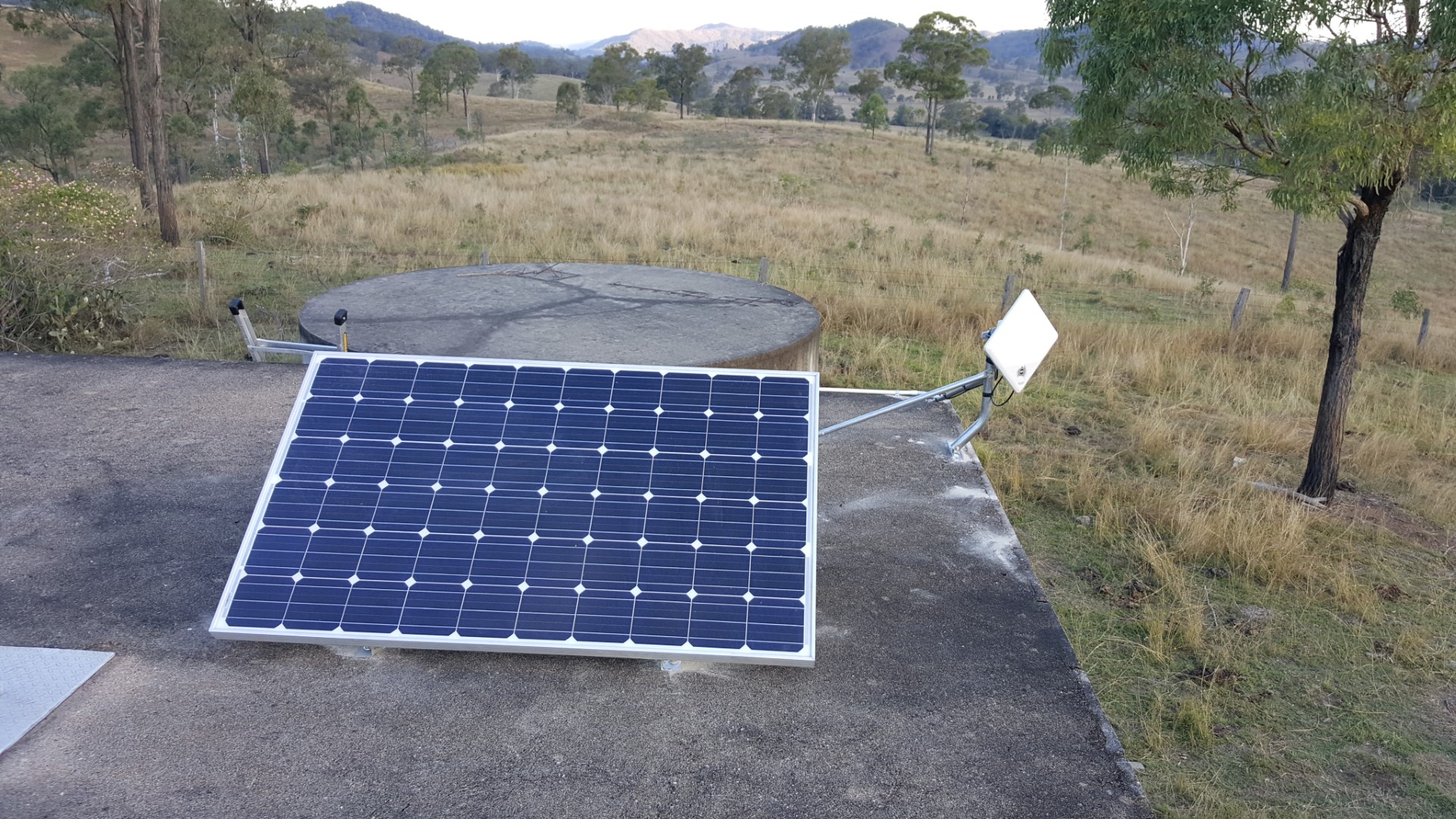
I arrived on-site before the NBN installer and rolled out my Version 1 equipment/install.

Photo 3B (Large) - Copy

Photo 3A (Large) - Copy

  • 250W panel (second hand grid connect panel).
  • 12V lead acid battery – 100Ah AGM; mounted inside a cheap Bunnings toolbox mounted to the wall using some Bunnings L-brackets.
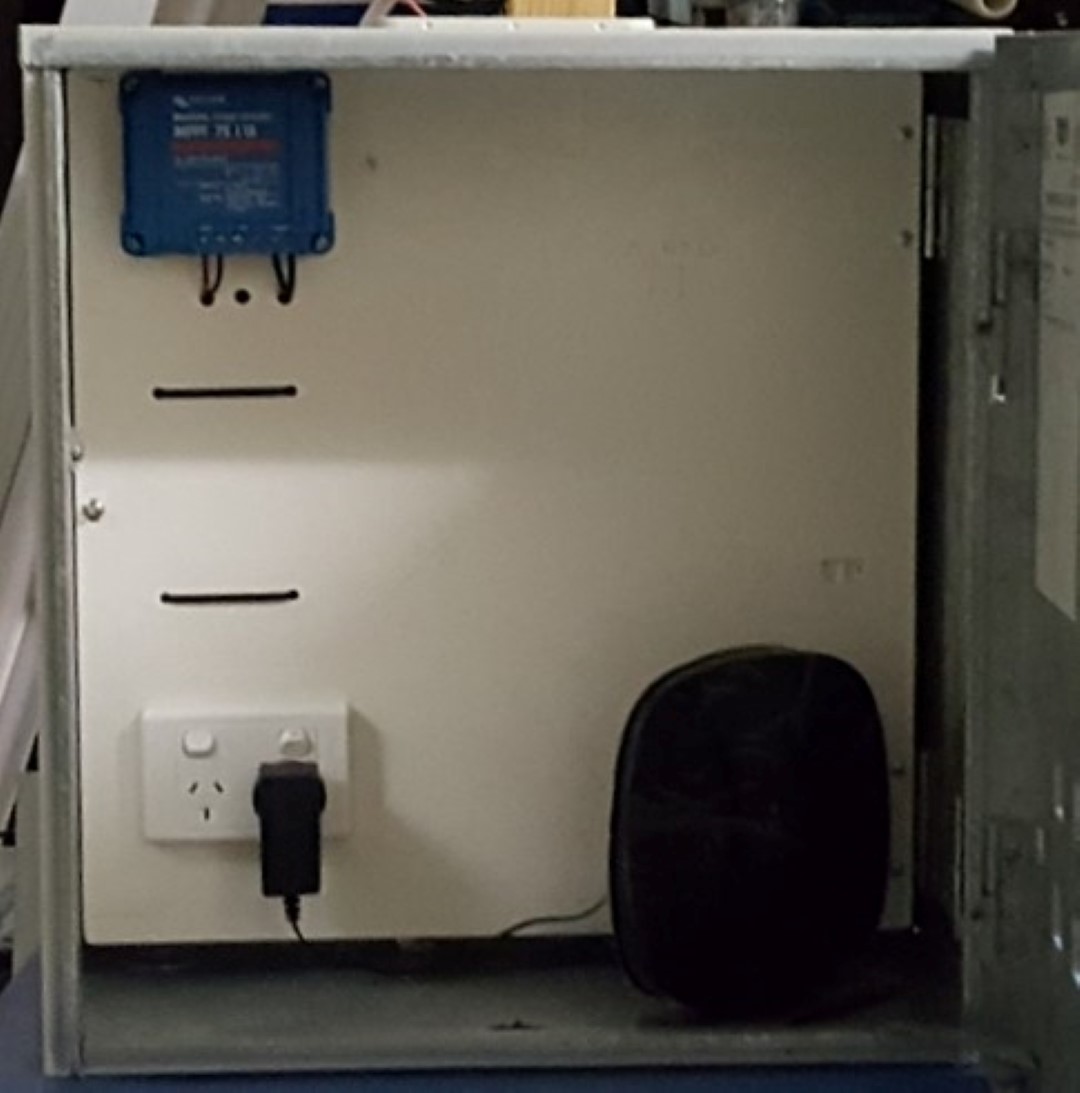
  • A weatherproof enclosure housing:
    • Victron 75/15 MPPT charge controller (for charging battery).
    • 12V to 240V inverter (Supercheap Auto – not visible in photo 1 as it is behind the
      panel and wired to the 240V GPO).
    • The router.
    • And of course, space for the NBN’s FW NTD.

The installer arrived and long story short:

  • Installer looked at the site and said it met all of the NBNCo’s requirements (power,
    weatherproof, to a structure). I know there is a lot of conjecture about exactly what these
    requirements actually are and I recognise his information may not be the NBN policy
    (whatever it is) but as he was the (sub) contracted representative his opinion was good
    enough for me. No need to give him the printed BIRRR examples.
  • Installer performed a signal test and he was somehow picking up two sectors.
  • Installer would not install the ODU onto my custom T-pole mount (see pictures) without first getting approval from Ericsson but said he could proceed with using the standard mount right away (the latter option was gladly taken!).
  • The NBN FW was completed and as it turns out; this was the easiest part getting our NBNFW!

PtP Relay Station (and UHF repeater)

An intermediate relay station would be placed centrally and elevated on the property with line of sight to both the NBN FW Receive Station and the House. It was also decided that this site would a house private UHF radio repeater.

Photo 10A (Large) - CopyPhoto 10B (Large) - Copy
The following items were sourced:

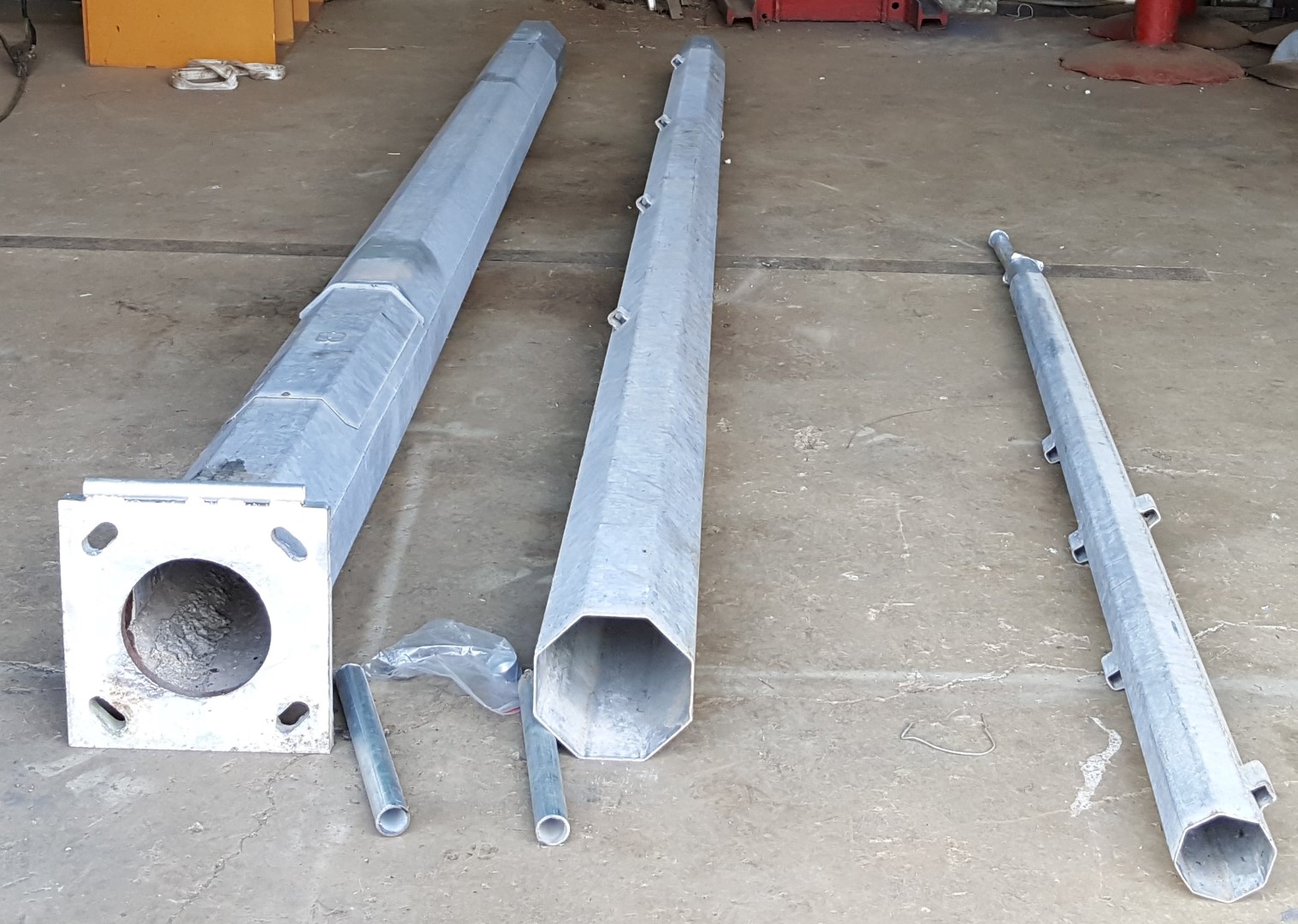
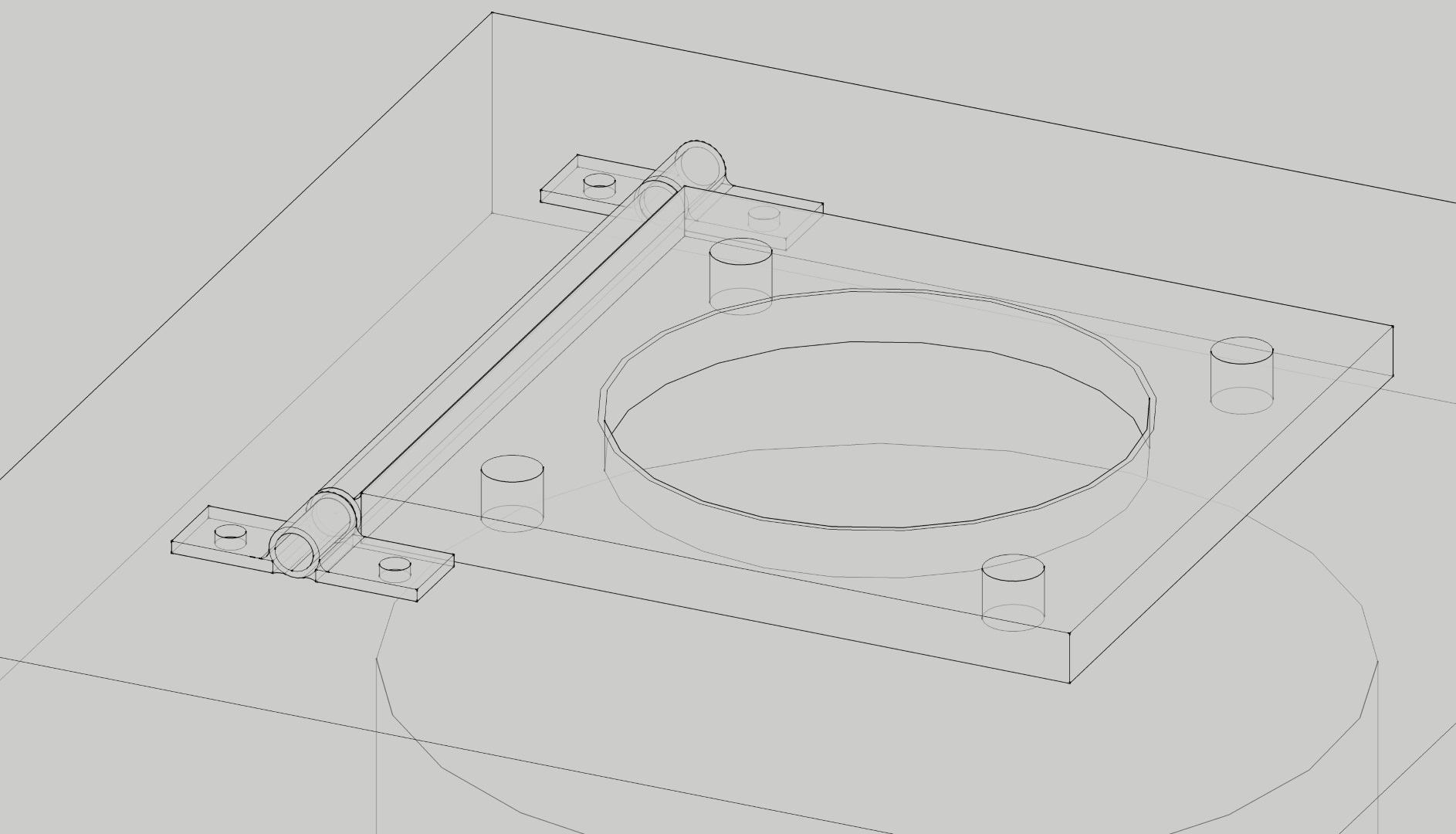
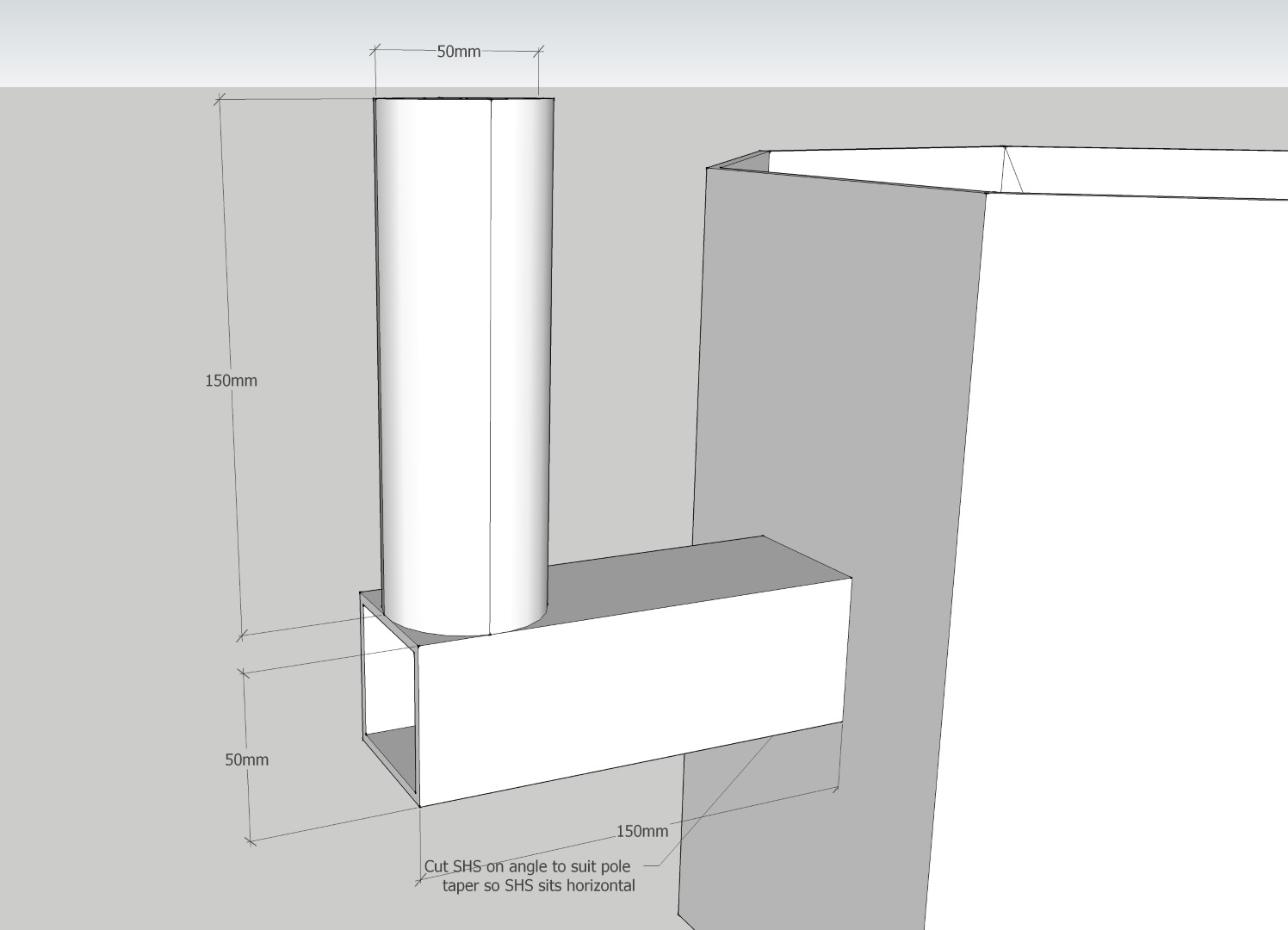
  • 15m lighting tower sourced from Gumtree. Photo 4 (Large) - CopyModifications were made to it including a base pivot point, 2x mounting points for the Ubiquiti radios at 8m elevation, and a UHF antenna mount at the 15m elevation.

Base Pivot Point
Base Pivot Point


Photo 6 (Large) - Copy
Mounting Points

  • A weatherproof enclosure (second hand) for housing the electrical and communications equipment.
  • A fabricated steel frame which would support the enclosure above, the solar panels and a toolbox (Masters liquidation special) to house the battery.

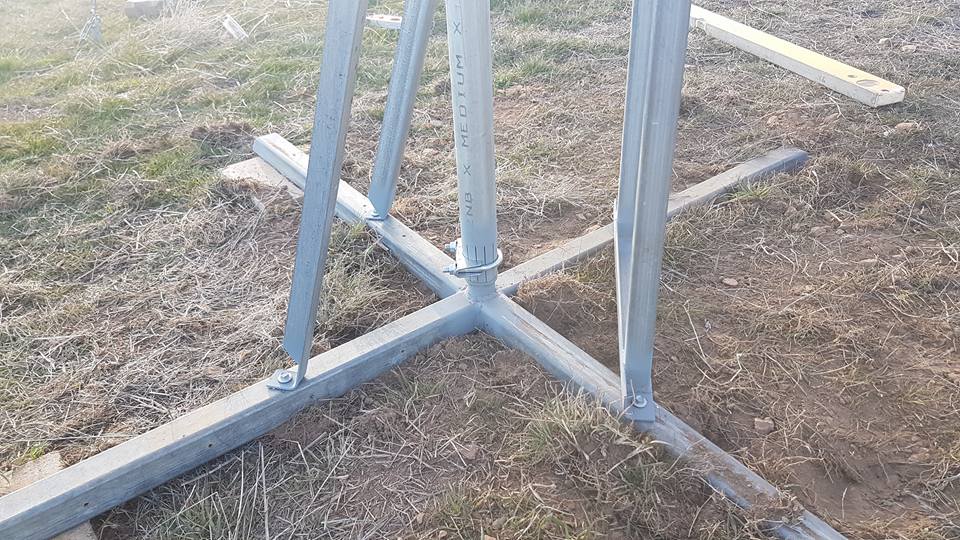
The tower foundation was installed using a 600mm auger with rock struck at 0.75m depth. Jackhammer was used to dig a further 0.75m; resulting in a total depth of 1.5m (of which 0.75m was into a 0.75m very strong, non-weathered rock). A rebar cage with anchor bolt template was placed into position and 0.5m 3 (1.2T) of 40MPa concrete was hand-mixed and placed. Because of the swing mechanism of the tower, the threaded rod anchors could not extend above the finished concrete level. The anchor bolt assembly and template was made up of 4x M24 Gr8.8 galvanised threaded rod terminated into M24 Hex Couplers with a ply spacer/template to set positions. Photo 7 (Large) - CopyThe equipment enclosure steel frame was also concreted into position.
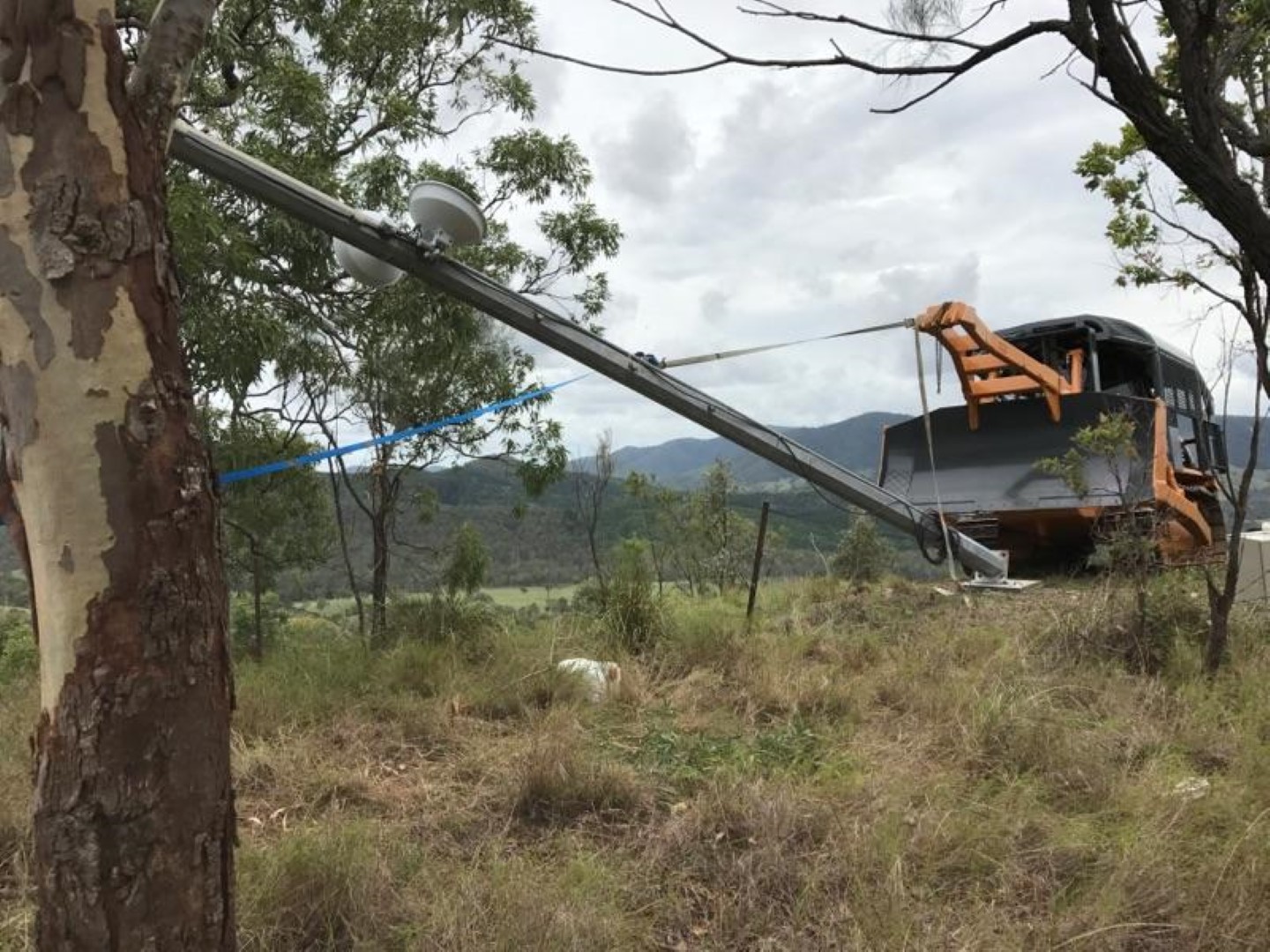
A month later we returned to erect the tower. Equipment (details below) and cables were installed on the ground. Photo 8 (Large) - CopyConcrete screws (Ramset Ankascrew) were used to pin the base plate hinges to the foundation and the tower was then raised. Photo 9A (Large) - CopyPhoto 9B (Large) - Copy

Once raised, a few taps of a sledge hammer positioned the base plate holes precisely over the embedded hex couplers female threads, and the M24 bolts were installed securing the upright tower.
The following equipment was fitted out on the tower and enclosures:

  • 2x Ubiquiti Powerbeam M5 400 radios (with ISO reflectors but these are probably
    unnecessary).
  • 1x Ubiquiti ToughSwitch POE. This is powered directly from the battery output and the
    Powerbeam/Toughswitch are not adversely affected by being powered directly from the 12V battery (which in practice fluctuates from 12.6V – 14.6V depending on the charge state).
  • 1x 12V lead acid battery – 300Ah AGM. As this battery weighs 76kg, a hand winch and swing arm were also installed to the enclosure mounting frame to make removal and replacement easier.
  • 2x 250W solar panels (grid-connect type). Ample power generation capacity with a
    philosophy that this would provide sufficient power to recharge the battery to 100% even on the cloudiest of days.
  • 1x Victron 100/30 MPPT Charge Controller – for charging battery.
  • 1x Raspberry Pi 2 with Victron’s Venus GX software installed to remotely monitor the Victron charge controller and provide live battery voltage status. This was powered by a USB Charger.
  • Cooling fan and LED strip lights were also installed within the enclosure.
  • As the site also includes a UHF repeater – the receive radio, transmit radio and UHF duplexer were also installed.
  • Ubiquiti Surge Protectors were installed for the Powerbeams.


Photo 11 (Large) - CopyPhoto 12 (Large) - Copy   Photo 13 (Large) - Copy
Upgrade of NBN FW Receive Station for PtPtP usage
An Ubiquiti Powerbeam M5 400 was installed and mounted to the T-pole mount I had fabricated. An additional 250W solar panel was added as I felt I may have undersized the 12V battery (only 100Ah). By adding this panel, I ensured that even on the cloudiest of days, the battery is still reaching 100% charge. The 12V-240V inverter was removed and replaced with a Victron 12/12 DC- DC Converter to power the NBN FW NTD providing a regulated constant 12V output even when the voltage from the battery fluctuates from 12V-15V (as the charge state varies).
A cheap Netgear WNDR2000v5 router (which is also powered by the Victron 12/12) has been added since the photos were taken. This was done to separate the routing hardware, make remote web- based management simpler and resulted in improved network performance.

Photo 14A (Large) - Copy
Completed installation  (T-pole mount with space for NBN FW ODU but did not end up
using it)

Photo 14B (Large) - CopyPhoto 15 (Large) - CopyPhoto 16 (Large) - Copy

Battery enclosure & Inside enclosure.
Tips & Lessons Learned
Some tips based on my experience (some are pretty obvious but caught me out):

  • When you have 2x Ubiquitis at the same location (even if they are pointing in completely different directions with ISO reflectors), ensure you manually assign the link channel so that no part of the frequency overlaps with that of the adjacent radio (e.g. a 5800Mhz with 40Mhz will spread from 5780-5820Mhz so the adjacent radio would need to be set at 5840Mhz). Using the AUTO channel setting will not achieve the required separation.
  • On the rare occasion, the Ubiquiti radios go non-responsive and require a power reset;
    which is an inconvenience for remote installations. Fortunately the software on the Ubiquiti radio (AirOS) and ToughSwitch (EdgeOS) include a Watchdog feature which allows the radio to send a ping to an IP address and if no reply is received after a certain period of time, the radio will reset itself. In the case of the ToughSwitch, the power will be removed from the POE port forcing a power cycle reset of the connected radio.
  • Remote monitoring and control feature has been installed to make fault finding very
    efficient (most of the time it can be done remotely). The Ubiquiti Network Management
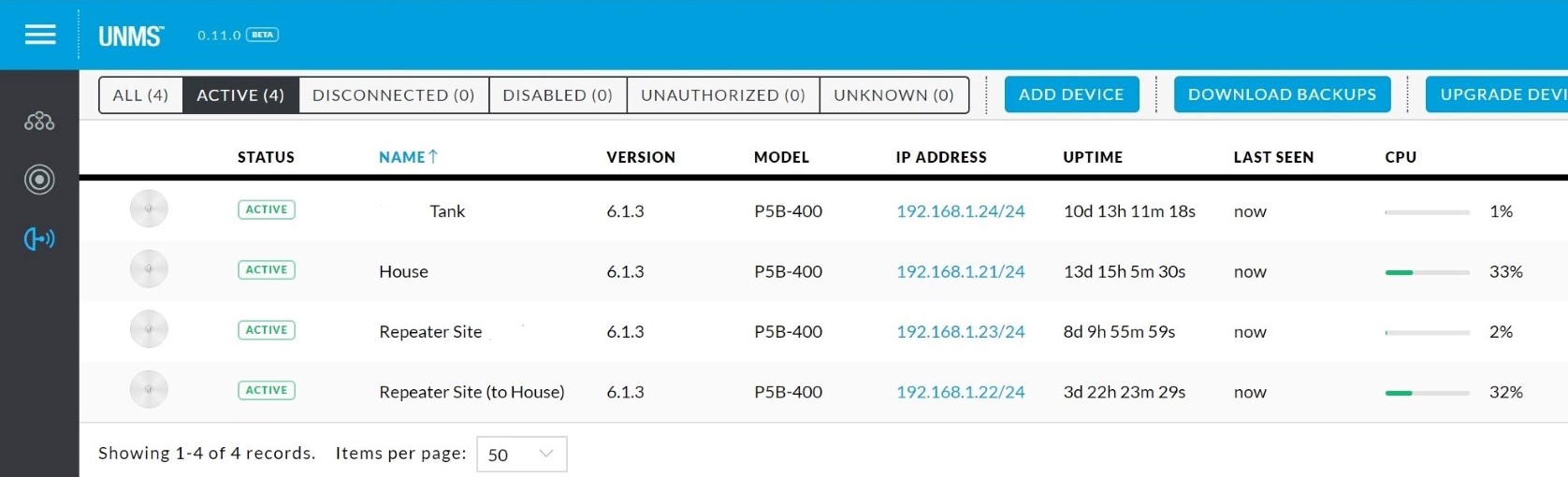
    System (UNMS) has been installed which provides internet based monitoring (so the system can be seen from both the house side and the internet side.

Photo 17A - UNMS overview (Large) - Copy
UNMS
dashboard

Web-based remote management (with Dynamic DNS) has been enabled for the
Router and ToughSwitch (using port forwarding) allowing further web-based monitoring and control.

Photo 17B - Victron battery monitor (Large) - Copy
Victron Data

Victron data is uploaded to Victron’s VRM servers allowing live and historic data of the solar charge controller and battery voltage.

I used lead acid AGM batteries and these can provide a reasonably long service life providing you do only discharge to about 20% depth of discharge. When these reach the end of their life, I will likely replace with LiFePO4 type 12V battery. These allow you to discharge much more deeply therefore you can use a smaller, lighter and less total capacity battery while achieving the equivalent usable capacity. Although they have a higher upfront cost, I suspect the lifetime cost will be less (but if you do this don’t forget to edit the charge controller settings to suit the battery type). When the time comes for replacement I will do some more precise power usage measurements with a shunt and size accordingly. Based on the data collected from the charger/voltage monitoring I’m using about 30Ah overnight at the Relay Station. I would estimate that the NBN FW station uses about 20Ah overnight. The 500W of solar at each site would have no have no trouble returning these to 100% every day.
Conclusion
This turned out to be a much bigger job than originally anticipated. Everything was that little more difficult because the hill relay site was very steep only accessible by ATV and large tractor/bulldozer.
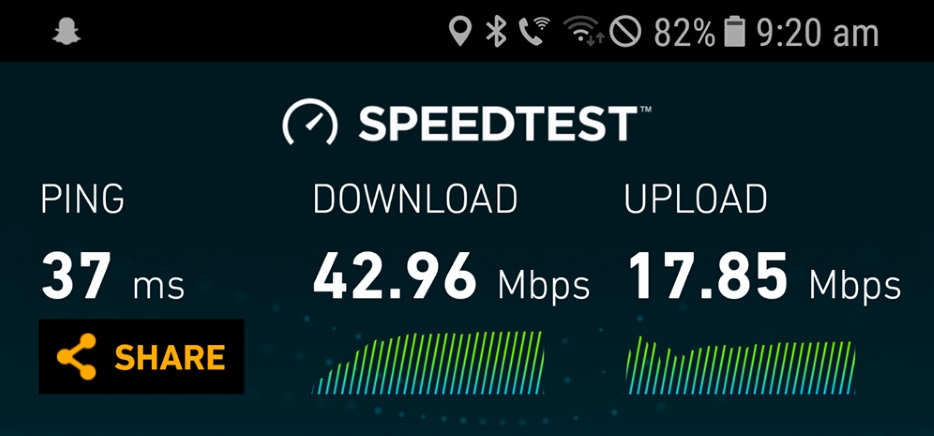
The overall cost was approximately $8,000 for equipment and materials; and this figure does not include labour or plant (which fortunately for us was no cost). The end result is a low latency connection getting 43 Mbps down & 17 Mbps up.

Photo 18 (Large) - Copy

Unfortunately there is some congestion impacting us at either the RSP or NBN level, which depending on the time of day will range between 20-38 Mbps. Nevertheless, it is a drastic improvement over the previously connected IPstar satellite system and hopefully it proves to be a reliable network connection well into the future.

Disclaimer: This document is meant as an informative document based on my own research and experience. Any views, opinions, information etc. provided is not necessarily the same as that provided by NBN Co, BIRRR, or any other organisation referred to here.  Prepared for BIRRR by Jostin Meekels.


BIRRR Submission to the Telecommunications Reform Package

Department of Communications and the Arts: Telecommunications Reform Package

Submission by Better Internet for Rural, Regional & Remote Australia (BIRRR)

3rd February, 2017

Prepared by: Kristy Sparrow and Julie Stott

Contributions from John Kitchener and Amanda Salisbury


* This submission was prepared in good faith by a voluntary team. Please address any queries to birrraus@gmail.com

BIRRR Response to Productivity Telecommunications USO Draft Report


BIRRR Submission to the Productivity Commission DRAFT Telecommunications

Universal Service Obligation (TUSO) Report (January, 2017)

screen-shot-2017-02-08-at-11-04-52-am

Prepared by: Kristy Sparrow and Rebecca Gowen

Contributions from John Kitchener, Rod Hoare, Julie Stott, Matt Wilkinson, Malcolm Moore Amanda Salisbury & Rachel Hay.

* This submission was prepared in good faith by a voluntary team. Please address any queries to birrraus@gmail.com

This full submission contains material supplied in confidence and as such an edited version has been placed on this website.


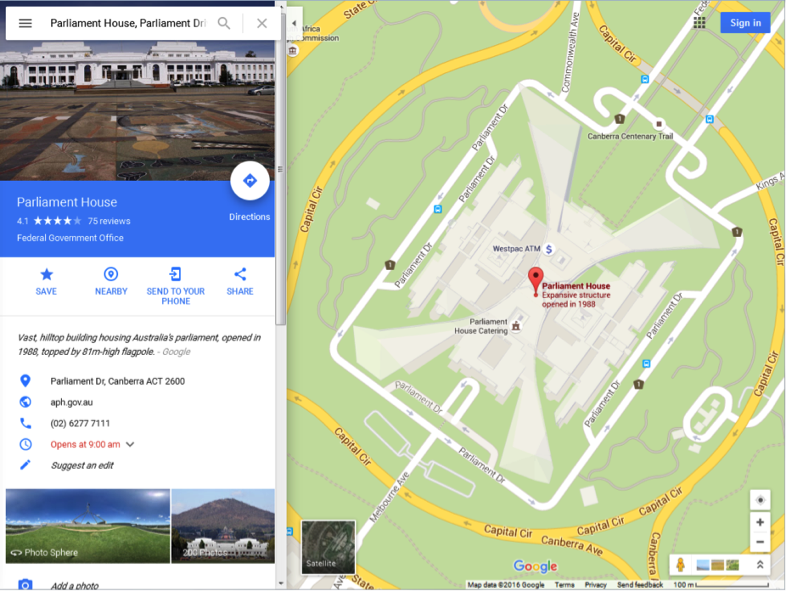
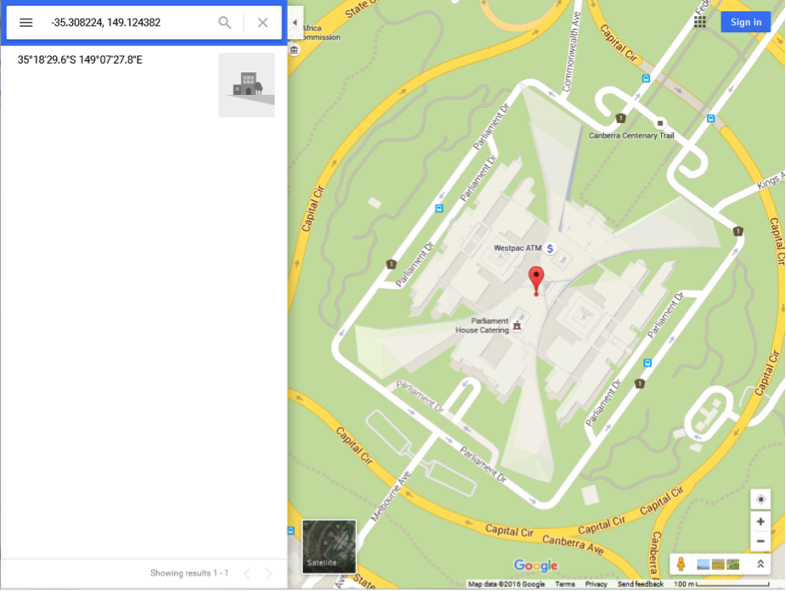
How to find your Latitude and Longitude using Google Maps

Google Maps is a web application that allows users to find and search for locations, get directions, and view street view maps using a scalable, virtual map interface via their browser. The service is powered by high-resolution satellite images, allowing users to zoom in on maps, sometimes down to street level, through the Street View feature.
This article provides details for how to get longitude and latitude for any given location using Google Maps. Your co-ordinates will offer the best information for nbn™ and your service provider to locate you.
1. Go to https://www.google.com.au/maps/

Google Maps2.  Enter the city, town, country, address, or other location you want to find the longitude and latitude for and click the “Search Maps” button.


google maps 2


A red marker is placed on the map, pinpointing the location you have entered.

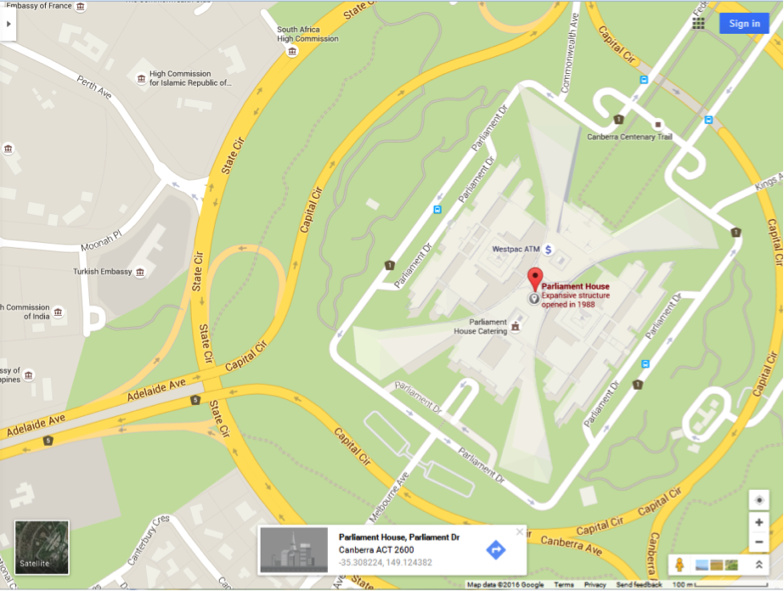
3. Right-click the red marker or a surrounding area and select the “What’s here?” option from the context menu.


google maps 3

4.  A pop up appears with the location latitude and longitude displayed. This will also drop a grey arrow marker on the map.

google maps 4

5.  Left click on the latitude and longitude. The side panel displays the details of the location.


google maps 56.   Copy and paste details as required from the side panel.

*Please note, while all care has been taken in compiling BIRRR documents, we recommend that you check with your service provider, regarding your own addressing issues.

Prepared  for BIRRR by John Kitchener 24/4/2016

Preparing For nbn™ Sky Muster™

Are you ready for Sky MusterTM 

Once you have ordered your Sky Muster service (with your provider) the below steps will walk you through how to prepare for your installation.  You can check out the nbn Guide on How to prepare for your Sky Muster Installation here.

The BIRRR article below will also help you cover the bases, including:


SATELLITE DISHES

Q: Who will co-ordinate this part of install?  A: nbn, via your chosen ISP (provider)

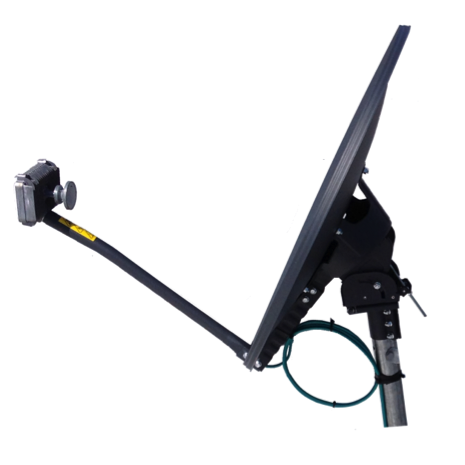
Most Sky Muster dishes are more compact than earlier satellite installations and more like a large Foxtel dish.  Customers don’t have much control over dish installation – nbn will allocate (at the time of order) which dish your premises will get, determined for your location – although you can suggest to installer WHERE generally on the roof might suit your office setup most.

SM2
Example of Sky Muster Satellite Dish

There are three sizes of dish; 80cm, 120cm and 180cm; and two transmitters’ (TRIA’s); a 3W and a 6W. That makes six possible combinations. Well over 90% of premises will get the 80cm/3W combination.

The three dishes have different mounting capabilities. The 80cm can go on a wall, on a tin roof or on the gutter of a tile roof. The 120cm can go on a wall or on a tin roof. The 180cm is a pretty special size that won’t be used much, but it’s a non-penetrating ground mount.


NTD (nbn connection box) INSTALLATION

Who will co-ordinate this part of install?  A: nbn, via your chosen ISP (provider)

This schematic of a typical Sky MusterTM installation shows the NTD and a WIFI router. The installer is responsible for installing the dish on your roof and the nbn (NTD) box in your house.  They are NOT responsible for connecting your router and home network.

SM1


RETHINKING YOUR HOME NETWORK

Q: Who you will deal with?  A: your chosen ISP (provider) and nbn installer

The Sky MusterTM installation may be an opportunity to rethink how your existing home network is configured and where the key equipments are located.

  • Is your current modem in the best location?
  • Is it handy to your WIFi router?
  • Where is your printer?
  • Is the WIFI router in the best location to provide coverage throughout your home?

BASIC FACTS to keep in mind:

– The provisional maximum cable distance from the Sky MusterTM satellite dish to the Network Termination Device (NTD) is 50m.

– The nbn™ standard practice is to wall mount the Sky MusterTM NTD to keep it out of the way of damage, tripping hazard etc.

– The NTD must be adjacent to a power socket.

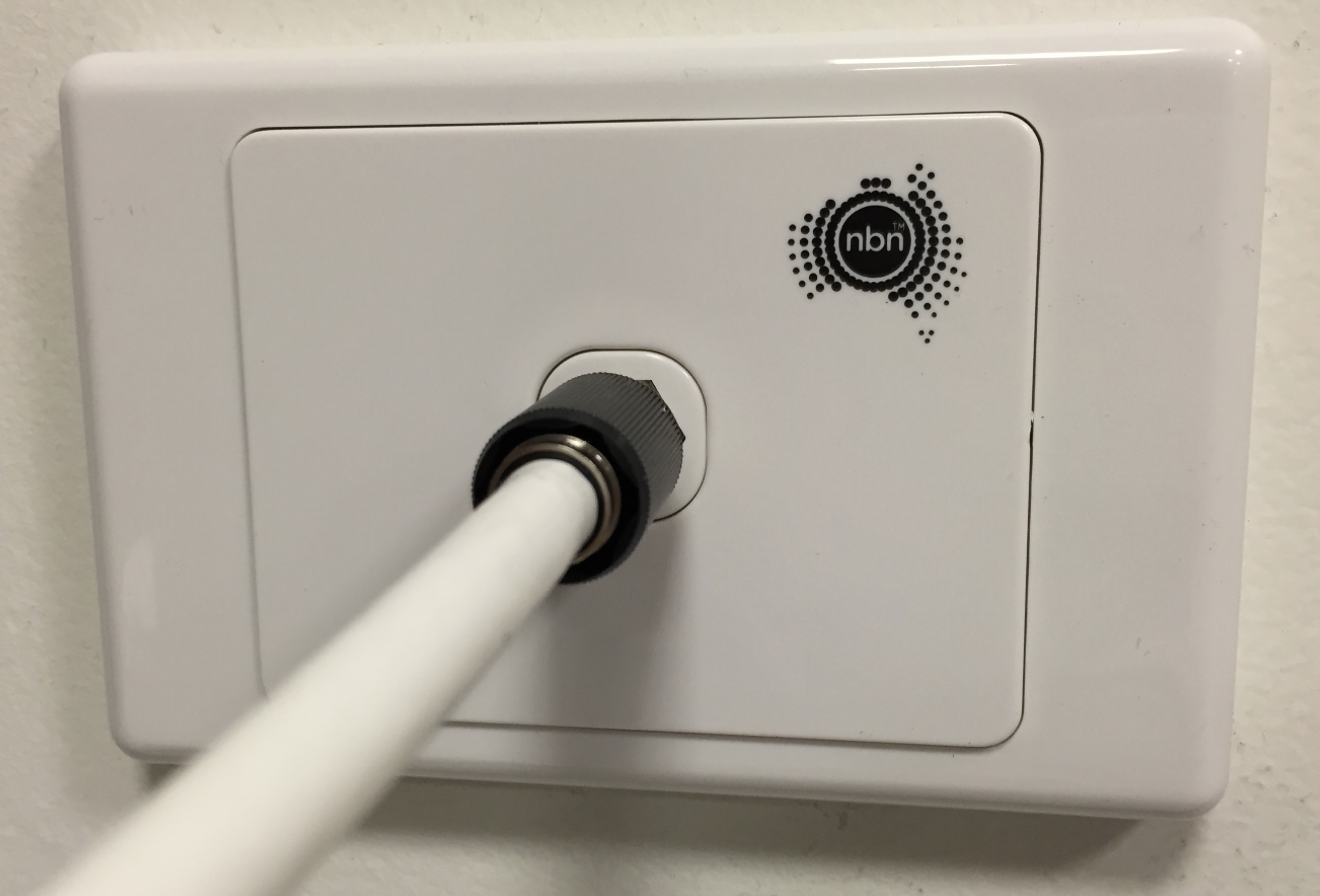
– A special blue coloured, single coaxial cable from the dish will terminate at a wall plate.

– The Sky MusterTM NTD consumes around 40W continuous and is quite warm/ hot to the touch.

NB More details are available in the nbn™ Sky Muster User Guide

Screen Shot 2015-12-15 at 9.16.16 AM


ROUTERS

Q: Who you will deal with?  A: Your ISP (provider) and if necessary your IT expert

See the BIRRR document on Sky Muster Routers

*Before making changes to your home network, always talk to your provider and follow their advice.


ADDING A VOICE OVER INTERNET PROTOCOL (VOIP) SERVICE TO SKY MUSTERTM

Q: Who you will deal with?  A: Your ISP (provider)

See the BIRRR document on Voice Services over Sky Muster.

You should keep your existing landline as this service will continue to be maintained for Sky Muster customers as part of the Universal Service Obligation. You may find that keeping the landline for incoming calls only and using VoIP for outgoing calls may be a useful cost benefit compromise. Two phone services for less than the price of one.


SKY MUSTER ‘EDUCATIONAL’ NTD PORT.

Who you will deal with?  A: The Education Port on Sky Muster differs in each state, depending on your department of education policies.

A specific ‘education’ port is available for students who are home schooled or enrolled in an approved school of distance education.  Availability differs in each state. BIRRR advises you to check with your state’s Department of Education regarding your eligibility.

Additional routers and equipment may be necessary to access the education port.

Your RSP may assist with the initial service installation, router provisioning and equipment configuration. You will need a student ID to access the port.

Further information is available in the BIRRR Document What is an Educational Port.


*Please note, while all care has been taken in compiling BIRRR documents, we recommend that you check with your service provider, regarding your Sky Muster connection and equipment needed. Updated 29/8/18

Jacob’s Story – Sharing Internet Connections with Neighbours

Sharing Internet Connections with a Wireless Bridge
by    Jacob Johnson

This document shows three different examples of how an enterprising BIRRR member has helped himself and others share internet connections via a WIFI link.

I have a fixed wireless connection and share to my neighbour who had a failed install 300m away through some thick trees. I also set up the same system between another two neighbours in the same situation. My speeds are slightly affected but only because we are sharing a single connection.  We did this because it was cheaper that way.  My neighbours don’t download anything just watch Netflix occassionally. The nbn NTD can support up to 75mbit so it is not a problem if both properties are on the 25/5 plans but you may experience slightly slower speeds if both were on a 50/20 plan downloading full speed.

  1.  A 300m 2.4Ghz WIFI link – nbn FIXED WIRELESS

jj1
A newly installed nbn™ Fixed Wireless ODU with a Ubiquiti Nanostation attached to the Fixed Wireless mast.

MY HOUSE: This was originally a temporary mount for the Nanostation, but it appears to work perfectly with no interference; so it may stay! It is directed to the ‘clothes line’ Ubiquiti Nanostation shown below.

The picture above shows a newly installed nbn™ Fixed Wireless ODU and a Ubiquiti Nanostation attached to the Fixed Wireless mast. The Ubiquiti nanostation is used to transmit the Fixed Wireless connection over WIFI from this location

The Nanostation WIFI link connects to the ‘clothes line’ Ubiquiti Nanostation shown below.

jj4
The clothes line Ubiquiti is connected via Ubiquiti tough cable running through a conduit to home.

NEIGHBOUR 1:

The clothes line Ubiquiti is connected via Ubiquiti tough LAN cable via underground conduit, to the home. The home roof was not suitable for the WIFI link as it had too many trees in the signal path and the clothes line was a cheap pole on which to mount the Nanostation.

The 2.4Ghz link is ~ 300m and the wireless receive signal level is 63dbm. That is an excellent result.


2.  A 350m 2.4Ghz WIFI link – nbn FIXED WIRELESS

NEIGHBOURS 2 & 3:

The next two photos show a link which shares fixed wireless between two of my neighbours. It passes through a grove of trees, but the signal is perfect. The house roof ones aren’t solar powered, a cat5 cable runs down into the house, into the poe port of the Ubiquiti power injector.

jj2
The 2.4Ghz link distance is ~ 350m and the receive signal level is 65dbm.

jj3


An excellent result.

3.  A solar powered 3G Installation and 2.5Km 5Ghz WIFI link – MOBILE BROADBAND

This WIFI link delivers internet from a solar powered 3G modem and router installed on an elevated ridge. Internet is beamed down to a site that has no mobile reception via a WIFI link.

jj
The 5Ghz link is ~ 2.5km and the receive level is 60dbm.

Prepared for BIRRR by Jacob Johnson & John Kitchener

Health Stories

Please note that the following stories were prior to nbn Sky Muster being available to regional users.

health 1

ISSUES FACED:

* Slow internet speeds & unreliable connections
* Limited Data – most rural families are limited to 25GB of data/month
* Very expensive – Telstra Satellite customers pay $69 per GB
* Not being aware of options available

IMPACTS:
* People being unable to use Skype to connect to specialists, resorting to travelling thousands of kilometres for a 5 minute appointment.
* Telehealth services in smaller towns not working, people having to drive / fly for many hours for a simple xray
* Mental health web support sessions not available
* Emergency situations such as fire, flood, extreme weather events need adequate telecommunications – it is critical to be able to inform people of the dangers faced.
* Appointments missed or cancelled after arrival due to ‘city based’ ignorance of no mobile service in the bush.
* As there are no subsidies for mobile broadband antennas and boosters people are resorting to cheap ‘illegal’ boosters which has lead to emergency services being ‘blocked’ from communications, several deaths have been recorded as a result.

QLD: AMANDA: Just over a year ago, my world was turned upside down when I was diagnosed with breast cancer. While I did my best to face down this challenge with energy and focus, the sheer number of kilometres I have had to travel for specialist appointments, surgeries and treatment has been mind boggling. I estimate I have covered around 20 000 km in 12 months (something I accept as a trade-off for living where we do). A couple of my specialists have offered to Skype with me, to save at least a couple of 1000km round-trips. Unfortunately, our internet service is generally so slow and unreliable that it simply cannot support even a simple Skype-chat. You can read more about Amanda’s story on her blog Bush Babe of OZ –  The Shape of Bush Disconnection and Taking on The Data Drought.

QLD: SHELLY: At the Birdsville clinic, video conferencing is so unreliable that Shelly Dillon, 53, was forced to fly to Toowoomba, west of Brisbane, to see medical specialists every six weeks at a cost of $1200 per return journey. The mother of five, who is still recovering from a horrific quad bike accident at the iconic Big Red sand dune two years ago, said some of the consultations lasted just five to ten minutes. “It could be done at our own clinics if the internet was fast enough and we had the facilities to do a video conference with [the specialists],” she told the ABC 7.30 report.


Screen Shot 2016-02-24 at 12.32.48 PM
Images from 7.30 Report ABC

Screen Shot 2016-02-24 at 12.31.49 PM Screen Shot 2016-02-24 at 12.32.17 PM

QLD: TRACY: I keep harping on at Skype for medical appointments as it is really important in my life. I suffer from severe anxiety and depression and I Skype with my psychiatrist every three weeks to check in, alter medications etc. With out this I am very unwell, if I had to go see him every time it would be a 7-8 hour return drive plus. Skype for specialist appointments is essential for rural and remote people.

QLD: BEN: When 7.30 visited the clinic, Ben Leech, 27, arrived with a suspected broken finger but was told he would have to drive eight hours to Mount Isa to get an X-ray. “At the moment we don’t have that capability because of the internet,” Ms Macdonald informed him. ABC NEWS ARTICLE

Screen Shot 2016-02-24 at 12.33.31 PM
Image from 7.30 Report ABC

QLD: TAMMY: My son was enrolled in an online teens program for kids with social anxiety. After 3 sessions of the trial course we had to give it away as he couldn’t watch the videos or keep connected to finish his work. He desperately needed the tools in the course. As a single parent who has to drive her child too and from school it leaves no time to go to appointments if they are face to face, and my son misses crucial higher secondary classes. It is too far for us to consider trying to access programs like this which need a weekly commitment.

QLD: CHRISTIE: After long delays in trying to access a speech therapist for my daughter we were offered Skype sessions with a Brisbane based speech therapist. We tried this for several weeks however our Satellite connection gave us a very poor experience. When the nbn Fair Use Policy came into play we needed all of our ‘peak’ data just to complete distance education, so we are now unable to connect with a speech therapist due to poor speed and lack of data. We don’t have a speech therapist within a 4 hour drive from our property. We have considered moving so that my daughter can access these services. However my husband has lived here all his life and I don’t believe we should have to move just to be able to access an essential health service.


Screen Shot 2016-02-24 at 12.33.18 PM
Image from 7.30 Report ABC

NSW: CARLA: The lack of mobile service and the health professionals that are unaware of this issue has severely affected my family. Often specialists use texts to confirm appointments, even though they are told we have no mobile coverage. We have travelled thousands of kilometres for appointments only to be told that the specialist is sick (they notified us via text) or that because we didn’t confirm our appointment with a text reply, they had cancelled it. This wastes time and money and is extremely frustrating.

WA: CHRIS: “Mobile communications in a bushfire”
Lesson one. Stand on top of truck holding phone as high as possible. Check for text.
Lesson Two. Type text. Find a safe high position press send throw the phone high into the air.

Lesson two part two. Catch phone and check sent status. Repeat process to receive text.

Lesson three. Find the nearest high tree, carefully scale tree using DFES approved climbing technique. Constantly check for signal then send or receive.

Health 2

POOR MOBILE SERVICE RISKS LIVES IN EMERGENCIES

WA: KIM: Lack of mobile phone coverage recently put lives at risk and also contributed to the deaths of 4 people during the Esperance Fires. People needed to rely on word of mouth to warn neighbours because of poor communications. “Communication was a massive problem and it put people at risk,” he said. “Something has to be done about it. It has to be fixed.”

WA: SCOTT: Mr Wandel said the lack of mobile coverage was a big factor in people being caught unaware and driving into the fire. “We were not informed until the fire front had passed the northern edge of our property,” he said.

SA: KURT: Our local fire brigade which is also responsible for filling water bombing aircraft is desperate for reliable emergency communications. Both GRN (government radio network) and mobile phone reception is pathetic at the best of times. Our CFS shed has NO mobile phone or Internet coverage and if the fire truck is in the shed we have no radio communications to Adelaide Fire to report back to. The back up if the radio dies or there is no reception is the mobile phone and you guessed it, no mobile coverage!

health 3

QLD: GIGI: I live on a cattle property just north of Mitchell, Qld. We are currently having Severe Weather warnings posted. Normally I would be able to keep an eye on where the storms are coming from via the local radar and also keep an eye on the lightening strikes through the storm tracker. But no, can’t even do that any more. We also can’t load the NAFI site to keep an eye on fires in the district, all of the above extremely life saving tools we can no longer access due to the deterioration of our internet.

NSW: MARCUS: Illegal boosters are causing huge issues in Regional Australia. Part of the reason these boosters are illegal is they interfere with emergency services and triple zero, we have heard that there is already one death that has been attributed to these illegal boosters where triple zero was unable to work and another under investigation.

QLD: JOAN: My partner lives 3kms from the ADSL cut-off point and as he is on Newstart atm he can’t afford both phone and Satellite, so he chose the internet so he could apply for jobs etc. Now when he is getting only occasional connection he is unable to contact police, ambulance, fire brigade etc. in an emergency. Seems to me that this inadequate internet service could be a life threatening issue.

VICTORIA: MICHAEL: Walhalla is a town of 16 permanent residents that situated 180km [just over 2 hours] from the Melbourne CBD. We are 45 minutes from the Latrobe Valley with a population of 100,000 and 5 kilometres from a 3G mobile phone tower. Walhalla, while it sounds small, is a huge tourist destination for Victoria attracting over 120,000 visitors a year….not bad for a town of 16! Due to the steep topography, Walhalla has no mobile phone service and access to the satellite service is dependant on your position in the valley…sometimes the mountain is in the way! The Walhalla Goldfields Railway carries 32,000 passengers annually…but has ZERO internet. The Long Tunnel Extended Mine welcomes 11,000 visitors on tours every year…yet it too has zero internet access. Our town has lobbied, we have been in the Black Spot program…but unfortunately the unique mix of topography, small permanent population and lack of a major highway running through the town means we are ineligible. Unfortunately our 120,000 visitors don’t vote in Walhalla…it would be another story if they did! Sadly, we are just waiting for a death in order to force the issue, we are resigned to the fact that nothing will happen until someone dies in a fire or motor vehicle accident and the lack of communications contribute to their demise.

health 4

NSW: ANNE: Not everyone receives coverage for mobile phone warnings, this needs to be made very clear to local governments and emergency services.

SA: TREVOR: Mr Wright said a recent light plane accident  highlighted the need for better mobile coverage in outback areas, and wants government to help with improvements. “We’ve had four search and rescues in four weeks. Two of them were [for people from] overseas, two were Australian. The longest one went for 30 hours,” he said. “Had we had mobile phone coverage or towers with data, the chances are with the communications, we would have picked up a lot of them quicker and made the exposure to risk a lot less.”  ABC STORY

Prepared for BIRRR by Kristy Sparrow, some names and identifying locations have been changed.


Chris’ Story nbn Standard Fixed Wireless

I came across the BIRRR group only recently (after the ABC LandLine segment ) and it was an absolute blast of moist fresh air across the barren land of data drought. The effort behind the website is its real strength. The fact that all you have real lives and family and many, many demands on your time and yet have made such am impact in many ways is an incredible testament to your talent and dedication.

What I like about BIRR is that:
· It brings people together to share their stories of data drought and the communication problems in modern rural, remote and regional Australia

· It does meticulous research, calling on experts, thoroughly researching the problems and liaising with professionals. The fact that BIRRR does not shout out a particular opinion or give solutions that have been just heard about in the local pub makes it a credible and reliable resource.

· It caters for the full range of RRR needs on the comms front – Phones, Mobiles, FW, Satellite, etc etc

· It’s willing and able to help individuals with individual problems (where do you all get the time and energy??)

· It places an emphasis on the needs of education in our RRR communities

· the webpage has a user-friendly design and is really easy to navigate. Articles and posts are dated and authorship / info sources attributed

· It has an important policy for fb and twitter posts that they are to be respectful, not rude and not (too) politically biased

Back in the early 20th C when the phone first came to central NSW my grandparents were doing mixed farming around the Forbes area. Their technological highpoint for communications was a party-line that ran through about 12 properties. Everyone shared the one line and had an individual combination of rings for them to know a call was for them. Haven’t we come a long way! Haven’t we got a long way still to go.?

My particular interest has been Fixed Wireless and if not for the contribution of BIRRR I would have given up and gone back to two tin cans with a string between. We failed our first signal test * but are now back on track with a new RSP (suggested by BIRRR) and, with luck, by the end of the year should be on the nbn. Great for us. But what of the so many others who are far worse off? All strength to BIRR and may it continue until we all have a decent and affordable means to communicate, help educate our kids, do business, and (dare I mention it?) be entertained!

12316360_10208340341166366_688406272876016558_n

UPDATE 3/12/15:  A thousand thank you’s to Kristy Sparrow and all the installers who visited our place, and the brilliant folks at Aussie Broadband and the BIRRR community. We’re now on the NBN FW in South Gippsland. It was a difficult journey but we got there. We can run our business, communicate with our friends, and have much lower stress levels about going over our data limit. When the grandkids come to stay they are happy too.

* Chris was able to get the correct signal strength when nbn changed the fixed wireless parameters from -96dbm to -99dBm

Prepared for BIRRR by Chris Downes

Education Stories

Please note the following stories were before nbn Sky Muster was available to regional users.

Education 1

ISSUES FACED:

* Slow internet speeds & unreliable connections

* Limited Data – most rural families are limited to 25GB of data/month

* Very expensive – Telstra Satellite customers pay $69 per GB

* Not being aware of options available
IMPACTS:

* Families being split up (Mum & Kids moving to town, Dad staying on property).

* Kids being send to boarding school earlier than planned (leading to increased financial burden to families).

* Tertiary students not completing studies or not enrolling as they can’t meet online requirements.

* Families driving long distances on rough roads to access education.

* Families leaving the bush.

* Slow connections causing drop outs for distance education kids on online lessons.

* Lack of data means distance education kids can’t access online lessons.

* Parents / home tutors required to deliver more of the distance education curriculum because kids can’t connect to their teachers.

* Distance Education students doing school in cars, after having been driven to pick up mobile service as their connection at home drops out too much or they have no data left.

* Regional students not being able to complete online homework tasks essential for their learning

* The national curriculum has moved faster than the technology available to regional students, and these students are now being left behind.

* Secondary students unable to complete research assignments.

* Causing lots of stress and frustration on home tutors who are usually also the student’s parents, fast becoming a mental health issue.

* Creating an extra financial burden on families.

* Lack of understanding by education, departments and teachers of the #datadrought, schools turning children away from enrolling because they can’t access the required internet.

* Students participating in fewer online activities as they don’t have enough data, some are not participating in ‘on air’ lessons with classmates and face to face teacher time due to lack of data and dropouts. Others have been forced to turn webcams off for all lessons so they have enough data to get through.

WA:TANYA: Have been wanting to add to this for awhile but have had our internet suspended due to the fair use policy……we are 140kms east of Geraldton in Western Australia.

I have had the pleasure of home schooling my four children over the years, but this year would be the year I wished things were different. I am now down to having two children being schooled through SIDE out of Perth, both in middle school years… Their work is all internet based, from set work to air lessons and between them they have 16 of those each week…….every second week they have an additional two. Unfortunately although we are on the biggest plan that Active8 can offer, two weeks into our month our internet usage is nearly all gone, air lessons become very trying for all involved, work is unable to be loaded for submitting for grading this then results in letters of concern from teachers even though we have explained our situation to them. This term we were lucky enough to have some books sent out but we still need Internet access as there is a lot of links for them to look at on the net. My alternative when our internet has been slowed or suspended is to make the 80km round trip to town to gain access through our BigPond mobile service, doing lessons either in the car or st our local CRC. Not the most practical for us as I also work here on out farm. One of our daughters suffer with OCD, her anxiety becomes so much worse when the pressure is on and boarding school is definitely not an option for her, plus financially not an option either. We see adds on TV about these huge plans that NBN are offering and I wonder how is people that don’t need the usage can have so much while us as rural and remote users do not have that opportunity. Our children are more disadvantaged than people think. The options available for home schoolers are huge but the access is so minimal. I would give anything to make the education of my children an easy fun experience…. Not a torturous one!

WA: TARAETA: ‪ I completed my Bachelor of Arts (Internet Communication) via Open Universities (OUA). Being completely online there were times that I was unable to access the internet due to intermittent connection. Our data usage was extremely high during these times. Often I wouldn’t watch online lectures or download all the required readings because our data usage had exceeded the maximum plan available at the time. We had two different providers available to us (Telstra and now defunct BroadbandNet) and held plans with both providers to get us through what is now known as the #datadrought. Having an alternative provider if one providers system failed. One was part of the Mobile Broadband Network the other was a radio relay type system, both independent of each other. Sometimes they both failed together, sometimes we ran out of data on both. I would only ever participate in online collaboration via writing, never video conference due to the higher impact on the data allowances. Learning online and being able to obtain a degree from Curtin University was something my parents never thought would happen after I dropped out of school after completing Year 11 and then waited 15 years before studying again. With the city so far away for many in rural locations; the costs of living in the city can make attending a university not possible or needing to remain in the bush to assist with agricultural operations, online study allowed flexibility and the chance to obtain a degree which led me to further study. I moved 4500km for my graduate studies due to the #datadrought

NT: MARY: ‪ I’m doing my grad cert remote health with Flinders Uni and I’ve complained to them that living remote + study usually = no being able to complete certain topics because of being unable to access you tube, Skype etc via current internet issues. It seems to generally fall on deaf ears as more institutions embrace online education‪. As a remote area nurse living 2.5 hrs out of Alice Springs on the Plenty Hwy and trying to do a grad cert online we’ve been experiencing the frustrations of poor service from the carrier we have to use. I had to spend close to $1000 on texts because I couldn’t rely on the internet. As it is I have an arrangement with the lecturer that I can submit work when I go into Alice Springs once a month. I’m close to throwing it all away as I am so frustrated by the internet speeds and not be able to access coursework on YouTube. Skymesh’s solution was to use the internet at 3am because it was less crowded.

QLD: JULIE: ‪ My story is not as bad as some but still frustrating. I live about 25 km South of a small town called Proserpine. Unfortunately for us we are not entitled to ADSL as our exchange and lines are not up to scratch and they won’t be up graded as it’s not affordable apparently. So we have 3G wireless at the moment we get 16g for $90 a month with very slow down load which isn’t much with 4 children using it for school work and a business to run !! I went to Telstra to see if there are any better plans or could we get access to NBN only to be told we couldn’t get NBN when people just across the river can get it! And sorry we can’t give you any better deals as its too expensive for them to offer us anything better. I have family that are 20 mins from us who can get 200G up to unlimited for the $60 mark which is very frustrating as well!! With schools requiring us to assess our emails to receive newsletters or important information , kids need to access the school pages to get info for homework and assignments it becomes very upsetting and frustrating when we get half way through the month and have no data left and can’t access our emails or get the info we need !! I would to date have at least 500+ emails I have not read because it uses too much download. We also have a business to try and run which doesn’t help either. I just wish the government would for once look after rural first and get us up to where everyone else is at the current time and then look at improving EVERYONE from there!! We still have a tower that is about 20 mins from us as the crow flies that is being held up with Baling twine from when Cyclone Ului hit us in 2010 and have recently had a fire in the hill near us and the fix is to run cables above ground for who knows how long! I don’t understand why rural people are not entitled to the same as city folk we all pay rates and we all contribute to the communities I hope someone starts to listen to the rural people and helps us all out.

SA: KERRY: Earlier this year our daughter had to return home from boarding school for health reasons. It didn’t take long to realise there was no way we could run a secondary and a primary distance education classroom on our satellite internet plan. Now we drive an hour each way on a very rough dirt road to access the nearest primary school for my son, with 8 students, and use mobile broadband in the town for my daughter. The school is only open 4 days a week. I am just grateful that we have this option as many don’t. I also gave up my job cooking at the station (my husband is a manager) and we hired a cook. Next year we are sending my son away to boarding school a year earlier than we hoped. I am considering moving to town as I will also be studying at uni online next year. Tips? – I have turned off the wifi so now there is only one device online and I’ve disabled the antivirus from updating automatically. I do this manually at the end of each month (probably not recommended!).

QLD: BOOREECO: We have twin boys doing prep through CSDE,up until march this year we had no problems with the internet then it has just got worse until now we have used our Data up by the second week of the month and the web sessions are always dropping out or we can’t even get iconnect to work some days, the boys have had to go back to sharing a computer which frustrates them. We basically were told by NBN to live with it. The boys are doing well through this schooling but we are seriously considering sending them to school next year because of the internet problems.
education 2


QLD: JOCELYN:‪ First started off with satellite with 1gb at around about $150 a month with one child via Distance Education the 4gb was over $400 so if we went over we still stayed under $400 mark. Then Telstra upgraded the satellites installed new ones but we didn’t put one on as they were still pricey. So rang them up to see what else we could get has we don’t have mobile service here. They said we could get the mobile wifi with a yagi antenna. We put that all up ourselves it was good we were getting 3 bars at the time. By this time we had two in the schoolroom But the last 6 months it went down hill we had no bars at all but could still get on the net. We heard the mines mounds were interfering with it some how they had to turn the tower around ? We were still coping. Then the last 3 months it was dropping in and out girls were missing out on their lessons they were getting upset they wanted to be on their with their mates. It just got worse it would work right up until they had to get on for their lesson we had no service at all. So we had to pack all the school work up that was required for that lesson most of the time we forgot something cause it would always be the last minute thing one girl would be still trying to get on while other was getting their shit together. We would then jump in the car and drive until we got mobile service. Sit in the car and attend their lessons. The lessons were one after the other by that time the laptop would be running low on battery so you would have to race back to the station put it on the charge for 10mins then race back down again. So there were lots of tears in this month trying to get school done. One day we did get on for a lesson we were all excited because we didn’t have to go and get in the car only to be told by a teacher who ever hadn’t watched the video had to get off the lesson now!!!. Well if we could of got on the net we would of watched it. So that was another kick in the guts. But we kept poking along even though it was very stressing you just had to. So thanks to Kristy Sparrow and the tech guy from around this area and the big guys for putting us on a trial run for ADSL everything seems to be working fine only when the power went off the other night the modem has now got no wifi so they are sending out a replacement.

education 3 education 4


QLD: TAMMY:
2014 I decided distance education was the preferred way for my son to attend school. Our local high school is a 100klm round trip. The trial of distance was a complete failure. We were using 25-30 gig a month, he was unable to stream at least one class a day and all the others were constant drop outs reloading and sheer frustration leading to my son having to watch the recorded class later that night once we were able to load it. It was double the work double the time and extremely frustrating. We couldn’t upload assignments in the drop boxes we couldn’t do much at all. I decided it was much better to drive him an hour each way daily to attend regular high school as his marks were suffering terribly. Now I drive him there head home work the farm during the day then drive back to collect him and bring him home, that equals 210 klm a day almost four hours driving for me and a whole lot of fuel. I battle with his school regularly as they send home homework that required Internet research, watching a certain movie etc etc . It is exhausting to say the least. Due to a severe bout of qfever I have had to enlist the help of another person to transport him until I am well. I am one of the lucky ones that has a school within driving distance no matter how great still doable. But I would rather drive 1000klm + a week to know that my child is getting a good education and access to all classes and subjects.

QLD: KELLIE: Up until July this year our 3 children were continuing their high school studies through Charters Towers Distance Ed. (Grades 12, 10 & 8). All 3 were doing exceptionally well until the satellite NBN cuts at the beginning of the year, ours by nearly 80%. Trying to juggle audio lessons and making sure that we weren’t using the Internet for other than school finally took its toll with our monthly download exhausted after only 10 school days. Between the 3 children they could easily use 2-3G a day. 20g in the peak period for the month was ridiculous. The younger 2 sacrificed their peak periods for their older sister. They would be up during off-peak periods (12.01 am to 8 am) just to listen to recordings so they didn’t get too far behind. I was up before them, some mornings at 3 am just to check emails or do banking etc for our business. When assessments or exams were due we would drive to the highway to get signal just to email them to teachers. We looked into antennas to try and bounce signals as we don’t have any mobile reception, but they didn’t work. I had another quote for someone to set up a 3G connection but that was going to be over $20,000. The nearest high school is 1 1/2 hours one way, me moving to town wasn’t an option. After nearly 3 months of trying to balance it out the younger two came to us a suggested boarding school might ease the stress we were all dealing with. Our grade 12 wants to go to Uni next year and she needs to be able to study. R & C started at TGS in July. It broke all our hearts when we drove away from them, and still does. We had another 4 years planned with home schooling sadly next year we will have an empty nest. I still believe Dist Ed is great but being ‘geographically isolated’ should not be an issue in this day and age. TIPS: Keep the communication open & talk to your teachers, ours were amazing and totally understood the frustration and stress we were dealing with.

QLD: TINE: I am the resident principal of a remote school. Our internet service at school is poor and we often cannot open links in the national curriculum. My school email service is unreliable and access to professional webinars is almost non-existent. I have a close friend on a cattle station trying to run a huge business and educate grandchildren by Distance Education, both of which are impossible tasks being limited to 2gb per month. I keep her updated on what is happening on this Facebook site but she cannot access it herself due to lack of Internet. These stories break my heart. It is all too widely spread. We have bush children, whose parents know the value of education, having their futures compromised simply because of bureaucratic bungling and heartlessness.

NSW: SHARON OSBOURNE: Arrived home tonight to discover that our slow internet has become no internet! Rather frustrating on the day before my son’s HSC exam in IT.

QLD: CHRISTIE: This NBN Fair Use policy is anything but fair. Today for the first time the service in our schoolroom has exceeded our allowance, a whole 10GB!!! Now my children will be unable to do their on air lessons until our data is reset (over a week). How can it be fair to deny kids their right to education? IT has been a constant battle educating our three children out here on the station, a battle which stepped up to another level earlier in the year with the onset of NBN’s “Fair Use Policy”. Speeds are painfully slow and now we have to constantly monitor usage so we don’t go over our allowance and get shaped. Shaped means we pretty much have no internet and the kids can’t do their class lessons. It can be difficult for some to understand why the speed issue is such a big issue but I would say to just imagine you are trying to complete a task which involves you driving from A to B, travel time usually 5 mins but on the way your vehicle breaks down 10 times and each time it takes you one minute to get going. Your 5 min job has suddenly taken 15 mins and this happens with EVERY single job you undertake throughout your day!!! Hence it is glaringly obvious that Internet issues are a massive impediment to GDP growth! My advice to all is to MAKE SOME NOISE because this issue is one for all Australians. We sacrificed data for our business to give to the schoolroom, I am about to change providers for the third time in 3 years. I am constantly looking for a better deal and access and have spent countless hours on the phone to providers, MPs offices, ombudsman and this website! It is my opinion that the Australian government (past and present) has made a complete botch of Internet in this country. We live in a global world and to compete on we need communications infrastructure of the highest standards, it is such a disgrace. We struggle to educate our children and run our businesses! ‪#datadrought ‪#fixitnow. It’s shameful that we are left in this position, unaffordable education options and no internet to educate our children ourselves. It Seems to me that rural Australia is not valued.

QLD: MEGAN:‪ 5 kids in a remote Cattle Station School room, relying on a satellite Broadband network. It is unreliable and very slow. Our maximum tested speed at peak time was 1.5mp/s download and .05mbp/s upload. The kids are relying for a month on 20gb between 5 of them. They EACH have a compulsory 1hour on air lesson with their school teachers who are in School of the Air in Mt Isa every day and rely on numerous online learning support programs which they no longer can access or utilise due to restrictions on data and poor speeds. Restrictions and data limits by the network provider have resulted in this 20GB/month allowance. We have 25GB to use also, but this is during off peak periods only. O/night only. Kids obviously can’t benefit from night time usage. We have no current alternative method of Internet as we don’t have access to mobile service at all due to remote location. It is frustrating but not much can be done about it at the moment. It is just another example of modern learning tools within education being rolled out without the rollout of additional technological system advances in remote Australia.
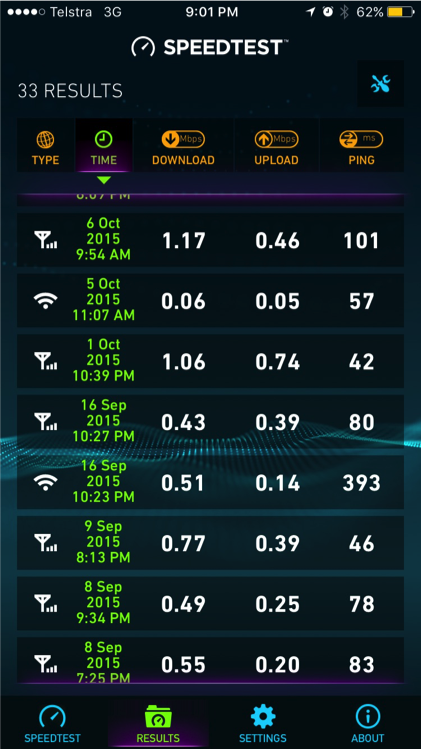
education 5

QLD: GLORIA: Our story isn’t as sad as those before me. Our sons attend the local high school which is 20 mins drive. We live in a hilly area. Our landline speed is slow and lines not being replaced. We use a 4 g advances11 modem wifi unit. On its own we receive 1 bar .we were told to attach an outside Omni antenna and attach cable which we did ourselves. This gives 3bars depending on the weather. So we have 8g a month this would be used up within 2 days if not careful. The unit is turned off as soon as the boys are finished with it. The school laptops had 2g a month( laptop roll out by Mr Rudd) this finishes this year with my year 11 son. Assignments handed in also have research booklets so teachers can see where the info is from so up to 40 sites are visited and half of those downloaded.I usually arrange for the boys to visit their aunt in town to do this heavy work load. The draft copies of assignments are emailed to teachers and then mailed back to students. We run out of our data sometimes a week into our month. My son was waiting for a email from his teacher for an assignment to be handed in the following day. We had to get into the car to go looking for service. As soon as he called out I’ve got it. We stopped to download the work. The beach is our favorite place to go as there is 5 bars.( a day at the beach). But that is while we have the 2g on laptops. We have looked into a yaggi antenna and waiting to find out where to buy one from. Sites to catch 3bars at our house( end of sons bed, front of house on veranda, down beside the Chook pen, standing on the edge of the veranda on one leg. ) Difficult in cyclone season. I would like to increase the data up to next level but we would still use it all very quickly. Telstra did upgrade the tower to4g but we are in a black spot and therefore a 3G area. We turned the modem down to 3G. I really would love to see some improvements. It’s not nice crying on the shoulder of some young Telstra technician because he can’t help. True. Thank you to Kristy and friends for giving us this opportunity. At this point in time I am at the beach (20 minute drive from home) and no not building sand castles. The boys are doing school work.

NSW: ADELE: I’m so over it 2 assignments to go and I cannot finish my 3 year course because our internet is so slow I can’t even get pics up at the moment let alone get emails in and out. I’ve already had a 90 day extension on my course and if I don’t get this assignment in by the end of the month I have just lost 3 years of study and a lot of money.

 QLD: SANCIA: After 12 months of being unable to log into iconnect and the frustrations that this brought to our schoolroom. We had 5G for 2 children with another due to start eKindy in2016 via school of the air. Having disengaged kids at the ages of 5 and 8 we decided to pack the kids up and I moved 1500km away and my husband stayed at home. Some would say why so far. We see the big picture and realise that the kids will require secondary schooling down the track and it is not on offer locally. This move has placed financial and emotional hardships upon us however our kids only get one chance at an education and this was being compromised by the difficulties we faced with the national curriculum and the technology available.  Sancia’s story made the media

QLD: AMY: Yes this is also the exact reason, we have also split our family up to seek a schooling system that works

QLD: JUSTINE: From a tertiary perspective no, I am not confident about the future of education in the bush. Many choose to study uni externally for many reasons and it is increasingly difficult to be able to do this on limited internet. I have a daughter studying a double degree. Poor internet forces her to travel into town to use library Internet, she is lucky she can do this as many can not.

SA: TANYA: Our schooling is done through Moodle, this is where our girls access all their set work, they also attend SABA air lessons, I have two high school age girls and combined they sit 18 air lessons a week, they vary in time from 30 mins to 1 hour? We do not use video to participate for obvious reasons! ‪#datadrought We get ‘shaped’ about 2 weeks into our monthly plan. I then have to drive to town so the girls could access our BigPond 3G mobile broadband to do air lessons. This month I come into range to receive a message from Activ8, so much for my slowed shaped plan! (Always slow even without the shaping) now they will suspend our service when it gets to 50gb!! I pay for a 60gb plan, (40gb peak time) home schooling is made so hard with our internet service.

education 6 education 7


SA: JILL: I have taught my 3 daughters via SOTA in SA and I only have 1 term to go before my youngest goes to boarding school. We need to keep fighting as it is a huge issue for families. There are SOTA families in SA that drive many hours to download the curriculum for the coming week as their plans are getting shaped making it too slow to even download the school work, which is 100% on a Moodle. Our internet lessons with the teachers often drop out and the kids aren’t able to use the camera due to poor internet. Thanks for all of your hard work!

QLD: SHARON: I have recently moved to my inlaws property in Cape York where the only option is satellite. I am school my son who is in year six and my daughter starts prep next year. it is very frustrating when my son cant join his class lessons or watch the videos required for a class. we don’t know how we are going to do it. I also wished that the school would make that there was less the kids needed to do on the net as they know how bad it is.

QLD: BRONWYN: I have a daughter starting year 11 next year, who already suffers due to our ‘data drought’. We can only afford the 8gb wireless plan. A few months ago our data usage jumped dramatically with no change in our devices or our internet habits… Of course Telstra were so helpful, escalating investigation after investigation with no answers. So usually a week or two in each cycle we are shaped & can’t even load Google. Yet two years ago I was only barely using 5gb a month.
I find it so very frustrating that my daughter’s schooling & my business have suffered so badly as a result.

WA: DONNA: I’m from Binnu. Gero our nearest large town. Just about to be shaped on our satellite internet for the fourth month in a row. Kids sometimes don’t come home from boarding school if they have homework and our internet is shaped as they can’t complete their studies.

 WA: RAELENE: I watched Lateline last night and again my heart ached for those who are struggling with the internet -both for education and business.  I sat at the ICPA conference and watched the despair and anguish on the faces’ of members who got no answers to their problems at all -just told all will be well when the new long term satellite goes up next year.  Sorry -not bloody good enough. These people need help and they need it right now. Not being fobbed off for another 12 months or longer (is there any 100% guaranteed date the LTS will be up and running??).  Surely to goodness somewhere in this world there is an answer for these people. If politicians can travel the world then send them to some countries who may have found solutions and bring it back to Australia.  Jack Beach, Federal ICPA Life Member, in opening conference spoke of how amazed he was by the availability of mobile coverage in Mongolia, even in parts of the Gobi Desert.  Will the NBN and Government just man up and say yes the ISS is stuffed and we can’t fix it and get off their backsides and find another solution for these people.  If it costs more $ so be it. This is people’s livelihoods and their children’s education that is being put on the line. Businesses can’t be put on hold and nor can children’s education.  Next thing we will have a report saying bush kids aren’t achieving as well as their city counterparts or aren’t going to Uni. Well no bloody wonder.  It isn’t damned rocket science. There is a problem which needs an urgent solution. If $ is an issue then pull some spending in other areas e.g. politician’s entitlements springs to mind or overseas aid.  Don’t keep telling people to be patient, don’t keep telling them they can only have so many GB of data, don’t keep telling them you are forming a working party to discuss the issue.  Enough discussion. We need action and we need it NOW!
education 8


NSW: HELEN: Once again the NBN refused to acknowledge my request for a formal complaint to be made and closed the case on me. They literally told me that we already have NBN satellite so are not eligible for anything else and if it doesn’t work properly there’s nothing they can do.

So now we twiddle our thumbs waiting for emails to arrive, waiting for a page or app to load – and reload, and reload and reload again, chewing up our data. We can rarely watch YouTube clips, pod casts and webinars are out of the question, Skyping doesn’t work at all, the kids education programs constantly drop out, my online study is constantly interrupted … the list goes on. I’ve given up. I guess we’re lucky to get what we’ve got.

QLD: LINDA: We were required by our distance education teacher to watch a you tube clip before our on air, we definitely wouldn’t be able to a 25min youtube video we can’t even get on to the classes at the moment.

QLD: SAMARA: Just spent the last 20 minutes trying to email my daughters school work to her teacher…….. the frustration levels are through the roof

QLD: MRS B: Mrs B lives on a cattle station in northern Australia with her 4 children. They are enrolled in distance education on Satellite Internet. This is Mrs B’s last year on DE as it is just too hard – she has been teaching for 12 years and this year has been the hardest due to combination of inadequate Internet and technology based learning. The kids and Mrs B are moving into town,(2.5hrs away) leaving her husband on the property. Thanks for letting me share Mrs B – ” It is so sad for the bush as it is breaking families apart.”

QLD: CARLA: I know a number of families who have moved the wife and kids to town this year to go to school – previously have been distance education but internet is now unmanageable!

QLD: ELISSA: I would like to study university externally but unless I was to go town and use someone else’s internet or the library this is not possible to do so as it would involve watching videos and podcasts that uses a lot of data and at a higher speed than what is available to us. This concerns me greatly, not for myself so much, but for my children as they are starting school soon and they are going to require the internet at home and I feel they are going to be disadvantaged by this. The only solution you have given us for this problem is to move.

QLD: ALANA: You really do learn what you live … I live 120 kms west of Clermont, have been on a 20 GB satellite plan (since 2012 and prior to that had a 1 GB plan, however started married life almost 13 years ago with dial up which we had until 2005). I teach two kids via distance education, with both being on Internet lessons up to 3 hours EACH per day plus run our grazing business. Been reflecting on all the talk of how slow satellite internet is (and based on speed tests, ours is definitely that) as well as other problems with satellite services. Ironically though, having not had access to anything better (and having used much worse), I don’t notice it, or should I say don’t know any different. Sure, we often have drop outs and other ‘unexplained’ errors/problems during internet lessons, which are likely as a result of speed and other satellite internet issues that we just deal with as they arise … That’s just how we have had to learn to roll. We have only ever used over our 20 GB, and therefore been shaped, once in 4 years. As it is all we have had and our business and my children’s schooling depend upon it, we simply don’t use it for much else. I have only ever downloaded 3 movies, we don’t use any internet radio, etc. (except in the Easter holidays this year when my eldest daughter bought an iPod and it was hooked up to the network in the house. This of course was the one time we used our GBs. When school started in term two and we were shaped it was THE WORST WEEK EVER in the schoolroom, not being able to access ANYTHING and missing almost all online lessons that week until we were reset at the start of our next billing period… Let’s just say, it didn’t take much convincing my daughter to take her iPod off the network except for very important things!). My kids do not have a clue of the wealth of available technology resources that is everyday ‘normal’ for many kids their age, other than what they MUST have for school. We are lucky enough now to have a little bit of mobile coverage in the house with an antenna and repeater, however this only works intermittently and certainly cannot be relied on and generally I only use this for personal internet use.

I wanted to tell this story because I detest the thought that we experiencing the ‪#‎datadrought are considered ‘data hogs’. I also think that we need to not be seen as a bunch of whingers who want, want, want; that we are actually willing and able to be flexible and adapt to what we’ve got, even though it is grossly substandard to what may be ‘normal’ to much of the population. ‪#‎fixbushbroadband

NT: YVONNE: I have just finished 11years of schooling by de, from paper to hf radio to computer. Solely technology based is not the answer, the technology has not kept up to the curriculum requirements and if the internet is down then school is out because there is little paper based resources sent

TASMANIA: ELLA: Even the children who attend the local primary and high school in Mole Creek and Deloraine (Northern Tasmania), but live outside of the towns, will be disadvantaged when it comes to researching anything via the internet for homework. For anyone wanting to study at uni make sure it is on campus study, because you won’t be getting anything done online, unless you show up to use the wifi on campus. Rural students at university have enough barriers to their study as it is, the #datadrought is just another one.

NSW: DONNA: At the moment I have one distance ed child (yr4 via NEPSODE in NSW), and two high schoolers that attend the high school in town. We are on 15GB/mth. 5GB/peak, 10GB/off peak, ABG IPSTAR. Distance ed, majority of our work is paper based, with USBs supplied for most video’s. But we use the internet a lot, for more information on subjects/projects, and for resources to help with/complete set work. We now try to get all work done before peak times start in the morning, as the high school kids need to use the internet for their homework/study in the afternoons/nights (peak time). When we get shaped, and we need the internet for school things, we end up outside, sometimes in the yard or paddock to use my mobile as a hot spot (lucky to find one bar of coverage in/around the house), because the sat internet simply doesn’t load at all. We have one lesson a week on the phone with his teacher, we have that outside via my mobile, as our VoIP hasn’t worked in nearly a year, and we have no land line here. Some weeks we skip his phone lessons as we can’t get good enough mobile coverage to understand his teacher or vise-versa. I have no idea how anybody affords to pay for more data, $70/mth is as much as we can afford… Any updating of devices, we do at my sons house in town, we simply can not update anything, we can’t spare the data because we need it for school.

QLD: KYLIE: We are enrolled in a distance education school, my child is in Year 6. We have never had access to the internet as we were very confused about how it worked, we never had an email so we couldn’t apply to get connected. My childs’ school has said we can’t continue if we don’t have the internet but we have nothing available to us.

QLD: MRS C: are enrolled in a distance education school and have access to the internet during most of the year, however Mrs C’s husband is a drover and sometimes she wishes to spend time on the road with her husband and two students. When Mrs C approached the distance education school she was turned away and told to go to another school as she didn’t have ‘reliable access to internet’

QLD: JAYE: I am not usually one to go public with complaints but our phone has been out for over 3 weeks, they were meant to have a technician come on the 28th of April to fix it and nobody turned up. Obviously we have no mobile service here so we are always emailing a friend or family to ring for us to find out what is going on and the next date to fix it was meant to be today and when our neighbour rang them for us, they have now said a technician might be out on the 20th of May. Our kids need the phone to do school of the air and we bend over backwards out here to get our children an education but it is really hard when it is out of our control and Telstra doesn’t seem to care. (I like it though that if you are a day late with the money for them, you get a $15 fine) When I drove to town to ring about it, they told me…”You do know there are floods on in NSW” to which I replied, “You do know we are in the middle of a 3 yr drought in Qld”. Then they promised a sat phone when I aired my concerns about the kids not being able to do their schooling…that was meant to come a week ago. I can do without the phone but my main concern is the kids education that is suffering because of it all. A week or so, I was prepared to put up with but I find 5 weeks hard to accept.

VIC: KIRSTIE:
education 9


 AUST WIDE: BIRRR: Those involved in education MUST be educated that not everyone has access to internet connections that city people take for granted. If you are a teacher, lecturer etc and have students living the ‪#‎datadrought , have you spread the word about this issue ? Have you informed other staff at your school / uni that this is a significant issue for students ? We want everyone to know about the #datadrought and the effects it is having on learning in regional areas, so please if you can, spread the #datadrought love

Here’s some tips:

  1. Check the size of your emails you are sending to students/families.
  2. Realise that many online homework sites are very data hungry
  3. Understand that researching on the net is limiting for many students (how about giving them a couple of pre-researched links instead of the whole of google)
  4. Understand that many students have unreliable speeds and drop out issues
  5. Refer people to BIRRR website birrraus.com

Learn more about the #datadrought and how it impacts education in these video clips:

ABC LANDLINE

ABC LATELINE

http://www.abc.net.au/news/2015-08-25/nrn-minister27s-nbn-promises-fails-to-placate-internet-anger/6723644

https://www.facebook.com/pip.courtney/videos/10153170095694107/

Prepared for BIRRR by Kristy Sparrow, some names and identifying locations have been changed.


Using a WIFI Bridge to achieve a nbn™ Fixed Wireless connection

Using a WIFI Bridge to achieve a nbn™ Fixed Wireless connection

The following diagrams show typical methodologies for connecting a remote nbn™ fixed wireless installation via a WIFI link.
The link is best constructed using semi-commercial specialist WIFI routers such as those made by Ubiquiti or MicroTik; or similar. This equipment is inexpensive and relatively straightforward to configure. You may also be able to purchase the equipment pre-configured, depending on the application. City Technology is a good place to compare Ubiquiti product pricing.
For links around 2 to 3Kms, an equipment cost of around $100 per site is likely. Installation and cabling is additional. Reliable links of up to 20Km may be economically realised.  If the WIFI link is well designed and constructed it will provide speeds in excess of 100Mbps; which is more than fast enough for a 50/20Mbps nbn wireless connection.
OPTION 1:  This arrangement shows an nbn™ fixed wireless service installed in a shed or location where no internet is required at that location (eg Premise 1 in the diagram below). The nbn™ service is extended via a WIFI bridge to the home (eg Premise 2 in the Diagram below) and a WIFI router is added to extend LAN services and broadcast WIFI around the home. The WIFI link acts exactly like a long, long length of LAN cable. For more in depth details read the stories on our  Stories & Testimonials Page


wfb
This arrangement is typical for a remote nbn™ installation in an area on your property, where signal is good.

OPTION 2: The second arrangement shows an nbn™ fixed wireless service installed in Premise 1 with internet available. This internet service is extended via a WIFI bridge to another premise, Premise 2. Both premises share a single nbn™ wireless service. Depending on configuration of the routers the premises may or may not share the same network. You may also configure the router to ensure that one household doesn’t swamp the others access ie each household is restricted to half the capacity of the FW link.
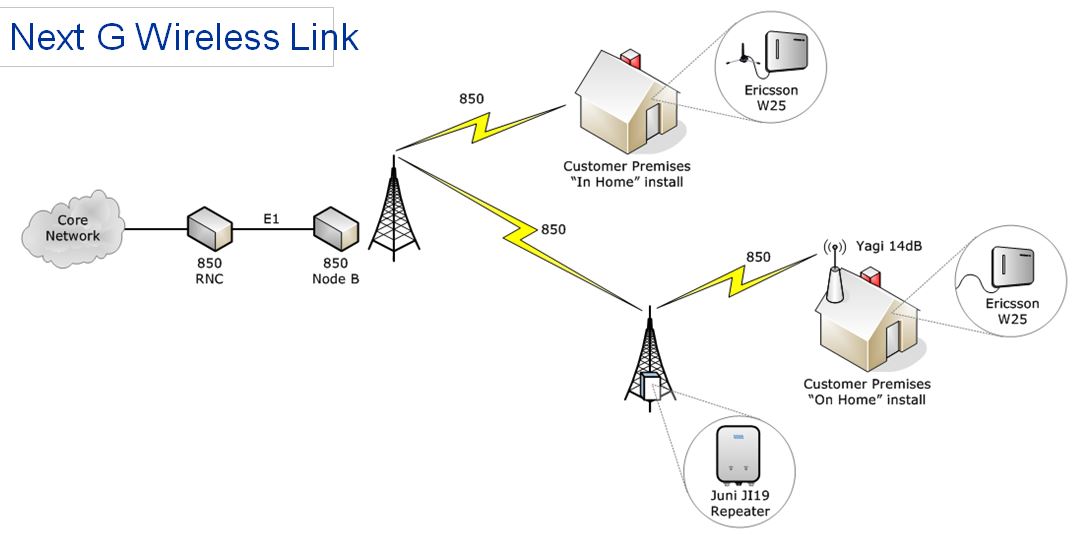
 

wfb2
This configuration is most likely suitable for families living in separate homes on the same property, where the cost of the internet service is shared.


OPTION 3: This arrangement shows an nbn™ fixed wireless service installed in Premise 1 with internet available. A second nbn™ fixed wireless service is installed on the same nbn wireless NTU using the same or a different RSP (ISP/Provider). This second service is extended via a WIFI bridge to Premise 2. This second service is independent of the service at Premise 1 and is likely, separately billed.
wfb3
This arrangement is most likely if you negotiate to use your neighbour’s nbn™ connection.
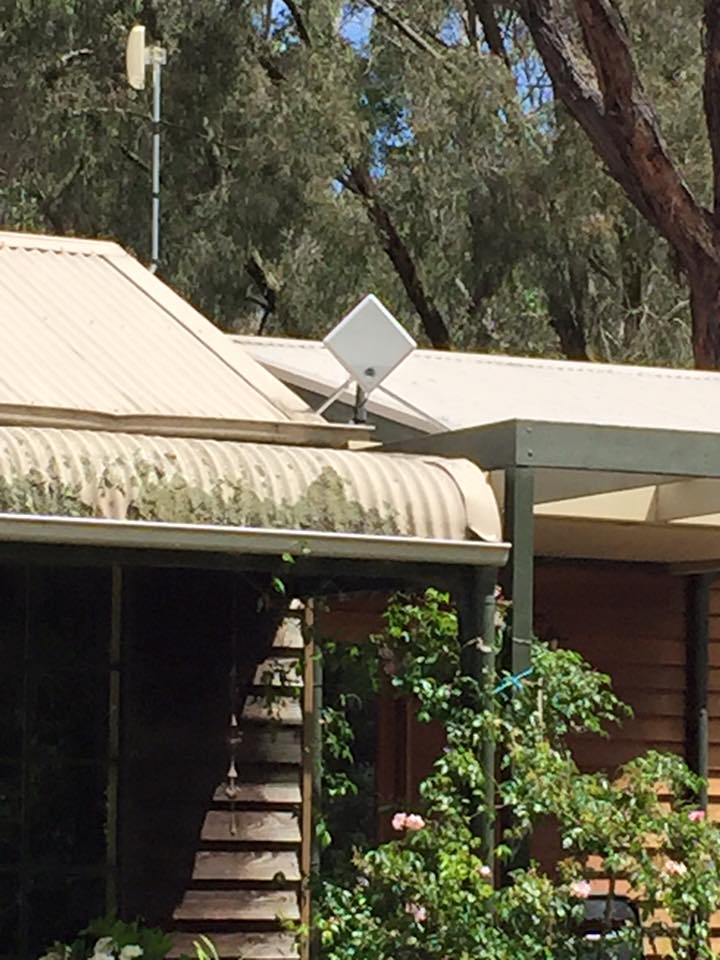
 

There are two W-NTD versions. The V1 ODU has an antenna gain of 23dBi and a throughput capacity 60Mb/s. The V2 ODU has an antenna gain of 26dBi and a throughput capacity of 75Mb/s i.e. across one or all four ports.

An nbn™ fixed wireless service is available with speeds of 12/1, 25/5 and 50/20 (up to). This implies that if both customers were to activate a 50/20 service then there would be times when the service speed is restricted (by the 60-75Mbps total cap), if they are both heavy users.

Sharing between ports is graceful, as they are different vlans ie if you had port 1 and 2 activated with 50/20 plans, the throughput sharing would be 50:50.

OPTION 4: A fourth situation may exist where a single property has two residences, each with an independent fixed wireless standard installation.  nbn™ will install a fixed wireless service at each residence

There will be other variations of these four themes.

Please note, while all care has been taken in compiling BIRRR documents, we recommend that you check with nbn™ or your ISP regarding your own connection issues.  Thanks to John Kitchener, BIRRR member for compiling this document.