Telstra NGWL Migration

Telstra NGWL services are being decommissioned when the Telstra 3G network is shut down on 28th October 2024. Telstra will migrate customers to newer technologies before the 3G closure. Most customers will be migrated to Telstra’s 4G Fixed Wireless network (4GFW). Telstra have stated they “will be working to ensure the voice service will meet current USO requirements“. You may also hear this new voice service referred to as 4G Home Voice, a wireless landline or 4G landline / home phone & possible other name variations. More information on Telstra’s 3G network closes on 28th October 2024 here

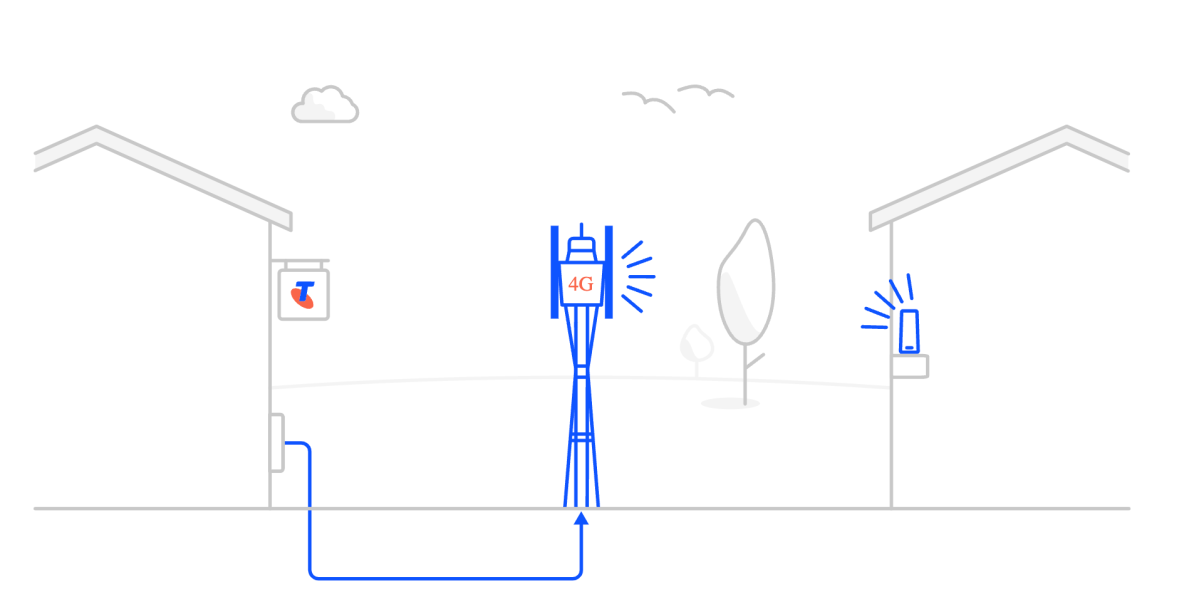
4G fixed wireless (4GFW) is a type of connection that utilises 4G LTE (Long-Term Evolution) wireless technology (4G mobile) to provide broadband and voice services to your premises. More details from Telstra here.

Migration process: Existing NGWL users will receive a text, mailed letter and/or an email regarding the migration process. These are being done in batches and all NGWL customers in an area will not receive the migration information at the same time.

To arrange migration Telstra needs to be contacted on 1800 258 503. They are open from Monday to Friday, 8am to 7pm AEST. If you haven’t received any correspondence as yet, BIRRR encourages NGWL users to contact the migration team ASAP.

What you need to know when migrating your NGWL service with Telstra – click here.

BIRRR – NGWL Migration Assistance. If you are experiencing migration issues, please complete this BIRRR – NGWL Migration Assistance form and BIRRR will escalate with Telstra.

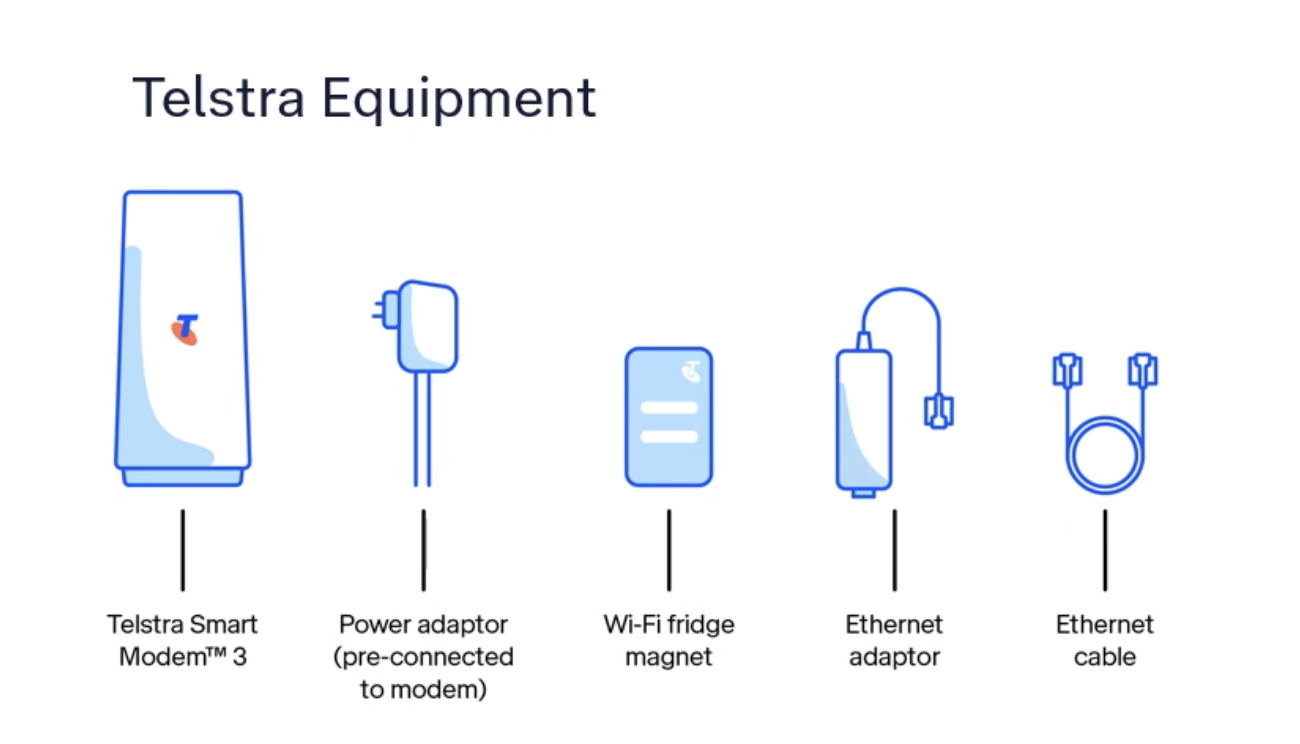
Equipment Needed: NGWL consumers will need a Telstra Smart Modem and in some cases a compatible antenna to transition to 4GFW. If you already have an external antenna, Telstra expect that in most cases this will be re-usable with the 4G FW solution. The Telstra Smart Modem (Generation 3) will have an antenna port allowing for connections to the external antenna (if you have one). In most cases you will be able to use your existing telephone handset.

In some cases Telstra will send out the smart modem and instructions for you to self install, in other cases a technician will need to attend your premises to install additional equipment, such as a compatible antenna.

Telstra Smart Modem

Set up guide can be accessed here

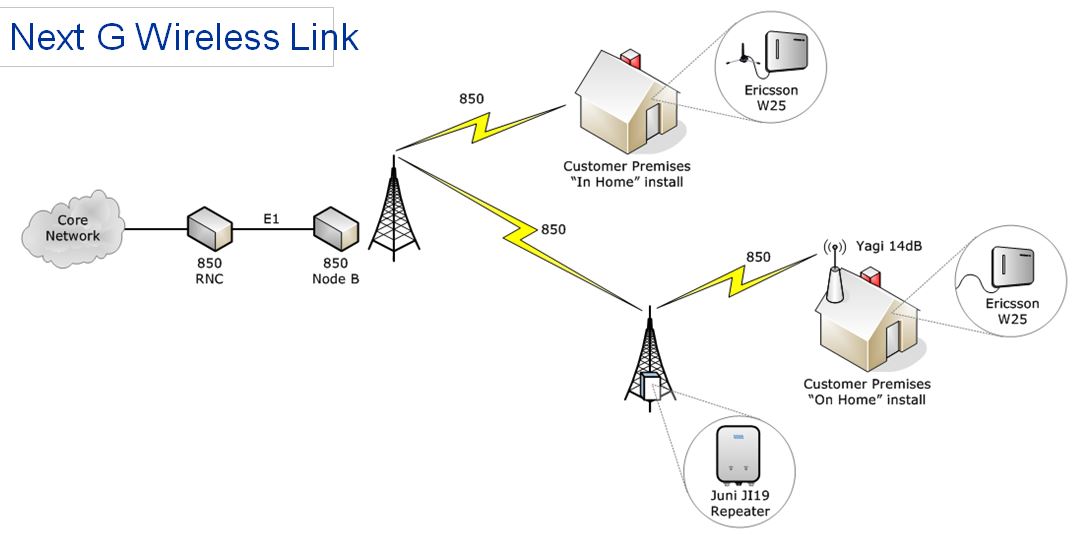
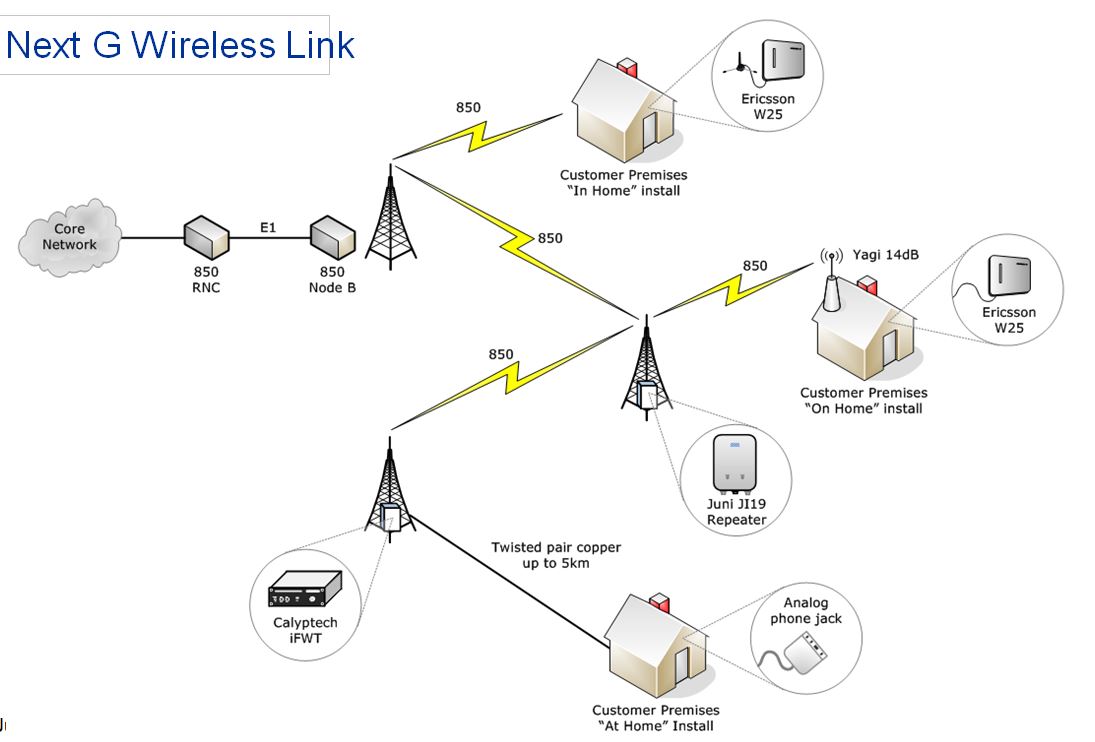
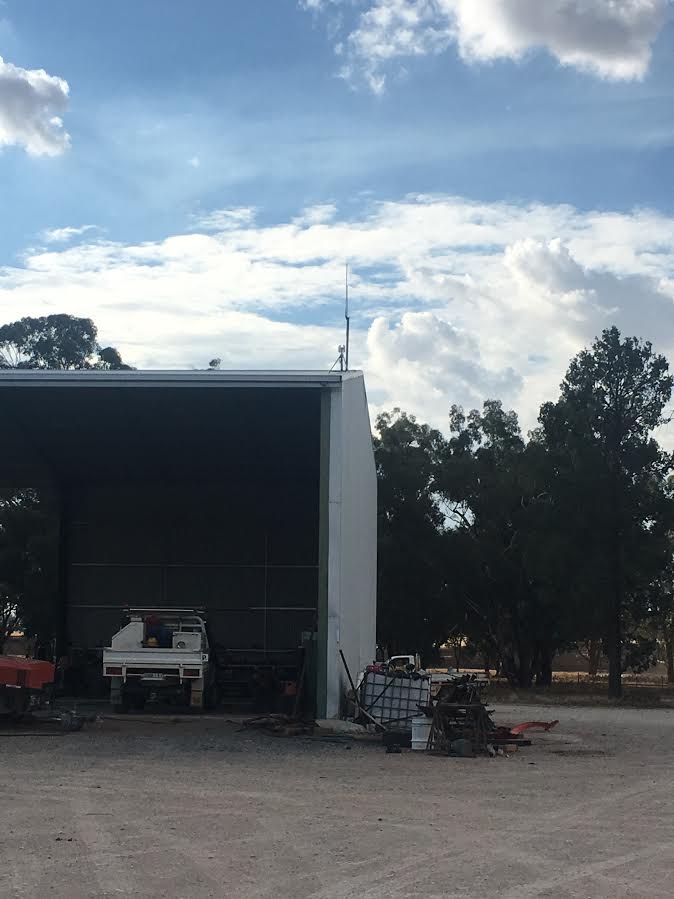
Some consumers may have extra equipment at their location including a repeater tower, cel-fi set up, antenna etc (as pictured below). BIRRR has sought further clarification from Telstra as to the future of this equipment. Please be aware that if you choose to cancel your landline service this may affect your existing mobile coverage, especially if you have any of the equipment shown below.

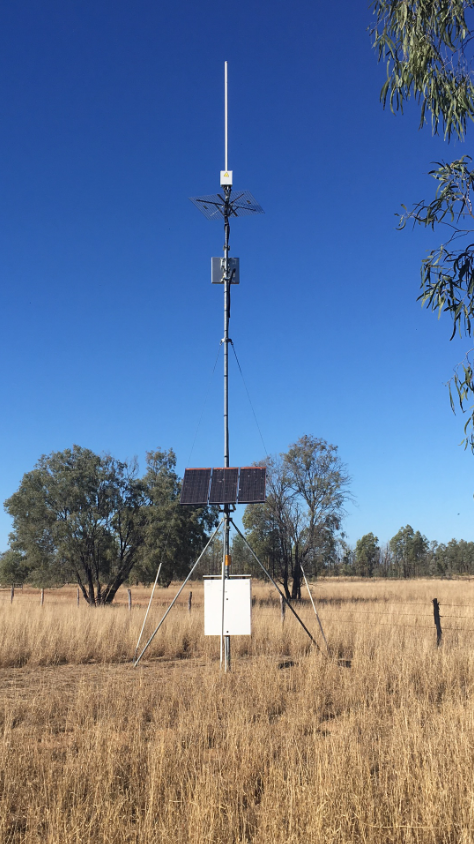
Examples of a NGWL repeater tower, equipment and antenna, with new 4G FW equipment installed.

Costs:A voice service delivered via 4GFW with the smart modem and antenna (if required) is supplied by Telstra. There are two plans available:

  • Telstra Upfront Home Phone Plan is $50 per month.
  • Upfront Starter Plan (with 50GB data allowance) is $65 per month.
  • Customers who are eligible for concessions will be eligible under these plans too.

Telstra Upfront Home Phone Plan & Upfront Starter Plan Specifics

Plans are not contracted. Customers can change plans or cancel at any time, at no cost. However, if customers decide to cancel their service within the first two years, they will need to return the modem back to Telstra or pay a $200 fee.

Inclusions: The 4GFW Telstra Upfront Home Phone Plan voice service will include 2GB data (The 2GB of data is incidental to the phone plan and only suitable for very limited internet usage – there is a possibility of data unavailability during peak hours for some customers on the 4GFW network.). Telstra’s CIS is here.

The Telstra Upfront Starter Plan includes a 50GB data allowance. Telstra’s CIS is here.

Both plans also include:

  • MessageBank, Caller ID, Same number porting
  • Caller Line Identification and Directory Listing are disabled by default and will need to be activated by the customer via the Telstra app. Unfortunately, any saved Message bank messages cannot be migrated and will be deleted once the NGWL service is disconnected.
  • Unlimited local, nation, mobile and 13 number calls
  • 30 minutes of standard calls to any overseas countries.
  • BIRRR recommends consumers should look at other options for broadband, as these plans are data capped. The Regional Tech Hub can produce a free independent connectivity report to advise on broadband options.
  • NB: although Telstra mentions your plan is unlimited, once the data limit of 2GB or 50GB (depending on your plan) is exceeded, your broadband speed will be capped at 256kbps until the next month.

Power, Priority Assist & Medical Alarms: You will not be able to use your 4G FW service in a power failure – including emergency calls, any back-to-base alarm or medi-alert functionality, without a back-up in-home power source. If you have a back to base security alarm or a medi-alert, you will need to check with the manufacturer to make sure it is compatible.

Priority assist will be available on this technology. Telstra will supply a battery backup device for all Priority Assistance customers that will help provide short term connectivity in the event of a loss of power. This backup battery will not be included as part of a standard setup for non-Priority Assist.

Please ensure any mobile devices, medical alerts and other 3G equipment is compatible with the 4G network as 3G is being closed down. More details here

If you live in an area prone to power failures/outages BIRRR recommends a non-powered phone (cordless phones will not work during power outages), which can be purchased from Telstra here for $48 and an Uninterruptible Power Supply for the Telstra Smart Modem which can be purchased from Telstra here for $120, this provides a power back up of approximately four hours. You can also purchase power redundancy and non – powered phones from other suppliers such as Harvey Norman, Officeworks, JB Hi-Fi etc.

If you require a longer length power solution a power station like the Energizer Everest 1100 Power Station, will provide power redundancy for your Telstra Smart Modem for 12 – 18 hours, a solar panel can also be added to the power station to enable charging via solar. Available from Mitre 10, Bunnings and other retail stores. BIRRR recommends a Google Search to find the current best available price (typically around $1000).

Recycling. The best way to recycle your old device is through MobileMuster, the Australian mobile industry’s official recycling scheme.

Billing and Payment: Telstra is in the process of rolling out a new billing software system. For customers still on the old billing system, their new service will be listed on Telstra’s new platform and in the short term, this may mean two separate bills. Ultimately all of Telstra’s existing accounts will be moved to the new system and all services will appear on one bill again. The new bills do not currently display customer ABNs. This feature has been requested and is in development for a future update. AutoPay from a credit or debit card (Visa, MasterCard or American Express) or a bank account. You can also call Telstra on 132 200 or visit one of their stores.

Same number porting: Customers can retain their existing phone number. Every service has a unique phone number. When the 4GFW service is first connected, as part of the migration Telstra will provide an interim phone number. Once the service technology is confirmed as working, Telstra will migrate the existing NGWL phone number onto the 4G service and then cancel the NGWL service and the interim 4GFW number.

Support: You can sign in to My Telstra to check your service, run simple tests and automatically raise a fault ticket. The My Telstra App uses a 2-factor authentication process and has multiple options such as text messaging, email and a pin to verify your sign in.

Telstra have advised that customers should use the contact us details to raise a fault and speak to an agent to help you resolve issues. You can also call Telstra on 132 200 or visit one of their stores.

At this stage Telstra DO NOT plan on having a specialised support number for this service, similar to the 1800 MYNGWL.

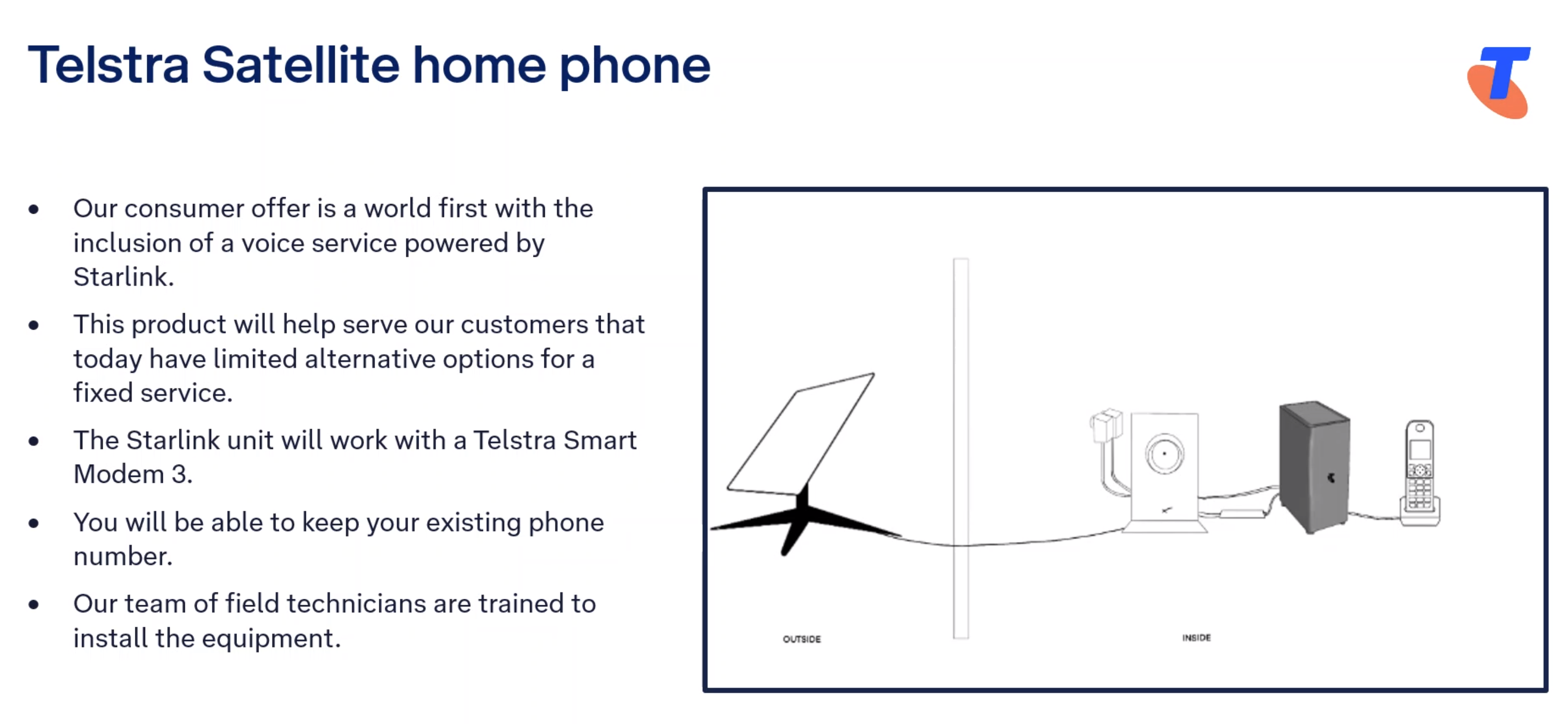
Some NGWL customers (those who don’t have adequate mobile coverage at their location), will be transitioned to a Starlink voice service. Telstra have stated that this service is “USO complaint”, which means that if you are migrated to a Starlink voice solution Telstra will cover the cost of the Starlink equipment and installation. It also means that Telstra need to ensure the service meets Consumer Service Guarantees under their Universal Service Obligations.

It is likely that current NGWL customers using the Analog phone jack inside their premises will be moved to a Telstra/ Starlink voice service, particularly if they have no existing mobile coverage at their location i.e. for NGWL connections that utilise a copper landline connection to the tower (image of NGWL varieties at the bottom of this page).

Satellite Voice (Powered by Starlink) Plan Details here

If you are being migrated to the Starlink voice solution you will receive two sets of equipment.
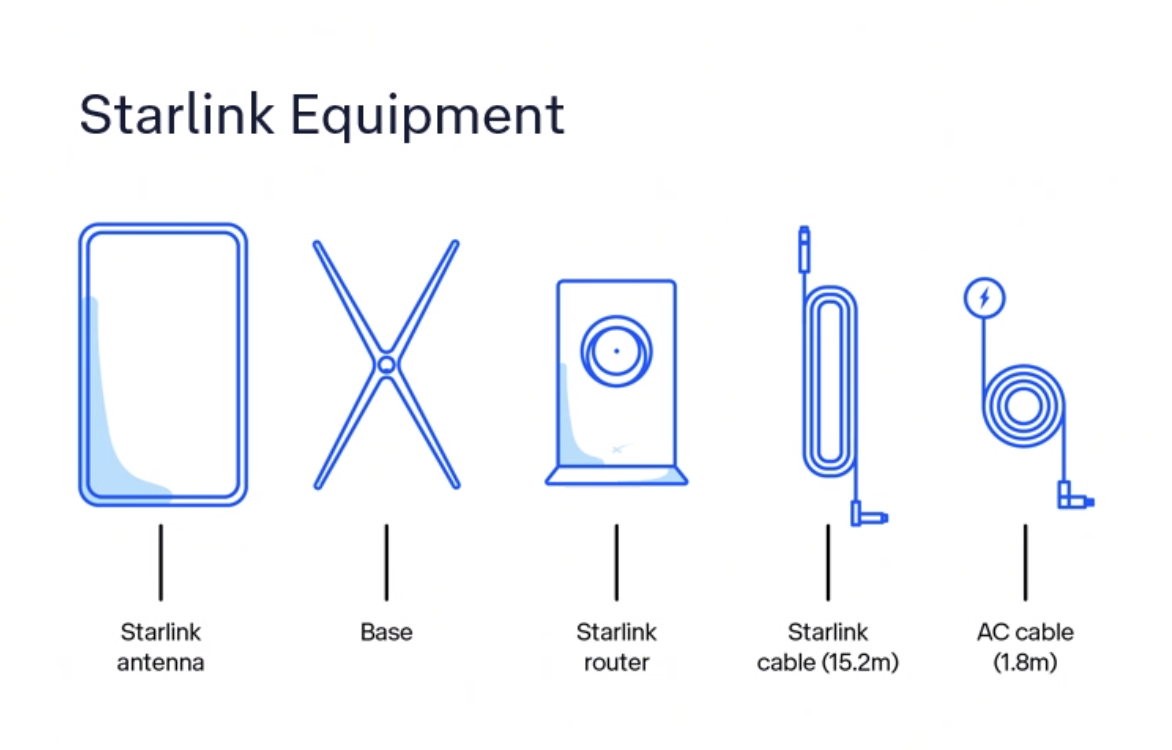
The Starlink voice service will be $50 per month for a voice only service (with all local, national, mobile and 13 calls included).

BIRRR has the following page with details on the new Telstra Satellite Home Internet (Powered by Starlink) product offering. Please note that the Telstra Satellite Home Internet has different pricing and inclusions to the USO compliant voice service offering, in particular in regards to installation and equipment costs.

You do not have to bundle broadband and voice to receive this product and BIRRR highly recommend you ensure you have an alternate method of communication, so that you have redundancy in communications. If you already have a Starlink kit we do not recommend you use this kit for the Telstra voice solution. You should request a new kit and installation from Telstra for your voice service.

Billing, same number porting, ID checks, accounts, support and power redundancy information listed above will all be also relevant for the Starlink Home Voice solution.

Things to note:

  • A Static IP is not available for Telstra Satellite Internet services.
  • Telstra Satellite Internet is restricted to use at the home address it is connected to. Satellite Internet can’t be moved around or used on moving vehicles or vessels like cars, vans, RVs, boats or aircraft.  Customers will need to contact Telstra to move their Telstra Satellite Internet service, similar to other fixed line connections. 
  • There is some voice prioritisation that occurs locally on the customer’s service but there is no voice prioritisation across Starlink’s network.
  • The manufacturer’s warranty is 24 months from the date of the original purchase.
  • Customers can message Telstra, use the My Telstra app, call Telstra’s contact centre or visit a store. There is no dedicated number for Starlink support, you will be prompted with questions to reach the right support team. More information on how to contact Telstra for Starlink support here.
  • If Telstra elects that the customer’s voice service needs to be migrated to Telstra Satellite powered by Starlink, and the customer meets Priority Assist requirements, then Priority Assist is available.
  • Customers who are eligible for concessions will be eligible under this plan too.
  • Telstra has been conducting trials of the Starlink product over many different locations, throughout various states for many months.  This testing has covered everything from the impact of rain, voice performance, service up time and general home usage. Telstra are continuing to undertake testing to gain further information about this technology.
NextG Wireless Link (NGWL) used the 3G Telstra mobile network to provide home phone services to some customers in rural Australia. It was a landline voice service supplied by Telstra in order to meet their USO (Universal Service Obligation) obligations. The service operated via the 3G mobile network, with consumers being migrated to newer technologies in 2024, due to the closure of the 3G network. It is believed that there were over 5000 NGWL services Australia wide.

NGWL used the coverage and data capabilities of Telstra’s 3G 850MHz network to provide a Voice ( landline service) and limited Broadband internet (limited in data and speed, with high costs)

The NGWL service was supplied by Telstra in several different formats, using a variety of different equipment options. The service did not provide calls at 3.1kHz bandwidth. Telstra offered a dedicated support line for NGWL consumers – call  1800 MY NGWL (1800 696 495 ) however they have stated they will not be offering dedicated support numbers for 4GFW or Starlink voice solutions.

Telstra applied the Customer Service Guarantee (CSG) to its NGWL services in 2018. Historically, Telstra’s NGWL customers opted for the service in place of a USO standard voice service on a fixed copper line. These customers made an informed choice to take up NGWL as an economic alternative to copper installation or replacement of High Capacity Radio Concentrator (HCRC)landlines.

 (More information here)

NGWL Set Ups

Developed for BIRRR by Kristy Sparrow, Julie Stott & John Kitchener updated 12/05/24

*Please note, while all care has been taken in compiling BIRRR documents, we recommend that you check with your service provider regarding your landline service and your rights as a consumer under the Universal Service Obligation.
Using PtP to relay nbn Fixed Wireless from a Farm Shed

This is our long story about over coming hills to get a nbn Fixed Wireless Connection!

We live on a farm between Ariah Park and Temora NSW. We are 9km from NBN tower in Ariah Park but have hills in between. My brother in law lives 1km from us which put him at 14km from a tower near Temora and us at 15km away. He was able to get NBN without an issue so we applied to get it. We had a technician come out and say we had strong signal from our roof so he set it all up. He said the green light would come on in a couple of hours and we would be set to go. It didn’t come on so we rang Telstra (our provider) who then rescheduled another visit by the same technician Of course we had to wait another week or two. The same technician came out and couldn’t work it out, said he would look into it and get back to us. We never heard back from him. We rang Telstra to get someone else out. They put us onto Skybridge (nbn installer company), we requested the same technician who put my brother in laws in.

So 2/3 weeks later he came out and he didn’t have any luck either. He said it is because we are past 14km from that tower (beyond nbn limits for Fixed Wireless). He said physically it was possible but NBN have gotten really strict with having to be within 14km from the tower. Another dead end. Telstra kept telling us we needed to go on satellite but we didn’t feel we would be any better off as we had friends who had a lot of trouble with it. Also because you still pay a high price for not a lot of data. We had upped our phone data and used hot spotting and shared data so we could get 45gb all up, which was never enough but much more than we used to get before we joined all our data together. Our kids were desperate for netflix like their cousins over the road!

We had a friend who knew a local technician who had bounced a signal off her in-laws, we got in contact with BIRRR and they told us to look into this. We knew it wouldn’t be ideal because we would have to share data with them (they have 6 kids) and it may slow down when we are all on it, this would have made us feel bad, as theirs is great now and we didn’t want to mess with their connection.

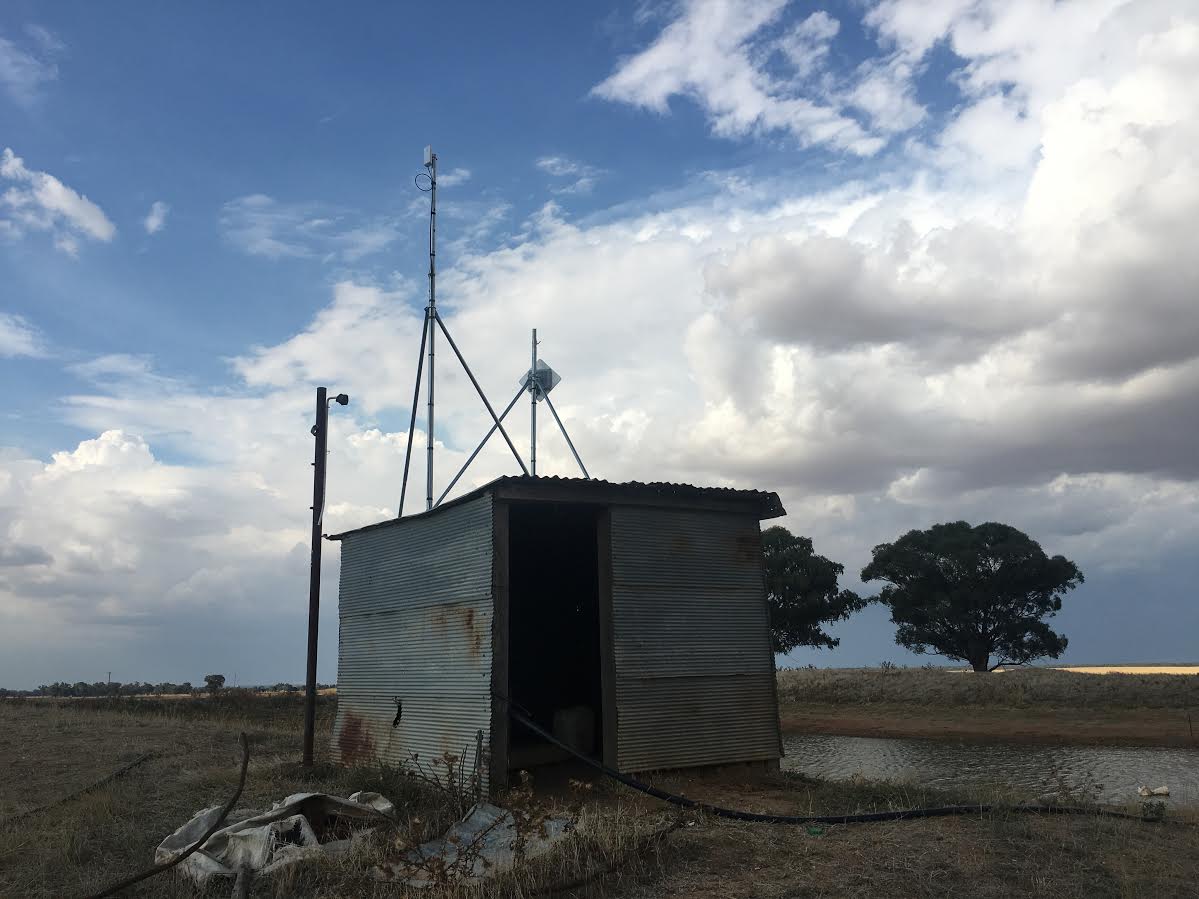
We contacted Michael, the local technician. He asked if we had a shed with power on our property that was within 14km from the tower. We had a tiny shed that had a pump in it and therefore power. It has to be waterproof and you need to put a cupboard in it to keep dust off. We needed to get the lot number from the rates- we rang the local council to get the lot number- they got on google earth and worked it out. Once we did this we could get an nbn location ID number (LOC ID) which Telstra needed to apply for NBN for us. This took a couple of weeks. It was then approved so Telstra scheduled a technician to come out a couple of weeks later.

We got our local guy Michael to come out the day before to make sure he would be able to bounce the signal from the small shed to our house (3km away). Of course, it wasn’t that simple as there were quite a few trees in the way.

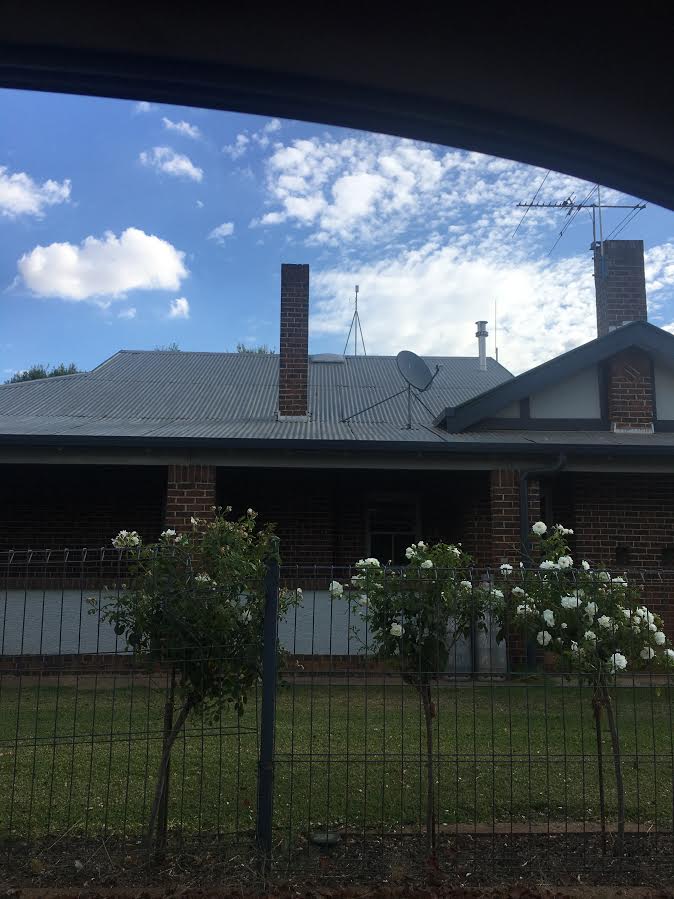
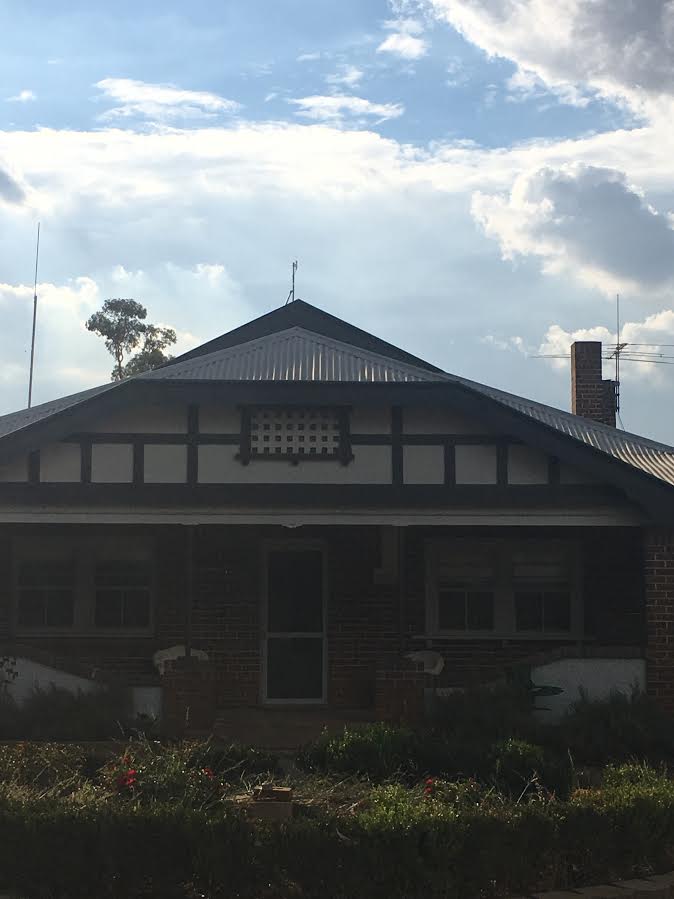
Nina6Nina1Nina2
Michael suggested we put an antenna on our big machinery shed (100m from our house) to pick up the signal from the nbn NTD (in the small shed) then throw it to our house. So the plan was for NBN technician to come out the day after then Michael back the day after that to set up the booster. Again, that didn’t work out as the NBN technician needed a pole to put on the shed to get some more height, he didn’t have one with him (apparently they are supposed to) so once again we had to reschedule for a couple of weeks….so frustrating. We rang Michael to tell him what happened, he thought that was terrible as he should have had a pole with him so he rang Skybridge and asked if he can just do the install himself. Skybridge said that was fine. So Michael came the next day, installed the modem into a cupboard in the tiny shed, put a booster on our large machinery shed to throw the signal to the antenna he put on our house roof. This took two days and cost us over $3000.

We are really glad we didn’t take the easier option and go with satellite. We now get 1000gb for $80/month, the boys can get internet in the machinery shed, we have really fast internet and the kids can watch Netflix, so despite the hassles we had to go through for 5 months, it was worth it!!

Nina3Nina4   Nina5

Disclaimer: This document is meant as an informative document based on my own research and experience. Any views, opinions, information etc. provided is not necessarily the same as that provided by NBN Co, BIRRR, or any other organisation referred to here.  Prepared for BIRRR by Nina & Damien Gaynor.

Peel NSW PtP nbn Fixed Wireless & FTTN Shared with Neighbours

The idea of getting a NBN fixed wireless instead of satellite has been the driving force
behind this project. I had looked at many ideas in the early stages of getting better internet, long before NBN being rolled out, from relaying a link from son’s ADSL2 in Bathurst with a link of about 15km using a high hill in between with solar, but this was given the flick when nearby a NBN fixed wireless tower was being built, only to find out about 90% of Peel Village was shaded by a large hill between the new NBN tower and village, which included myself missing out on NBN fixed wireless.
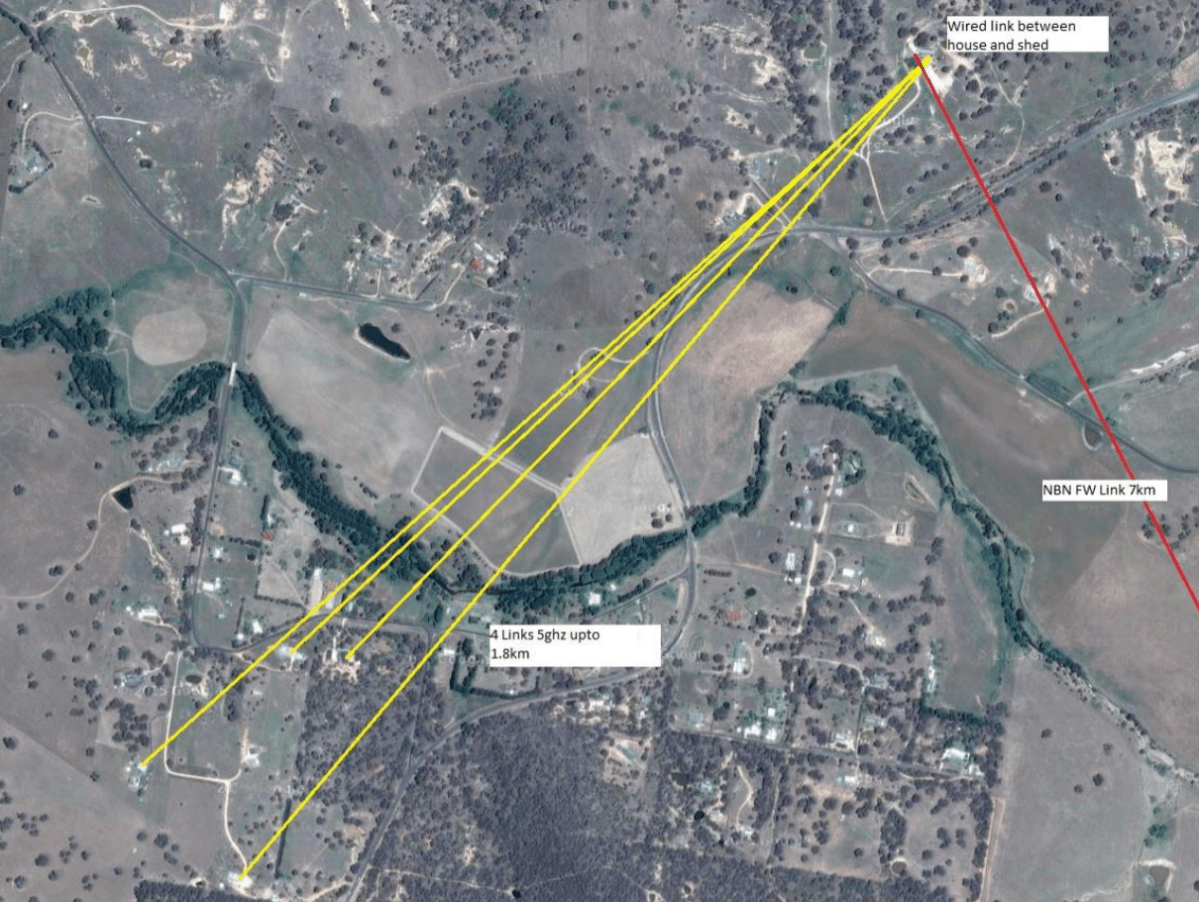
How to go about getting a link was to use about 2km Wi-Fi link from a neighbour that was within a NBN fixed wireless line of sight of tower, I had already a few years before I brought a box of 5 Ubiquiti Nanobridges (NB-5G22) while I was thinking about a long link intoBathurst.
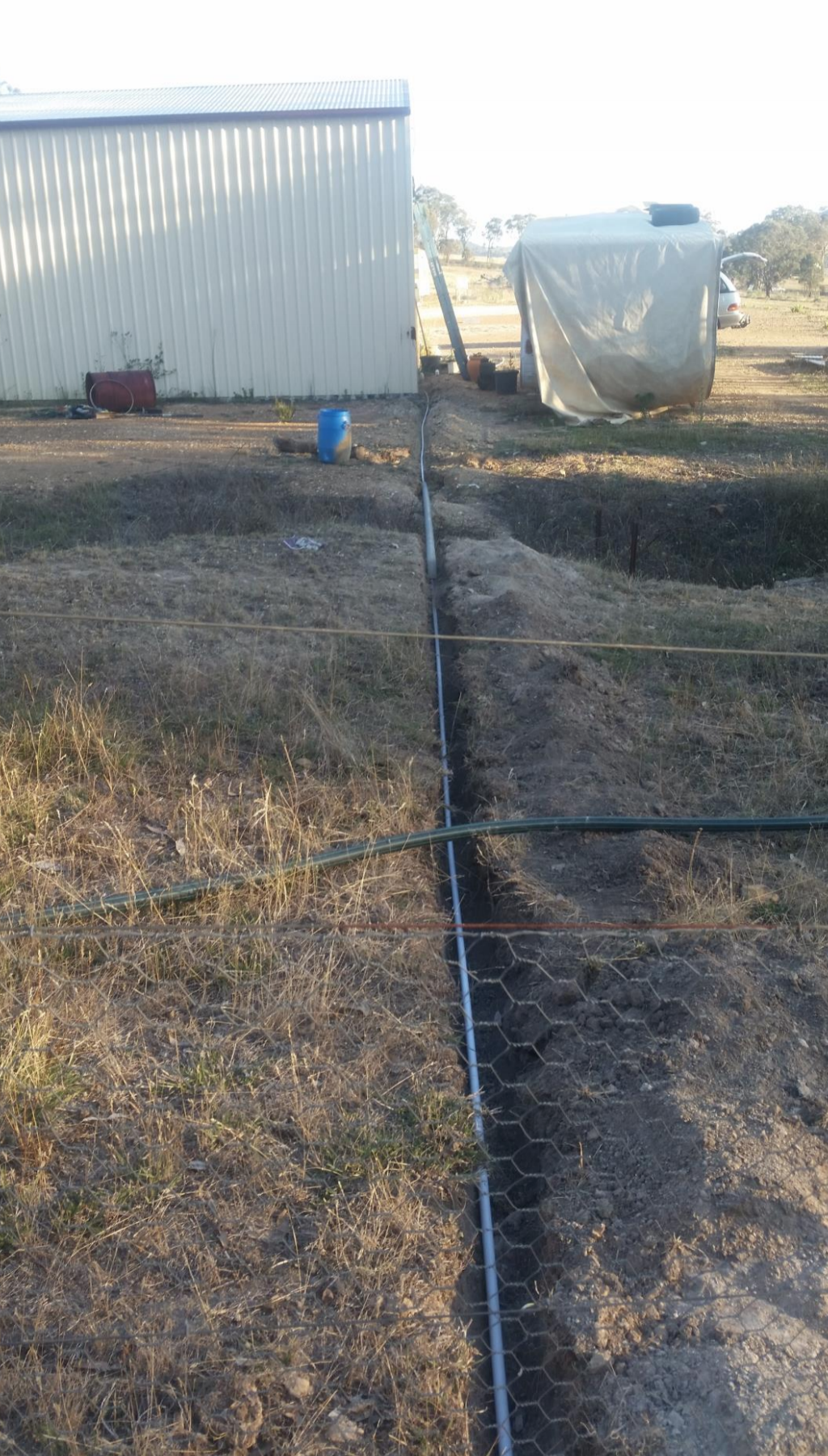
The neighbour’s property had problems with line of sight from his residence to my house, but his shed was just enough to get a good line of sight to my home with a 5hgz Wi-Fi link, so then it was a matter of cabling between neighbour’s house and shed which was about 55m of cable, looking at the time of lying the conduit it was decided to run 4 cables in the conduit (4 x 55m), using only using one cable but have capability of up grading the service to allow more upgrading. The cable that was decided to use was a underground rated Cat6 gel filled cable to aid in keeping moisture out of it at all cost. The cable will power the Nanobridge by Power over Ethernet, so no need to run a separate power cable. There was a small problem of a wash away some 1m deep and about 4 m wide that was solved by running a 6.5m heavy wall pipe across the gap with the conduit running continuously through it to avoid moisture entering the conduit.

Screen Shot 2018-01-27 at 9.34.05 AMScreen Shot 2018-01-27 at 9.34.14 AMScreen Shot 2018-01-27 at 9.34.25 AM

Screen Shot 2018-01-27 at 9.34.33 AM
View of Nanobridge from shed to my home about 2km away

Screen Shot 2018-01-27 at 9.38.41 AM
Junction box that has the spare cabling coiled inside for further upgrading

Screen Shot 2018-01-27 at 9.38.49 AM

After I had got the link up and running and being neighbourly I ask the question that all neighbours like to hear and that is do you want to get off Satellite Internet or Telstra Mobile internet, the answer was a sounding “Yes”. Knowing that the link was with a very directional when using Nanobridges that is capable for links up to 50km I wasn’t sure how well they would work when alignment was slightly out, but to my surprise they do work under short distances without problems.

Screen Shot 2018-01-27 at 9.38.57 AM
Nanobridge at my home

Screen Shot 2018-01-27 at 9.39.06 AM
Nanobridge at Neighbour

Screen Shot 2018-01-27 at 9.39.14 AM
Nanobridge at Neighbour

Screen Shot 2018-01-27 at 9.39.22 AM
Nanobridge at Neighbour

Screen Shot 2018-01-27 at 9.39.29 AM
Final layout of Nanobridge Links to 4 Neighbours

Screen Shot 2018-01-27 at 9.39.40 AM
Original NBN Fixed Wireless map of Peel


The choice of which Wi-Fi gear to use is up to your personal choice, the Ubiquiti Nanobridges are a bit of an over kill for something like this link but as I had already had them there was no point in re buying something else that could have done the job just as well. There are quite a few internet calculator links that can used to work out the links if it is possible, but I used the Ubiquiti Outdoor Calculator.  When using the Ubiquiti gear the main Nanobridge on the shed is set to be an “Access Point” and the 4 residences are set to “Stations”. This is only a guide of what is possible if you have the time to do as much as possible yourself. With 5 residences with kids using the NBN Fixed Wireless at a speed of 25/5 we all have Netflix. Total data use is approx. 700 to 800 GB a month and increasing.


UPDATE 6/7/17 Changing PtP from Fixed Wireless to FTTN

Wifi bridge going in to replace the existing bridge that will change our speed from nbn fixed wireless speeds to nbn fttn speeds of 100 mb with a 18.25km bridge from Bathurst to Peel village. 400w of solar running on a 24v setup running 6 x 12v x 7ah batteries with a total watt/hours of about 500.

19274907_10209731254337720_3902871543447459630_n19702462_10209731254537725_3287906403944675996_n19884345_10209731253857708_2956419960519180951_n19702065_10209731253537700_4406111137749633362_n19756649_10209731254137715_8521376030115093860_n


19731968_10209731253417697_1570492534766246140_n
3.2mm stainless steel cable

You can read more about Ross’s FTTN PtP on the BIRRR Facebook Page


Disclaimer: This document is meant as an informative document based on my own research and experience. Any views, opinions, information etc. provided is not necessarily the same as that provided by NBN Co, BIRRR, or any other organisation referred to here.  Prepared for BIRRR by Ross Mitchell. For further enquiries email:  rosspeel@gmail.com 

VoWIFI or WIFI Calling

VoWIFI or WIFI Calling is currently supported by the Telstra, Optus and Vodafone networks. It allows you to make and receive calls with a compatible mobile phone using your home internet (you don’t need mobile coverage).

The Regional Tech Hub have the latest information here

*Please note, while all care has been taken in compiling BIRRR documents, we recommend that you check with your provider regarding WIFI Calling.  Thanks to BIRRR member  John Kitchener for compiling this document.  

Jostin’s nbn non Standard Fixed Wireless Story Using PtP link

Pre-Planning Investigations for nbn Fixed Wireless
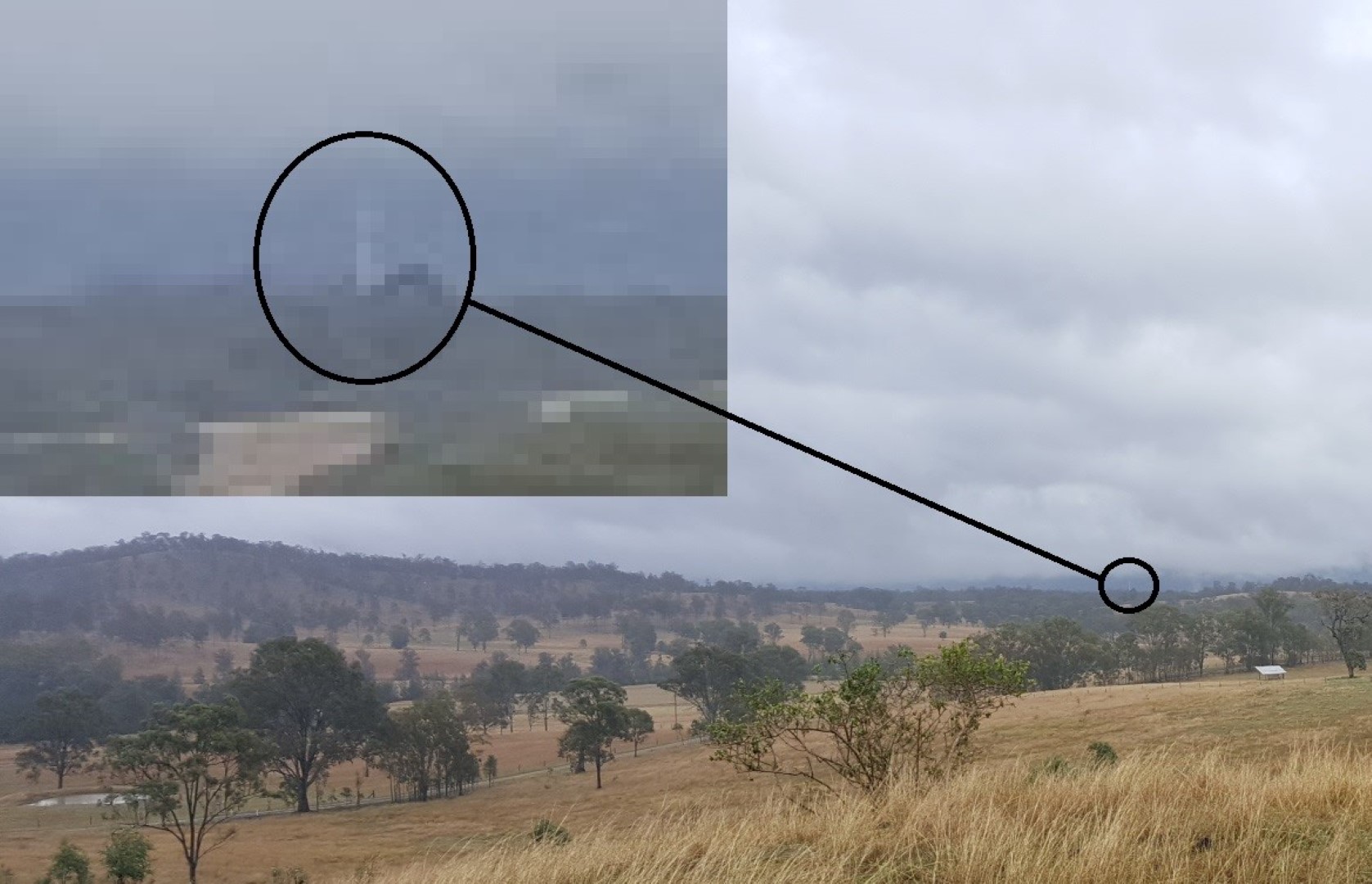
After reading about the experiences of others with Fixed Wireless NBN non-standard installations on BIRRR and the Whirlpool Forums, I began investigating our own non-standard installation. The main challenge being that a corner of the property was included in the fixed wireless coverage however the house was located approximately 6 kilometres away with no direct line of sight. Further to this, the location where I wanted to install the NBN FW receive station was outside of the NBN FW coverage map despite having direct line-of- sight to the NBN tower. I provided the RSP with the
following:
 The direct line-of- sight photograph Photo 1 (Large) - Copy
 A Ligowave link simulation report including all required parameters (including not being centred within the sector on a tower that did not have 360 degree coverage).
 A mock-up of the enclosure for the FW NTD

Photo 2 (Large) - Copy
 Some possible structures that it could be installed (old unused water tank, old cottage, etc) and the installation address.
The installation was accepted, and the real work commenced.
Installation – FW NBN Receive Station
A day before the scheduled installation, the installer phoned to confirm directions and I took the opportunity to ask what he knew about non-standard installations, “never heard of them” was the response. I briefly explained the situation and he agreed to come and check it out. I also printed out a heap of examples and information, mostly from the BIRRR website just in case some non-standard installation education was required (in the end it wasn’t).
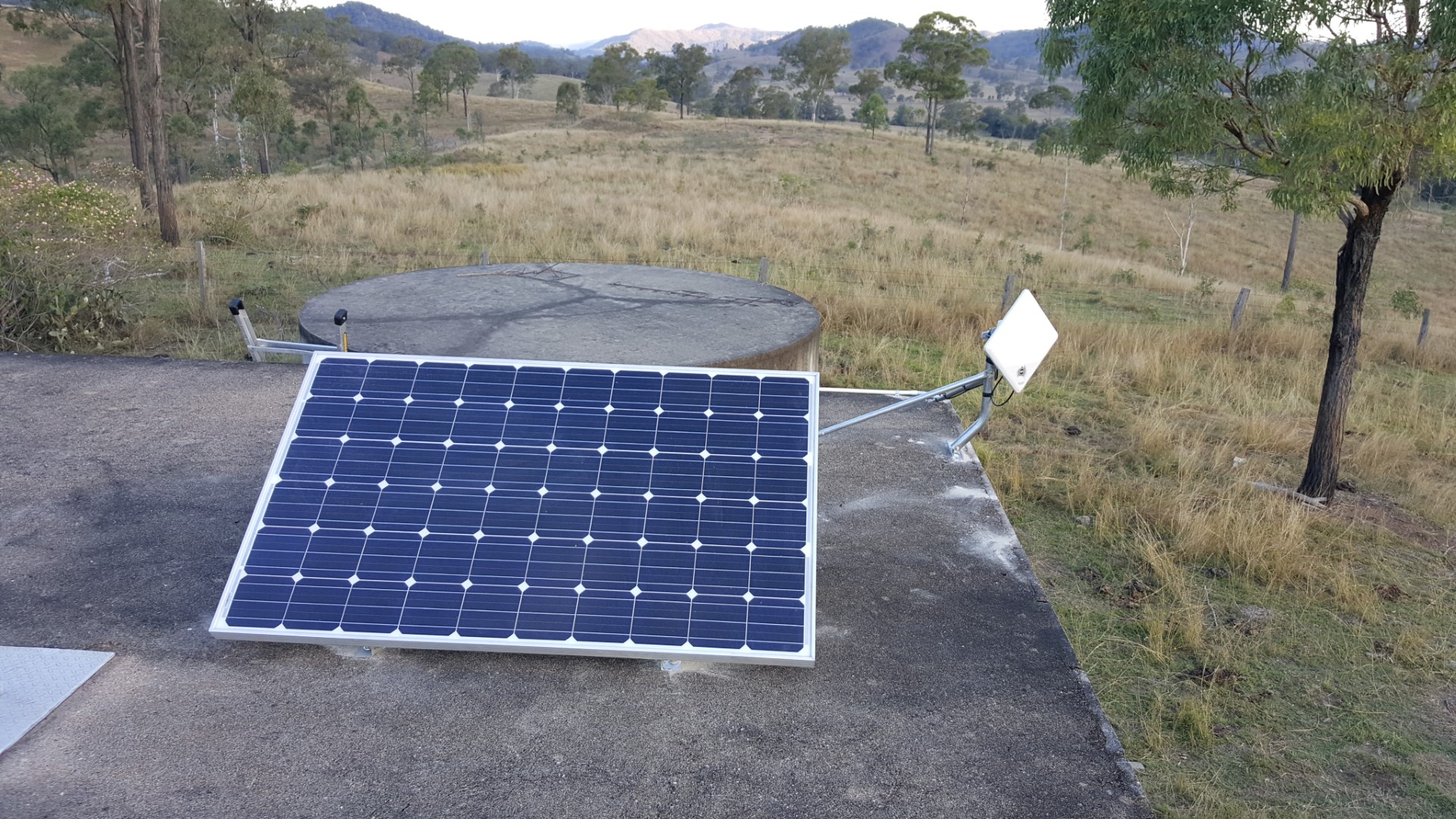
I arrived on-site before the NBN installer and rolled out my Version 1 equipment/install.

Photo 3B (Large) - Copy

Photo 3A (Large) - Copy

  • 250W panel (second hand grid connect panel).
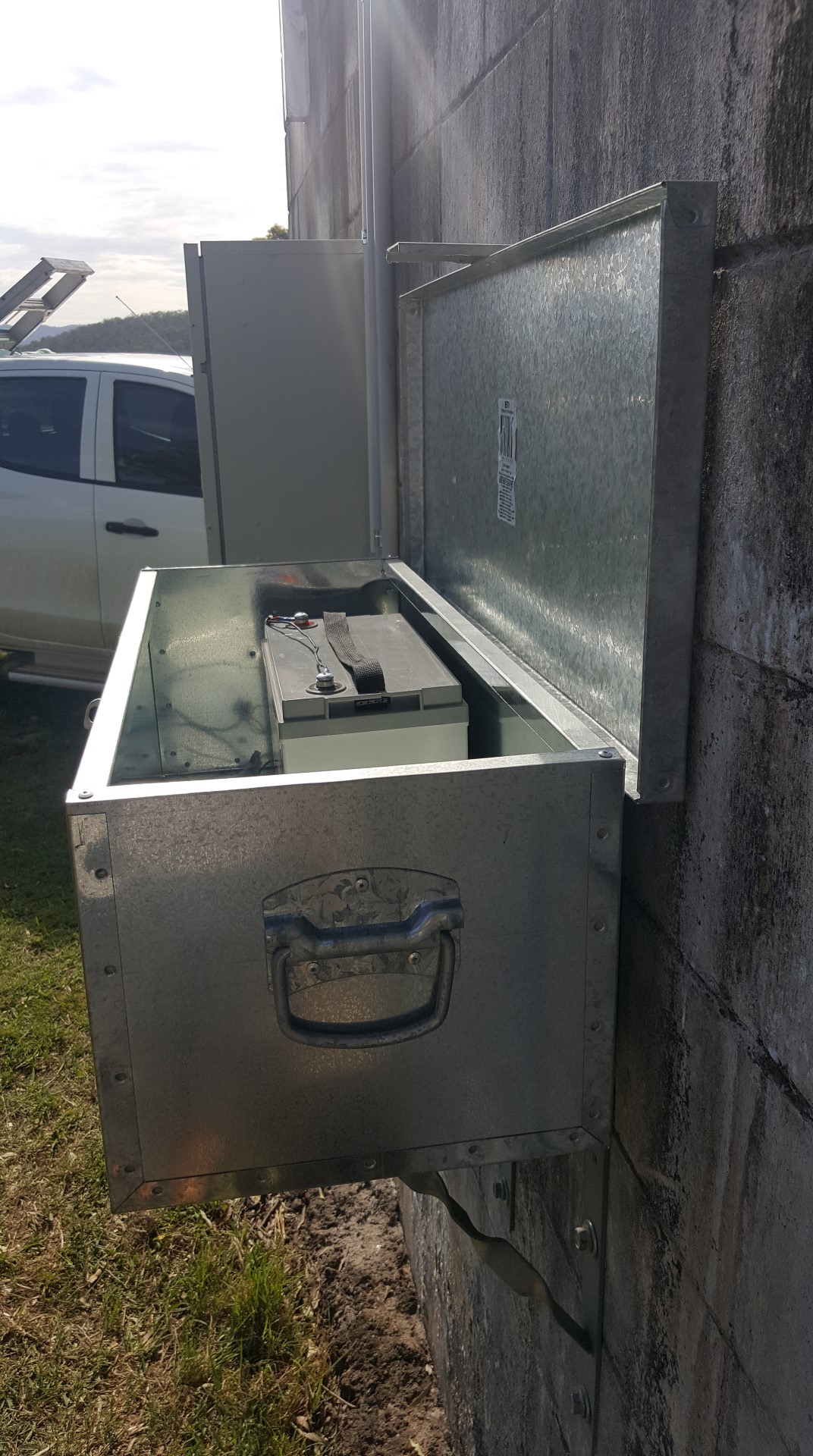
  • 12V lead acid battery – 100Ah AGM; mounted inside a cheap Bunnings toolbox mounted to the wall using some Bunnings L-brackets.
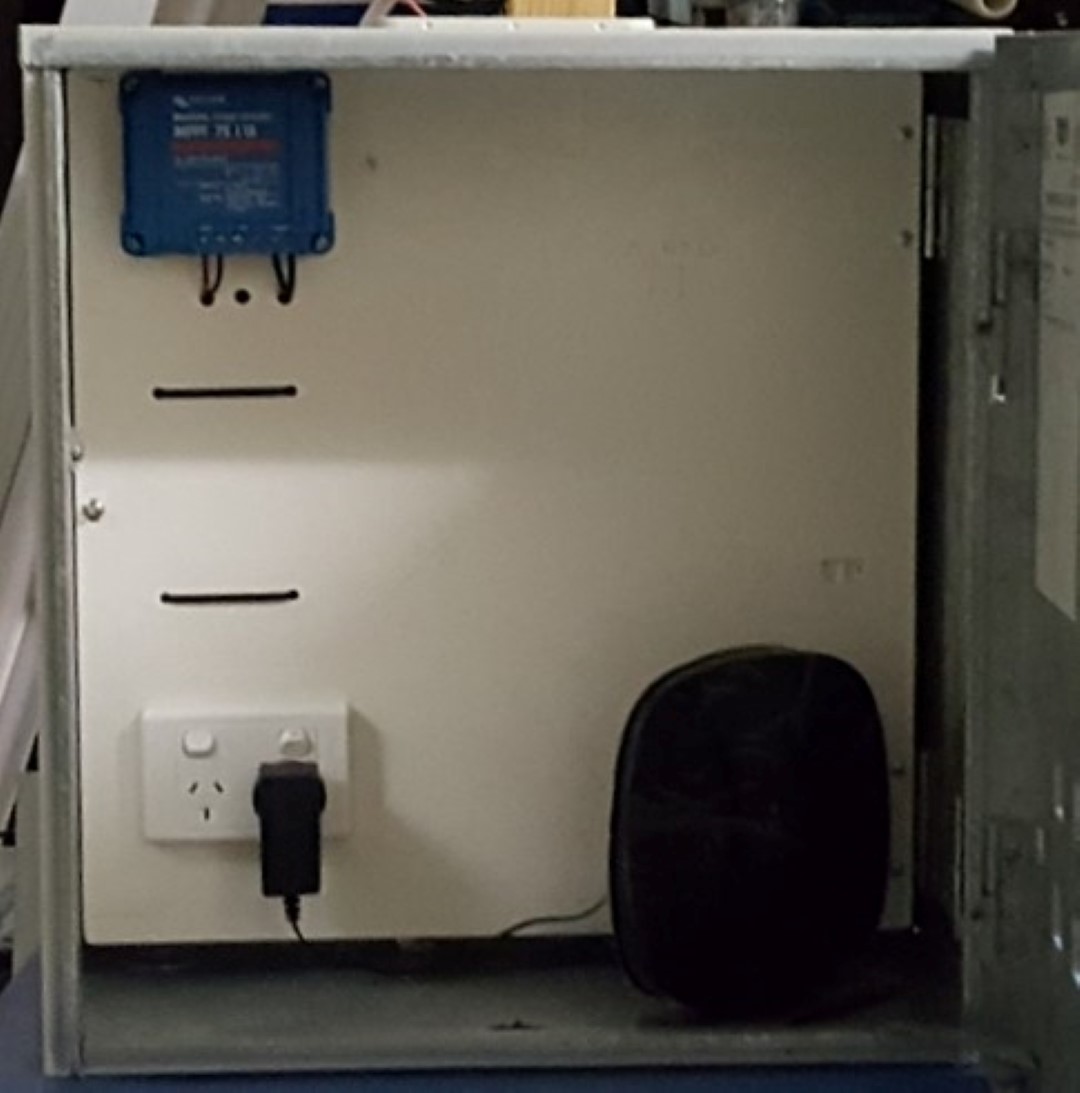
  • A weatherproof enclosure housing:
    • Victron 75/15 MPPT charge controller (for charging battery).
    • 12V to 240V inverter (Supercheap Auto – not visible in photo 1 as it is behind the
      panel and wired to the 240V GPO).
    • The router.
    • And of course, space for the NBN’s FW NTD.

The installer arrived and long story short:

  • Installer looked at the site and said it met all of the NBNCo’s requirements (power,
    weatherproof, to a structure). I know there is a lot of conjecture about exactly what these
    requirements actually are and I recognise his information may not be the NBN policy
    (whatever it is) but as he was the (sub) contracted representative his opinion was good
    enough for me. No need to give him the printed BIRRR examples.
  • Installer performed a signal test and he was somehow picking up two sectors.
  • Installer would not install the ODU onto my custom T-pole mount (see pictures) without first getting approval from Ericsson but said he could proceed with using the standard mount right away (the latter option was gladly taken!).
  • The NBN FW was completed and as it turns out; this was the easiest part getting our NBNFW!

PtP Relay Station (and UHF repeater)

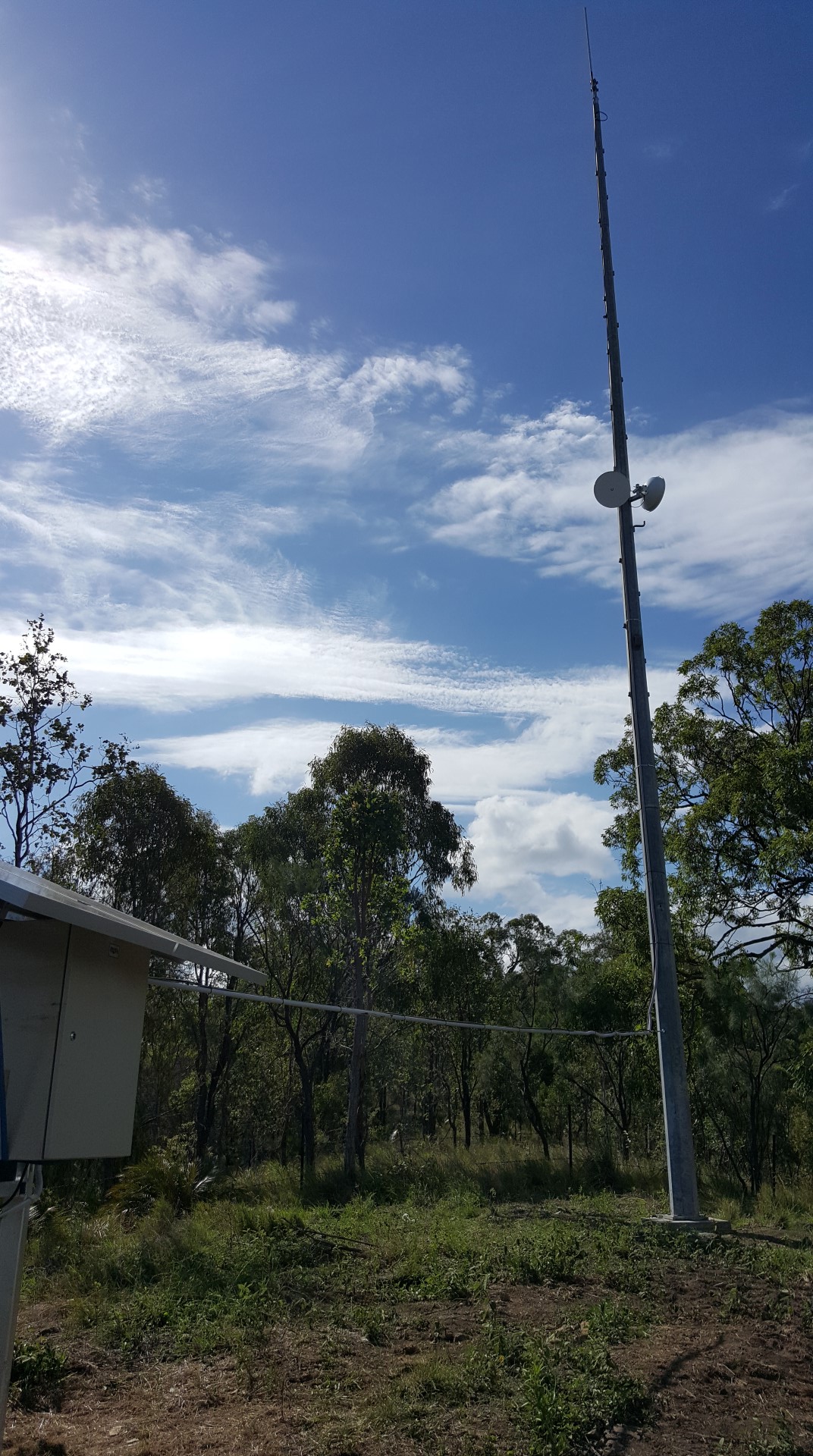
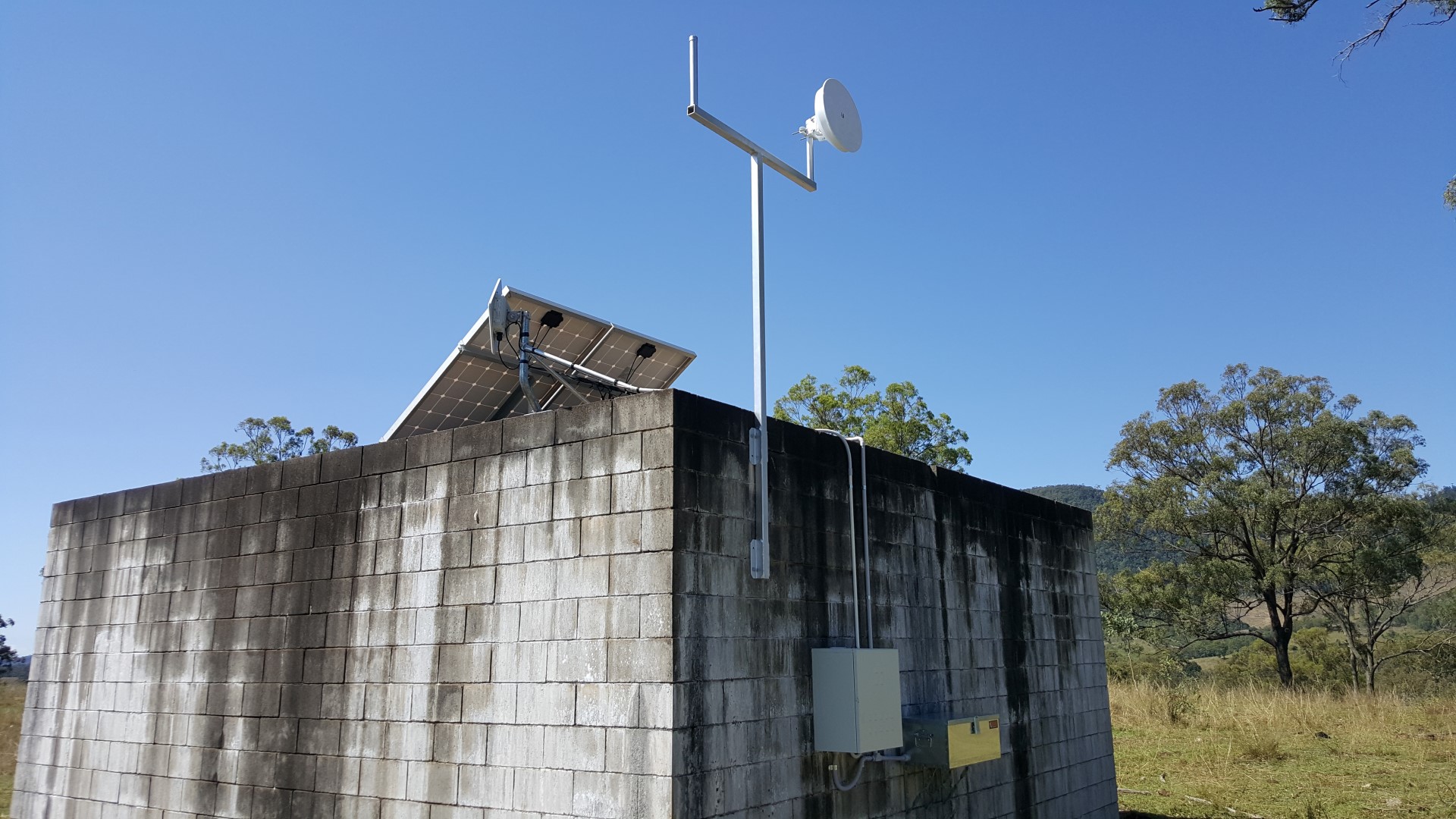
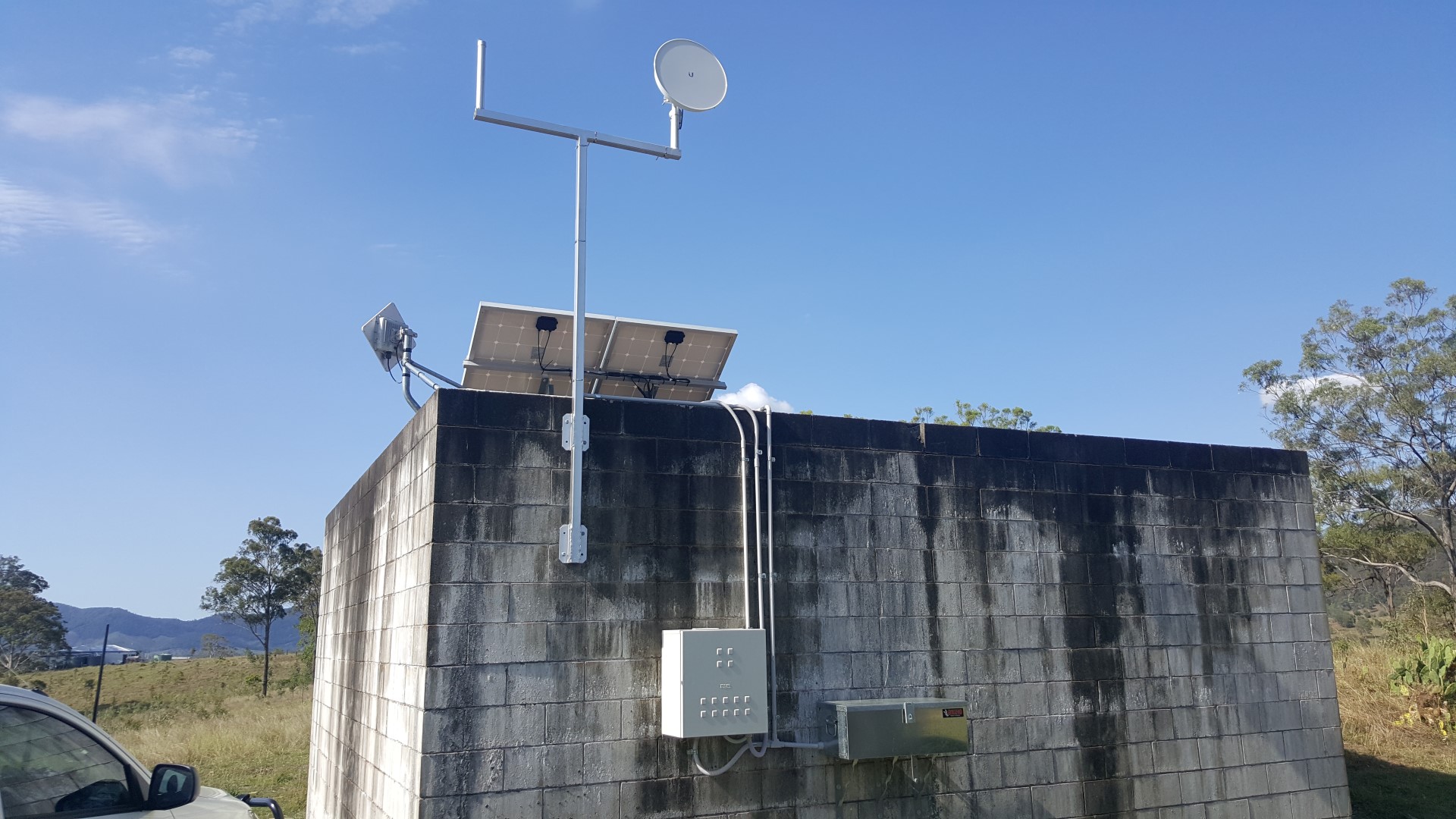
An intermediate relay station would be placed centrally and elevated on the property with line of sight to both the NBN FW Receive Station and the House. It was also decided that this site would a house private UHF radio repeater.

Photo 10A (Large) - CopyPhoto 10B (Large) - Copy
The following items were sourced:

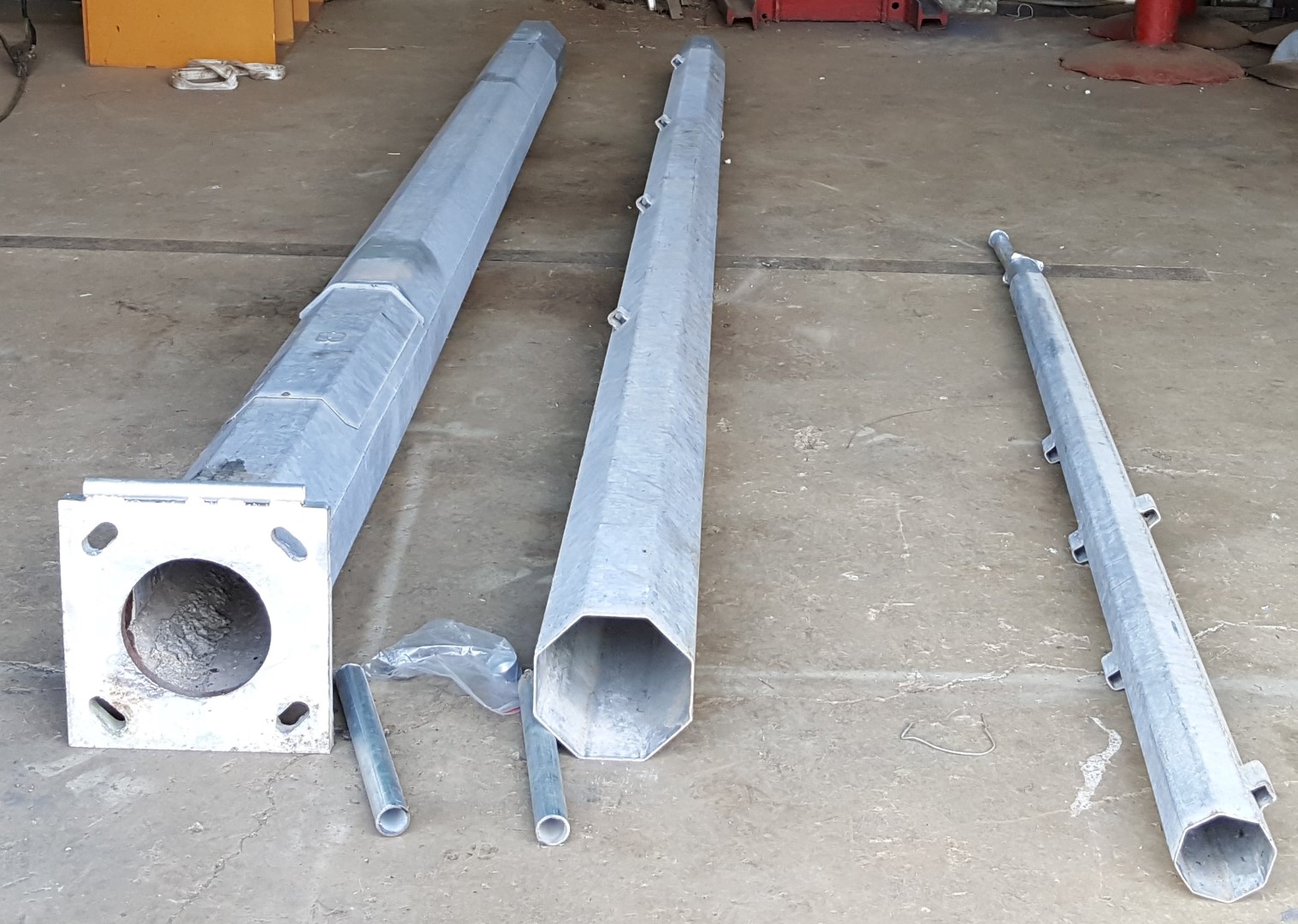
  • 15m lighting tower sourced from Gumtree. Photo 4 (Large) - CopyModifications were made to it including a base pivot point, 2x mounting points for the Ubiquiti radios at 8m elevation, and a UHF antenna mount at the 15m elevation.
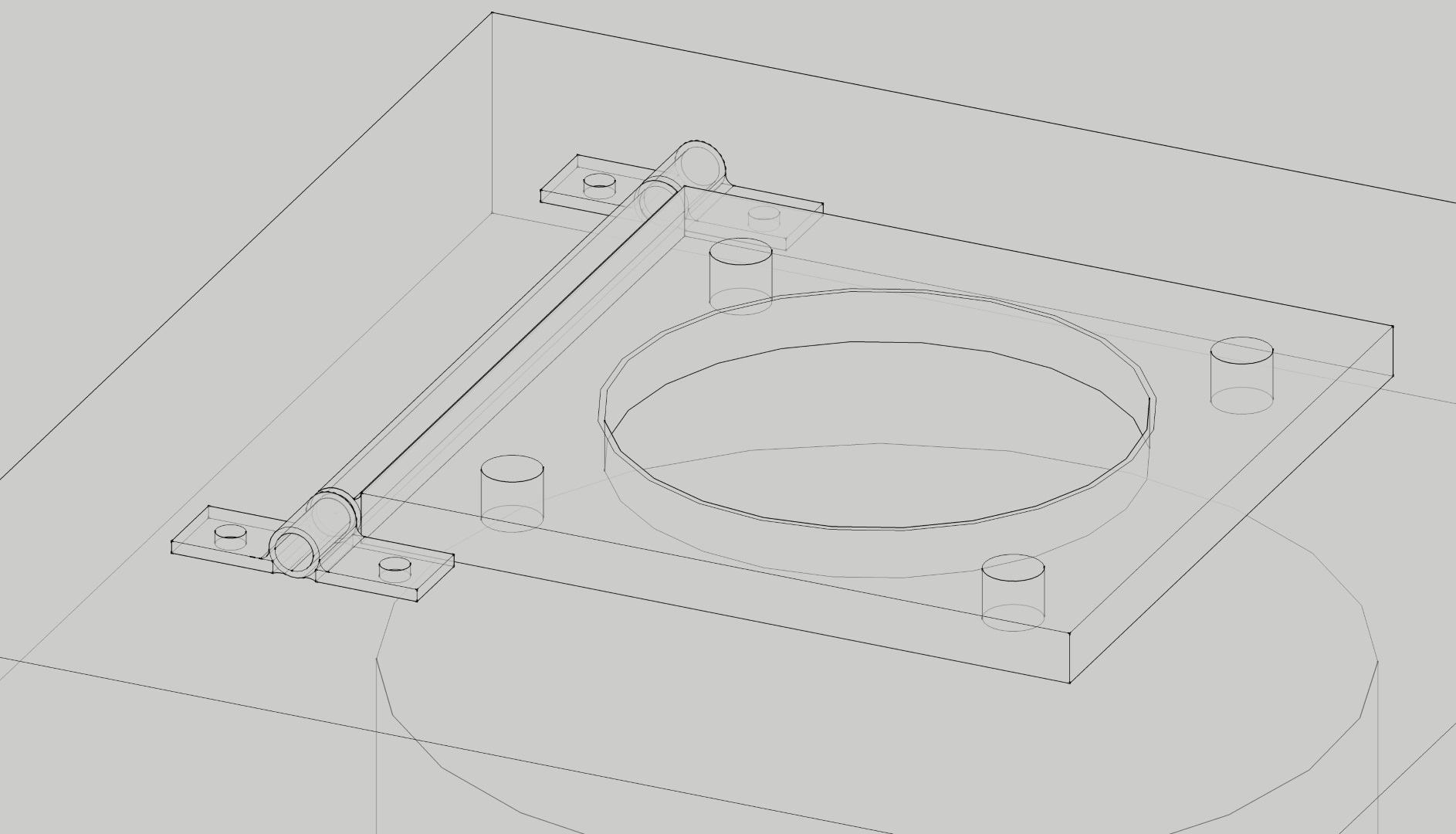
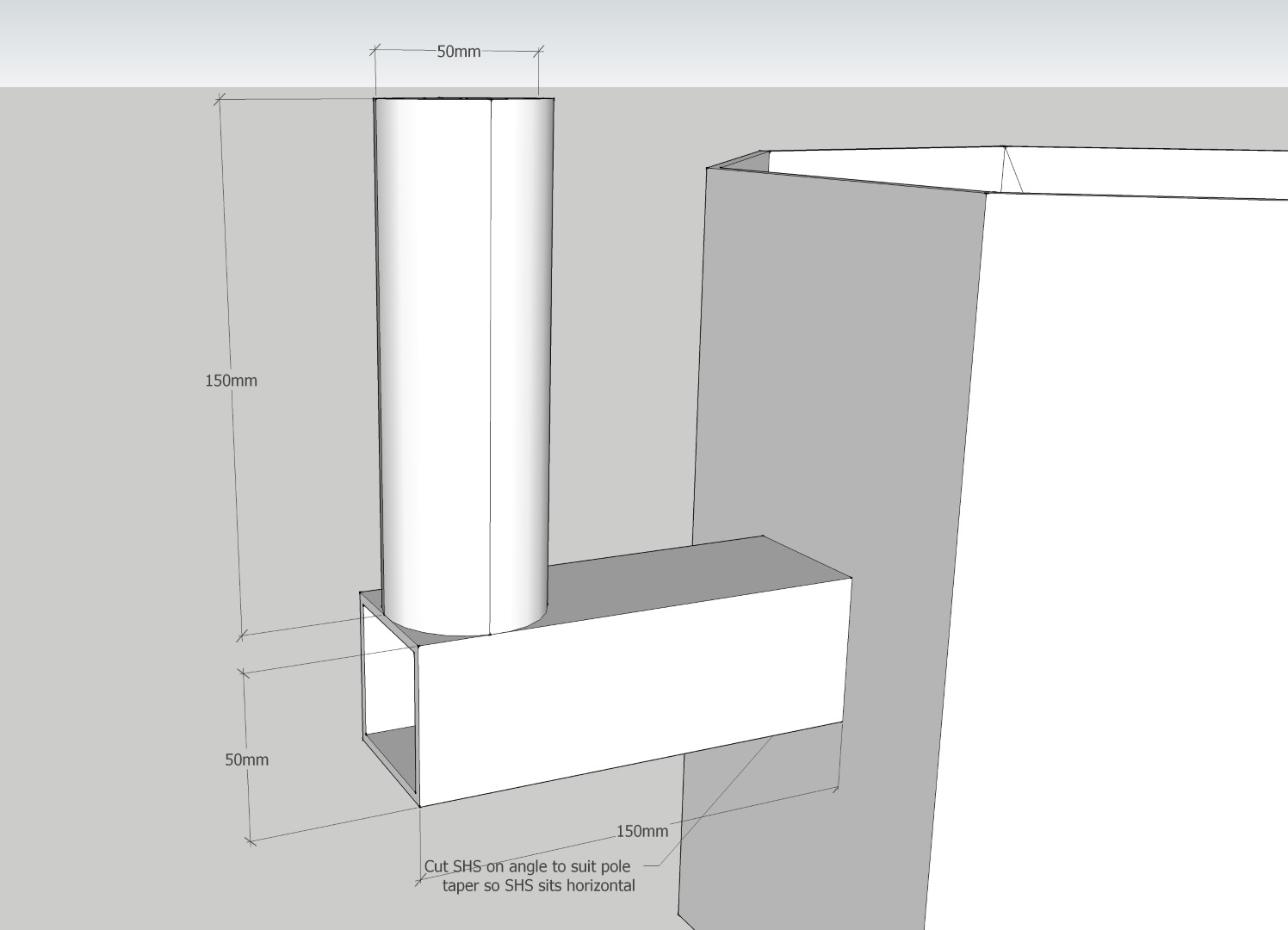
Base Pivot Point
Base Pivot Point


Photo 6 (Large) - Copy
Mounting Points

  • A weatherproof enclosure (second hand) for housing the electrical and communications equipment.
  • A fabricated steel frame which would support the enclosure above, the solar panels and a toolbox (Masters liquidation special) to house the battery.

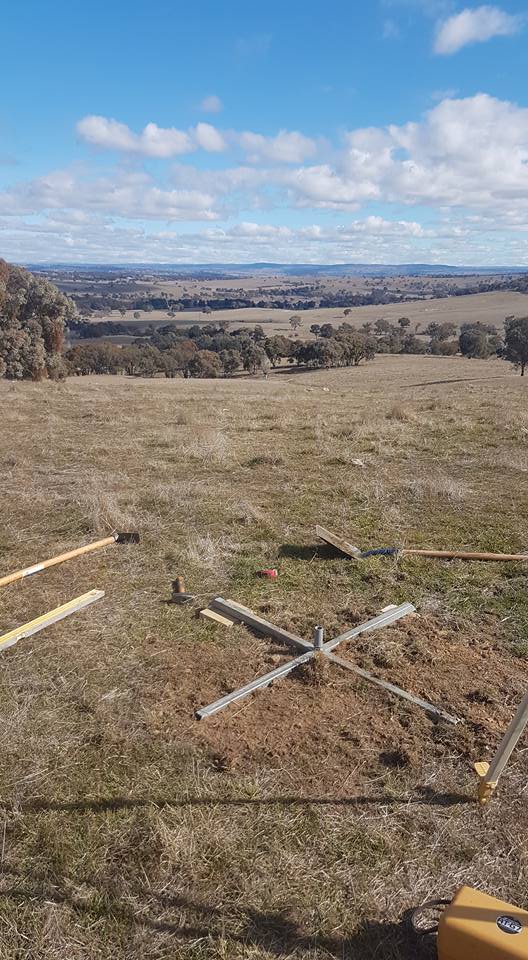
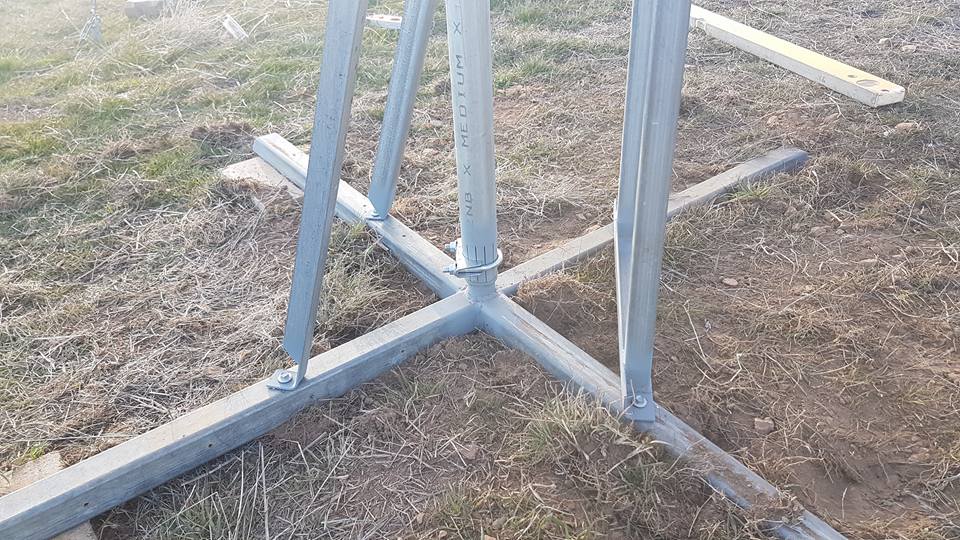
The tower foundation was installed using a 600mm auger with rock struck at 0.75m depth. Jackhammer was used to dig a further 0.75m; resulting in a total depth of 1.5m (of which 0.75m was into a 0.75m very strong, non-weathered rock). A rebar cage with anchor bolt template was placed into position and 0.5m 3 (1.2T) of 40MPa concrete was hand-mixed and placed. Because of the swing mechanism of the tower, the threaded rod anchors could not extend above the finished concrete level. The anchor bolt assembly and template was made up of 4x M24 Gr8.8 galvanised threaded rod terminated into M24 Hex Couplers with a ply spacer/template to set positions. Photo 7 (Large) - CopyThe equipment enclosure steel frame was also concreted into position.
A month later we returned to erect the tower. Equipment (details below) and cables were installed on the ground. Photo 8 (Large) - CopyConcrete screws (Ramset Ankascrew) were used to pin the base plate hinges to the foundation and the tower was then raised. Photo 9A (Large) - CopyPhoto 9B (Large) - Copy
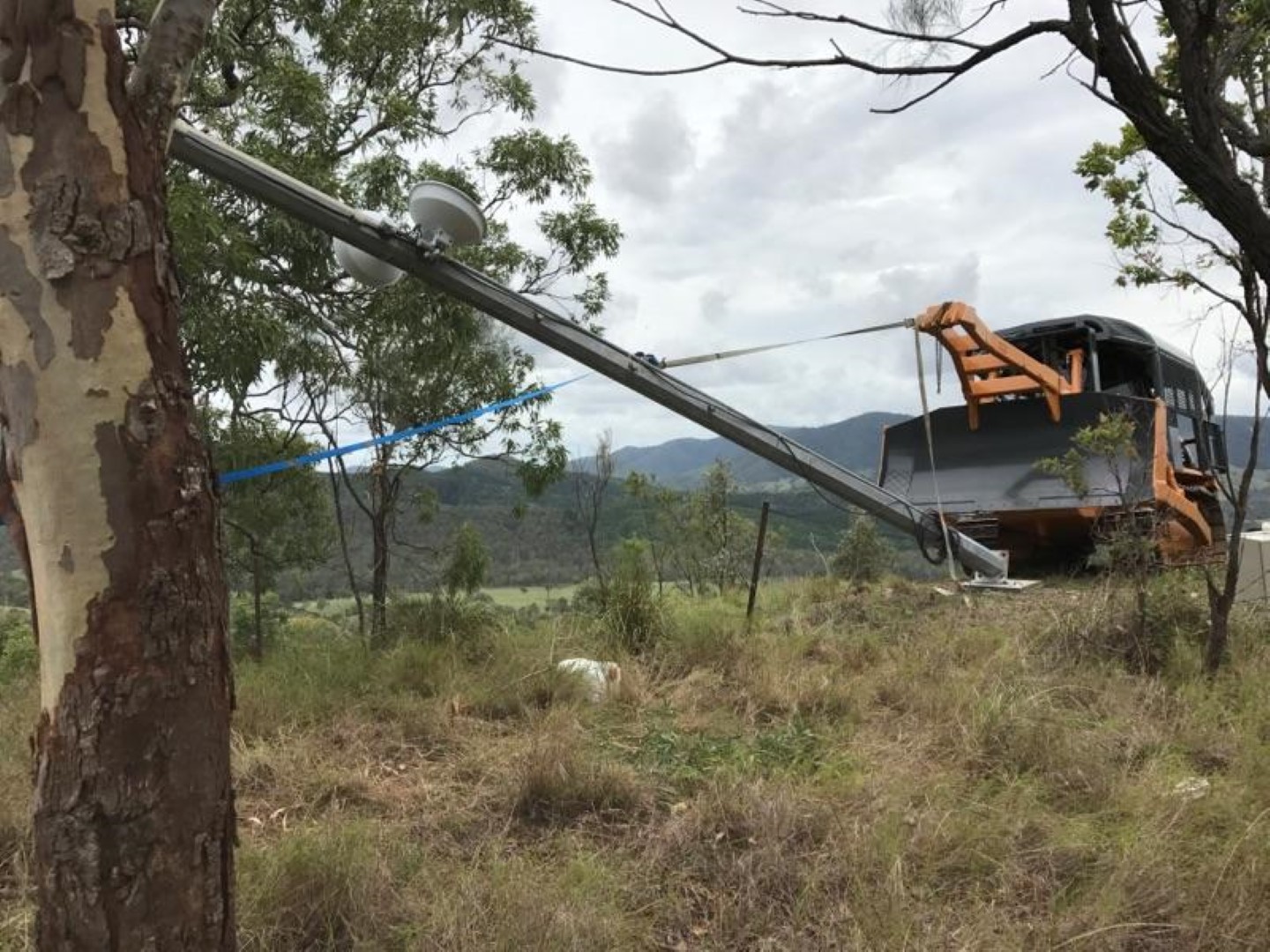
Once raised, a few taps of a sledge hammer positioned the base plate holes precisely over the embedded hex couplers female threads, and the M24 bolts were installed securing the upright tower.
The following equipment was fitted out on the tower and enclosures:

  • 2x Ubiquiti Powerbeam M5 400 radios (with ISO reflectors but these are probably
    unnecessary).
  • 1x Ubiquiti ToughSwitch POE. This is powered directly from the battery output and the
    Powerbeam/Toughswitch are not adversely affected by being powered directly from the 12V battery (which in practice fluctuates from 12.6V – 14.6V depending on the charge state).
  • 1x 12V lead acid battery – 300Ah AGM. As this battery weighs 76kg, a hand winch and swing arm were also installed to the enclosure mounting frame to make removal and replacement easier.
  • 2x 250W solar panels (grid-connect type). Ample power generation capacity with a
    philosophy that this would provide sufficient power to recharge the battery to 100% even on the cloudiest of days.
  • 1x Victron 100/30 MPPT Charge Controller – for charging battery.
  • 1x Raspberry Pi 2 with Victron’s Venus GX software installed to remotely monitor the Victron charge controller and provide live battery voltage status. This was powered by a USB Charger.
  • Cooling fan and LED strip lights were also installed within the enclosure.
  • As the site also includes a UHF repeater – the receive radio, transmit radio and UHF duplexer were also installed.
  • Ubiquiti Surge Protectors were installed for the Powerbeams.


Photo 11 (Large) - CopyPhoto 12 (Large) - Copy   Photo 13 (Large) - Copy
Upgrade of NBN FW Receive Station for PtPtP usage
An Ubiquiti Powerbeam M5 400 was installed and mounted to the T-pole mount I had fabricated. An additional 250W solar panel was added as I felt I may have undersized the 12V battery (only 100Ah). By adding this panel, I ensured that even on the cloudiest of days, the battery is still reaching 100% charge. The 12V-240V inverter was removed and replaced with a Victron 12/12 DC- DC Converter to power the NBN FW NTD providing a regulated constant 12V output even when the voltage from the battery fluctuates from 12V-15V (as the charge state varies).
A cheap Netgear WNDR2000v5 router (which is also powered by the Victron 12/12) has been added since the photos were taken. This was done to separate the routing hardware, make remote web- based management simpler and resulted in improved network performance.

Photo 14A (Large) - Copy
Completed installation  (T-pole mount with space for NBN FW ODU but did not end up
using it)

Photo 14B (Large) - CopyPhoto 15 (Large) - CopyPhoto 16 (Large) - Copy

Battery enclosure & Inside enclosure.
Tips & Lessons Learned
Some tips based on my experience (some are pretty obvious but caught me out):

  • When you have 2x Ubiquitis at the same location (even if they are pointing in completely different directions with ISO reflectors), ensure you manually assign the link channel so that no part of the frequency overlaps with that of the adjacent radio (e.g. a 5800Mhz with 40Mhz will spread from 5780-5820Mhz so the adjacent radio would need to be set at 5840Mhz). Using the AUTO channel setting will not achieve the required separation.
  • On the rare occasion, the Ubiquiti radios go non-responsive and require a power reset;
    which is an inconvenience for remote installations. Fortunately the software on the Ubiquiti radio (AirOS) and ToughSwitch (EdgeOS) include a Watchdog feature which allows the radio to send a ping to an IP address and if no reply is received after a certain period of time, the radio will reset itself. In the case of the ToughSwitch, the power will be removed from the POE port forcing a power cycle reset of the connected radio.
  • Remote monitoring and control feature has been installed to make fault finding very
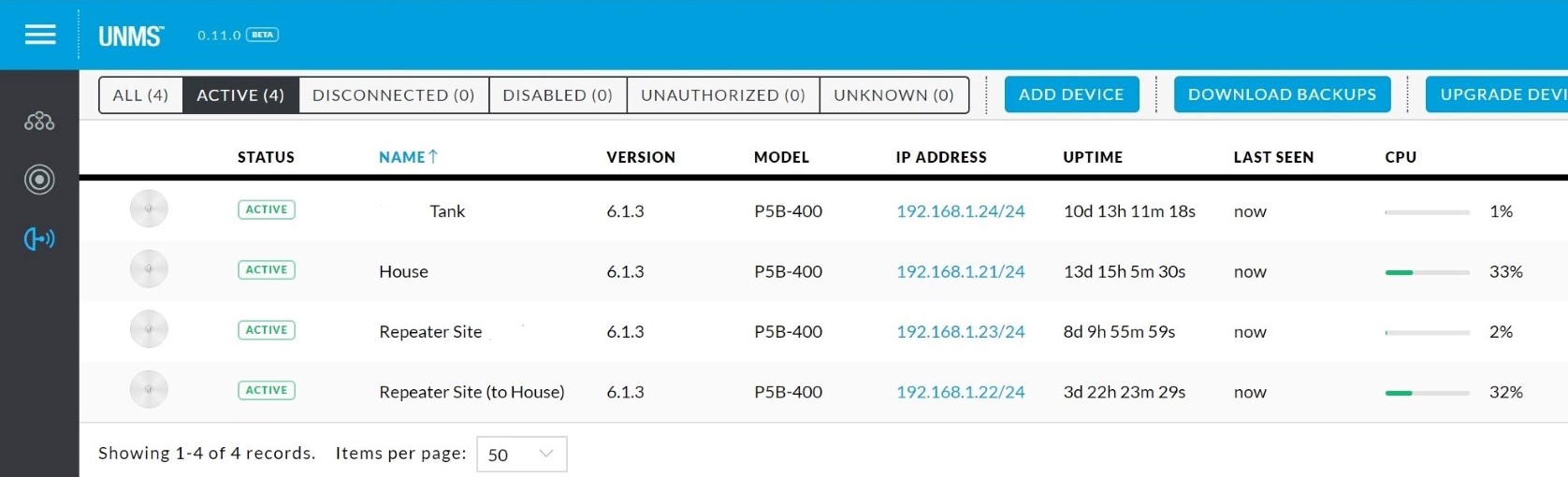
    efficient (most of the time it can be done remotely). The Ubiquiti Network Management
    System (UNMS) has been installed which provides internet based monitoring (so the system can be seen from both the house side and the internet side.

Photo 17A - UNMS overview (Large) - Copy
UNMS
dashboard

Web-based remote management (with Dynamic DNS) has been enabled for the
Router and ToughSwitch (using port forwarding) allowing further web-based monitoring and control.

Photo 17B - Victron battery monitor (Large) - Copy
Victron Data

Victron data is uploaded to Victron’s VRM servers allowing live and historic data of the solar charge controller and battery voltage.

I used lead acid AGM batteries and these can provide a reasonably long service life providing you do only discharge to about 20% depth of discharge. When these reach the end of their life, I will likely replace with LiFePO4 type 12V battery. These allow you to discharge much more deeply therefore you can use a smaller, lighter and less total capacity battery while achieving the equivalent usable capacity. Although they have a higher upfront cost, I suspect the lifetime cost will be less (but if you do this don’t forget to edit the charge controller settings to suit the battery type). When the time comes for replacement I will do some more precise power usage measurements with a shunt and size accordingly. Based on the data collected from the charger/voltage monitoring I’m using about 30Ah overnight at the Relay Station. I would estimate that the NBN FW station uses about 20Ah overnight. The 500W of solar at each site would have no have no trouble returning these to 100% every day.
Conclusion
This turned out to be a much bigger job than originally anticipated. Everything was that little more difficult because the hill relay site was very steep only accessible by ATV and large tractor/bulldozer.
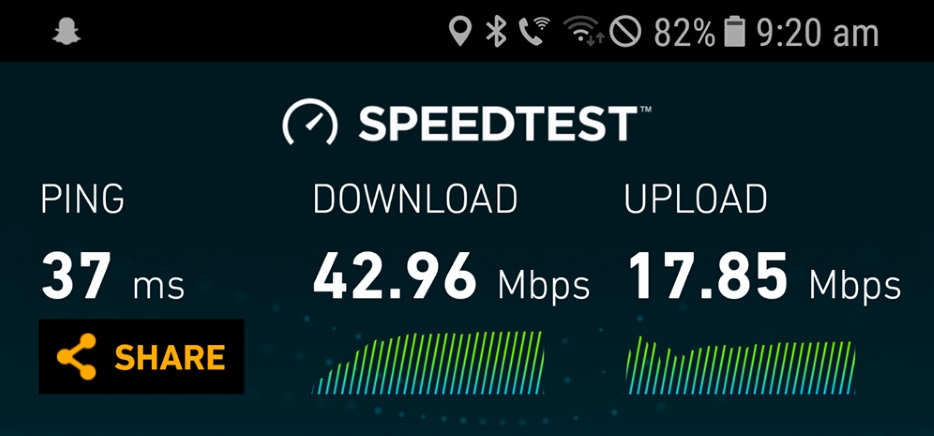
The overall cost was approximately $8,000 for equipment and materials; and this figure does not include labour or plant (which fortunately for us was no cost). The end result is a low latency connection getting 43 Mbps down & 17 Mbps up.

Photo 18 (Large) - Copy

Unfortunately there is some congestion impacting us at either the RSP or NBN level, which depending on the time of day will range between 20-38 Mbps. Nevertheless, it is a drastic improvement over the previously connected IPstar satellite system and hopefully it proves to be a reliable network connection well into the future.

Disclaimer: This document is meant as an informative document based on my own research and experience. Any views, opinions, information etc. provided is not necessarily the same as that provided by NBN Co, BIRRR, or any other organisation referred to here.  Prepared for BIRRR by Jostin Meekels.