
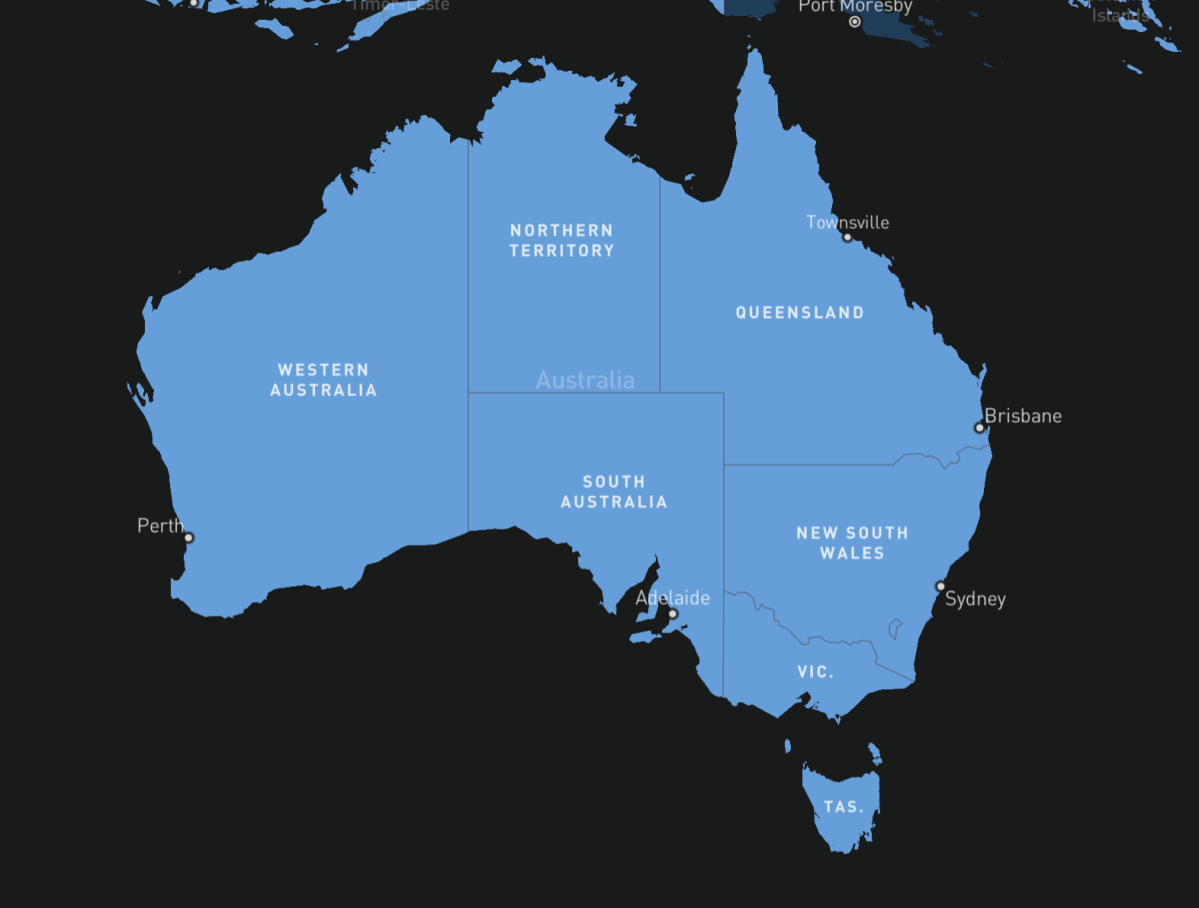
Information based on conversations with Starlink and BIRRR research.
What is Starlink?
Starlink is a Low Earth Orbit (LEO) satellite based broadband system, developed by SpaceX and designed to be used globally by consumers.
Please visit here to see the Opportunities and Obstacles to getting Starlink in Australia.
Ordering a Starlink Connection
- To check if you are currently eligible for a Starlink service go to https://www.starlink.com/ and complete the form.
- If your area is active and there is free capacity in your cell, you may purchase immediately.
- New subscriptions may be subject to a one-off demand surcharge of $145 up to $1295 – in certain areas of Australia, Starlink determine the charge when you go to sign up. Purchasing your equipment from a retail store such as Bunnings, BCF or Officeworks does not exempt you from the surcharge — Starlink still determines if it applies, and how much the surcharge is, when you activate your service.
Consumer Information – Plans
Check out the latest plan details here, on the Starlink website.
- Personal has either the Residential, Residential Lite (only available in select areas), Roam (50Gb or Unlimited), Standby or Local Priority options.
- Business plans have the following options – Fixed Site, Land Mobility, Maritime, Aviation or Direct to Cell. You can access Business Plan information here.
What is a Demand Surcharge ?
In areas with limited network capacity in Australia, there is currently an additional one-time demand surcharge to purchase Starlink Residential services. The charge is between $145 and $1295
- This fee will only apply if you are purchasing or activating a new service plan.
- If you change your Service address or Service Plan at a later date, you may be charged the congestion fee.
- Starlink’s intention is to no longer charge this fee to new customers as soon as network capacity improves.
- If you are not satisfied with Starlink you can return it within the 30-day return window, the charge will be refunded.
From time to time there may be areas of Australia that are waitlisted. For example in 2024/2025 areas in Southern Queensland, Northern NSW and Western Australia were waitlisted (listed below). As at 7/7/25 there are no waitlisted areas in Australia.
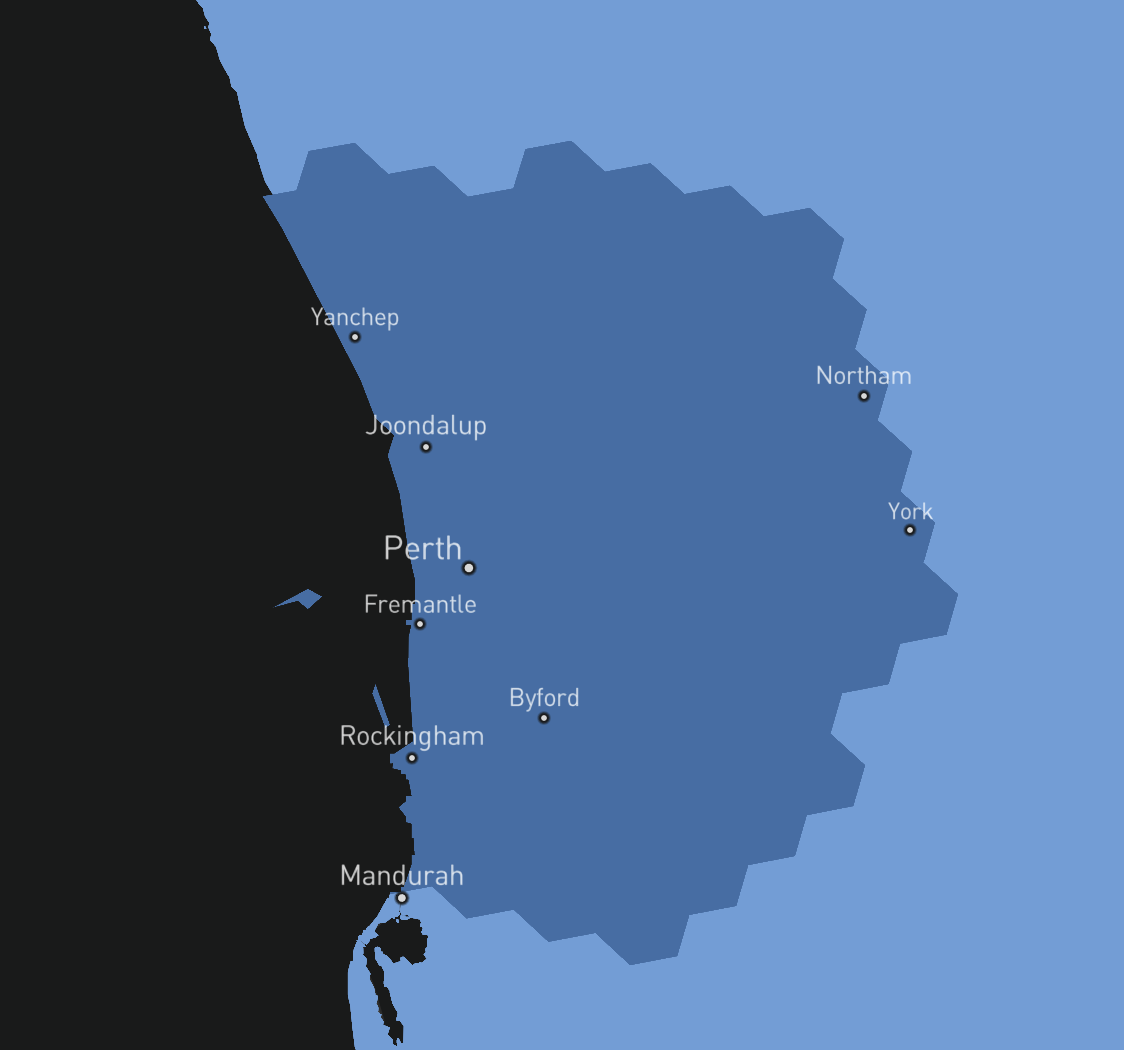
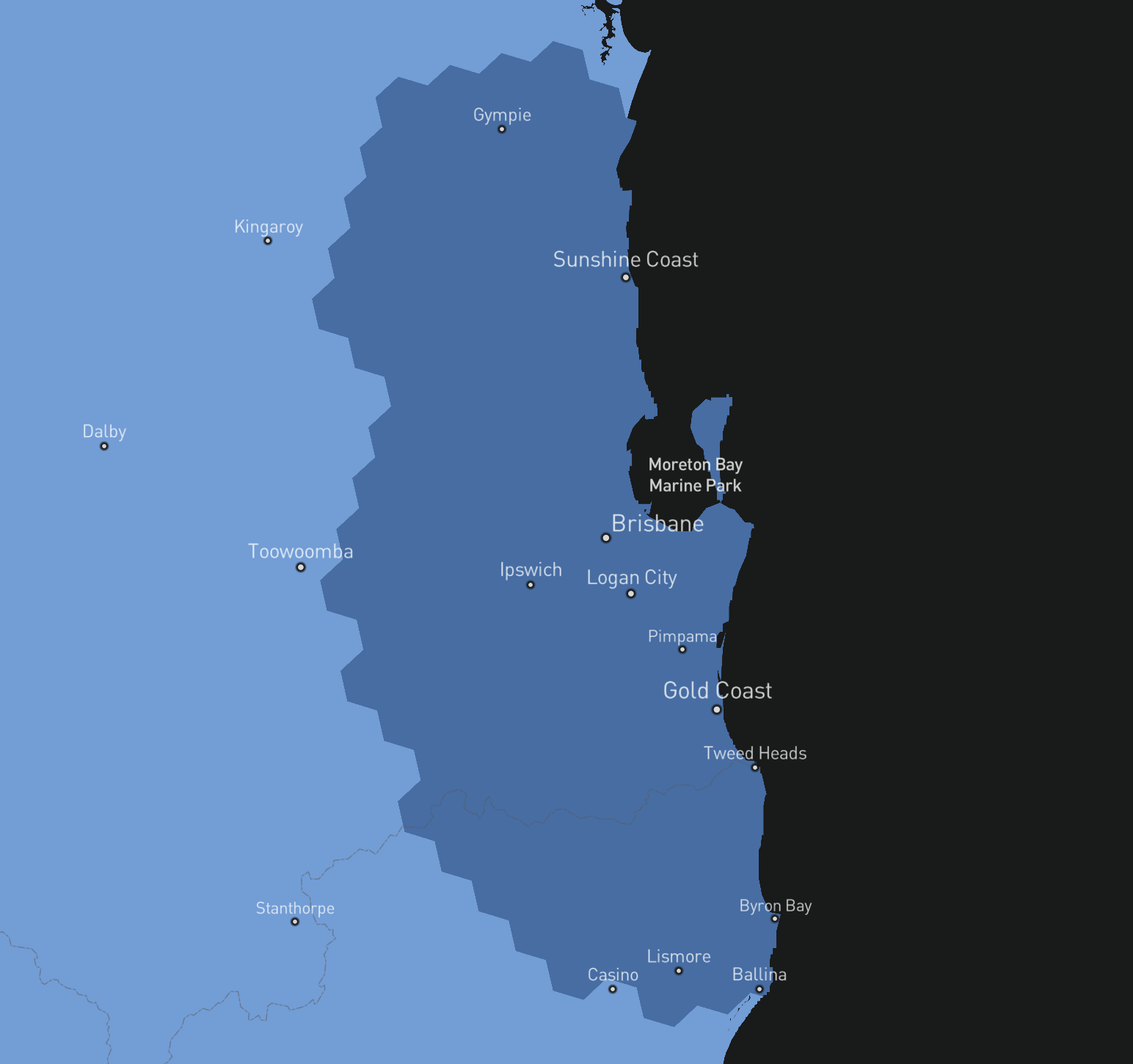
Map screenshots taken 22/3/25 – you can access the Starlink map of availability, predicted speeds & latency for your location here
PLEASE NOTE When signing up
- Use your mobile number when signing up, NOT your landline number. Starlink will want to send you an SMS if there is a problem with your account.
- Use an web email address like @gmail.com or @outlook.com as a contact email address. As Bigpond emails have been known not to receive the confirmation email.
- Use a Google Plus code to enter the exact location of your dwelling/business.
- Note the order number given onscreen – this will help with account retrieval if there is a problem.
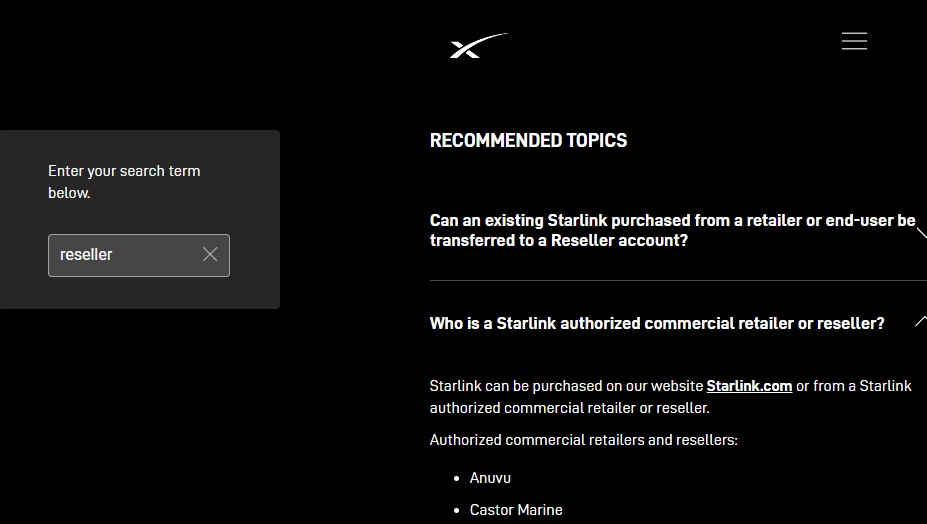
- In Australia, you can only order residential plans from Starlink ( starlink.com) or Telstra (note the service limitations, this service is speed limited to 50mbps). However there are Aust. resellers for business grade services & numerous retail stores sell Starlink equipment. To find Starlink equipment resellers in Australia go here, https://support.starlink.com/, and type in reseller and a list will appear under the heading Who is a Starlink authorised commercial retailer or reseller
Consumer Information – Equipment / Hardware
- Equipment details can be detailed on the Starlink FAQ – type equipment in the search box.
- The Version 2 rectangular dishy kits are not equipped with an ethernet port. If you wish to connect to your own router or home/ mesh network you must order an ethernet adapter at time of ordering your kit. After you order and set up your account you log back in and you will see the shop where you can purchase the adapter – you can’t order it at the time of the kit purchase. Version 3 has two ethernet ports.
- The Limited Warranty is dependent on the Kit model, Service location and the equipment seller. More details here
- The Starlink equipment is sold as a whole kit. For the early round Version 1 Dishys, the cable was not removable from the dish. In the event of cable damage, a replacement, possibly a refurbished unit, is shipped.
- The newer rectangular Dishys are supplied with a separate removable cable, Different length cable may be ordered.
- Roof mounts – visit the Starlink FAQ for options https://support.starlink.com/ (type mount into search box). Your local installer may provide a bespoke mounting option.
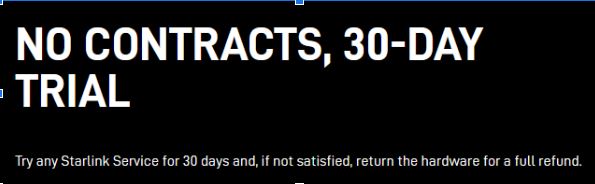
- Terrain and landscape such as trees and hills can affect signal reception. For those living in bushland, Starlink provides a feature on their app such that customers can locate the best spot for their Dishy. Download the Starlink App on your smartphone to assess the field of view at your location. If you cannot find a clear field of view from the ground level, consider a roof install. Roof mounts are available for purchase in your account. It is recommended that you assess the likelihood of obstructions before purchasing. Starlink offers a one month trial with full refund in the event that you are not satisfied with the service.
Consumer Information – Installation
- The Starlink equipment is self-installed. Your equipment comes with basic instructions. The dish must be outside. It won’t work from inside a building, even with large windows. The Starlink FAQ has setup guides for different kits.
- In Australia, Starlink requires a clear view of the southern sky, from overhead to the southern horizon and a 100-degree east-west span.
- To assist with installation a cable routing kit is available in the Starlink store as an add on.
- Currently Starlink only supports a self-install. The base that comes with your Starlink is designed to support a temporary ground level installation or a quick setup to test your internet connection. Consider a permanent installation in an elevated location, like a roof, pole, or wall if you cannot avoid obstructions or find a clear field of view from the ground level. Many customers find that a permanent mount provides the best service, BIRRR has a list of installers here.
- Can I use a network switch with Starlink? Yes, you are welcome to connect your own equipment to Starlink. However, Starlink does not guarantee performance or compatibility with third party networking devices. During fault finding Starlink may insist that only Starlink equipment is installed.
- For customers with the Circular dish, connect the network switch via the AUX port on the Starlink router or third party router LAN port. We do not recommend or support placing network switches between the power supply and the router. Do not connect the switch to the white port on the power supply.
- For customers with Rectangular dish, a Starlink ethernet adapter is required to connect a network switch. Do not enable bypass mode. Bypass mode is designed to support third party routers and will only provide one IP address

Consumer Information – Power Requirements
- If you use solar power, Starlink requires a 240V AC supply.
- Starlink equipment comes with a standard Australian plug.
- Starlink equipment can be run off a generator or inverter if it is a clean AC sinusoid.
- Power consumption is estimated to be 50 to 100 watts.
Consumer Information – Starlink App
- In order to download the Starlink app an internet connection is required. Once installed, the app will work without the internet once installed e.g to check your location availability and to connect to your Starlink system at installation.
- From your mobile device, download the Starlink App using the appropriate link:
Consumer Information – Mobility
- See the Starlink website for all options available – https://www.starlink.com/
Consumer Information – Data
- Starlink monitors the number of users and level of congestion in all active cells. Starlink cells are indicated on the Starlink map https://www.starlink.com/map. You need to zoom in to see the cell outlines.
Consumer Information – Support
- Cannot login to your account? Go here and choose one of the options provided https://www.starlink.com/auth/forgot-password.
- What are the Starlink support hours for Australians? Support is based in the US and is available 24 hours 7 days a week.
- In the event of a hardware failure that requires replacement equipment, shipping time is estimated to take 1-2 weeks.
- Dishy takes 10 -15 minutes to power on, however local experience suggests as short as 5 minutes.
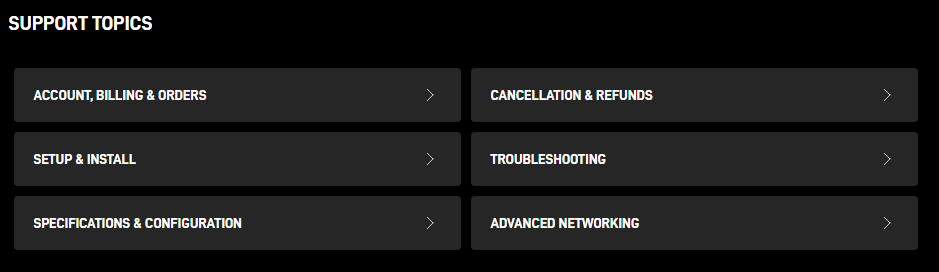
- The Starlink FAQ answers a lot of your questions – see https://support.starlink.com/ These are the current support topics
- The Starlink app provides details on performance, including outages and obstructions. Visit the Starlink FAQ and type app in the search box for more information. See https://support.starlink.com/
- Visit the Starlink FAQ and type performance in the search box. See https://support.starlink.com/ Starlink are constantly monitoring and optimising performance, and in most events are aware of any service degradation before the customer.
Consumer Information – Complaints
- Starlink has a complaint handling process – viewed here https://www.starlink.com/legal/documents/DOC-1096-80005-65?regionCode=AU If you choose to submit a complaint, we will need a detailed description of your concern and the best way to reach you so that we may investigate and respond. If you make contact and express dissatisfaction to us using one of the methods mentioned and we are uncertain regarding whether you wish to make a complaint, our personnel will provide help for you to formulate, make and process a compliant. Our personnel will also help if you have accessibility requirements, a disability, come from a non-English speaking background or are suffering financial hardship.
Ways of submitting a complaint are:
OPEN A TICKET: The quickest way to receive a resolution is to log into your Starlink Account online in the Customer Support Portal and submit a Customer Support Request describing your issue and your desired resolution. Please include “Consumer Compliant” in the subject of your ticket request.
BY EMAIL: You can send us an email describing your issue and your desired resolution to starlinkresolutions@spacex.com. Please include “Consumer Complaint” and your Starlink Account # in the subject of your email.
BY MAIL: Send a detailed letter describing your issue and your desired resolution to the following address: Starlink Internet Services Pte. Ltd. Level 10, 68 Pitt Street Sydney NSW 2000 Please include “Consumer Compliant” and your Starlink Account # in the subject of your letter.
Consumer Information – General
- The Starlink kit won’t connect if used in an unregistered location. You may move a standard kit to a new fixed location. Visit the Starlink FAQ to see the process required.
- At this time, new customers are provided a CGNAT address. More details in the Starlink FAQ and type CGNAT in the search box for more information.
- Can you sell Dishy and relocate it to an active cell with a new account owner? Visit the Starlink FAQ and use the search box to find the latest information.
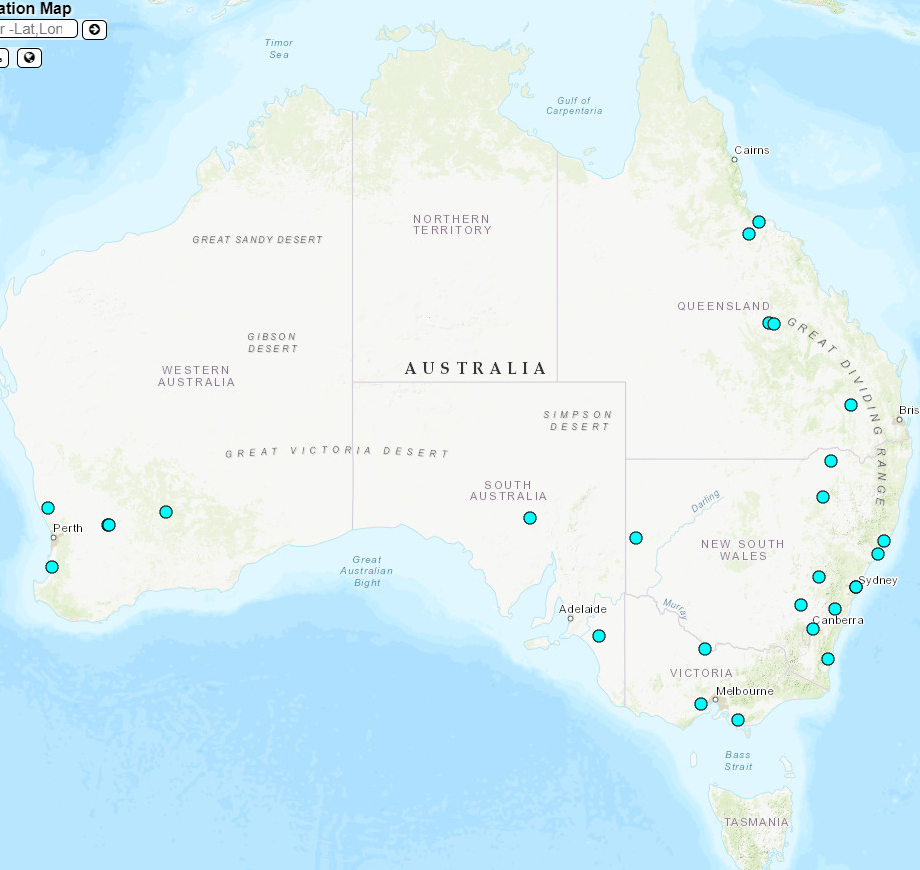
Earth/Ground stations in Australia
- ACT – Starlink Earth Station Sutton Road MAJURA ACT
- NSW – SpaceX Earth Station Canyonleigh Road CANYONLEIGH, SpaceX Earth Station Viney Creek Road W TEA GARDENS, SpaceX Satellite ES (GSN#55) BOOROWA, SpaceX Satellite ES (GSN#56) BROKEN HILL , Starlink Earth Station 19 Tarlinton St COBARGO, Starlink Earth Station Newell Highway CALROSSIE, Starlink Earth Station Newell Highway SPRINGBROOK CREEK, Starlink Earth Station Wallanbah Road NABIAC NSW, Satellite Antenna 2 4 Eden Park Drive MACQUARIE PARK NSW, Starlink Earth Station Great Western Highway BATHURST NSW
- Queensland – SpaceX Earth Station Mountview Drive TOONPAN, SpaceX Earth Station Willows Siding Road WILLOWS, Starlink Earth Station Capricorn Highway BOGANTUNGAN, Starlink Earth Station Flinders Highway SELLHEIM, Starlink Earth Station Warrego Highway WARRA
- South Australia – SpaceX Satellite ES (GSN#3023) PIMBA, Starlink Earth Station Ladara Bore Rd KI KI
- Victoria – Starlink Earth Station Carrs Road ANAKIE, Starlink Earth Station Gwyther Siding Road KOONWARRA, Starlink Earth Station Murray Valley Highway TORRUMBARRY
- Western Australia – Starlink Earth Station Brand Highway, 14 Km SE of CATABY, Starlink Earth Station Great Eastern Highway BULLA BULLING, Starlink Earth Station O’Connor St MERREDIN
References
- StarLink FAQ https://www.starlink.com/faq
- Starlink Wiki on reddit – https://www.reddit.com/r/Starlink/wiki/index
- Starlink on Twitter https://twitter.com/SpaceXStarlink
Please note, while all care has been taken in compiling BIRRR documents, we recommend that you check with Starlink regarding your own connection issues and equipment needed.
Information based on conversations with Starlink Australia and BIRRR web research. Updated 07/7/25
 Better Internet for Rural, Regional & Remote Australia (BIRRR)