
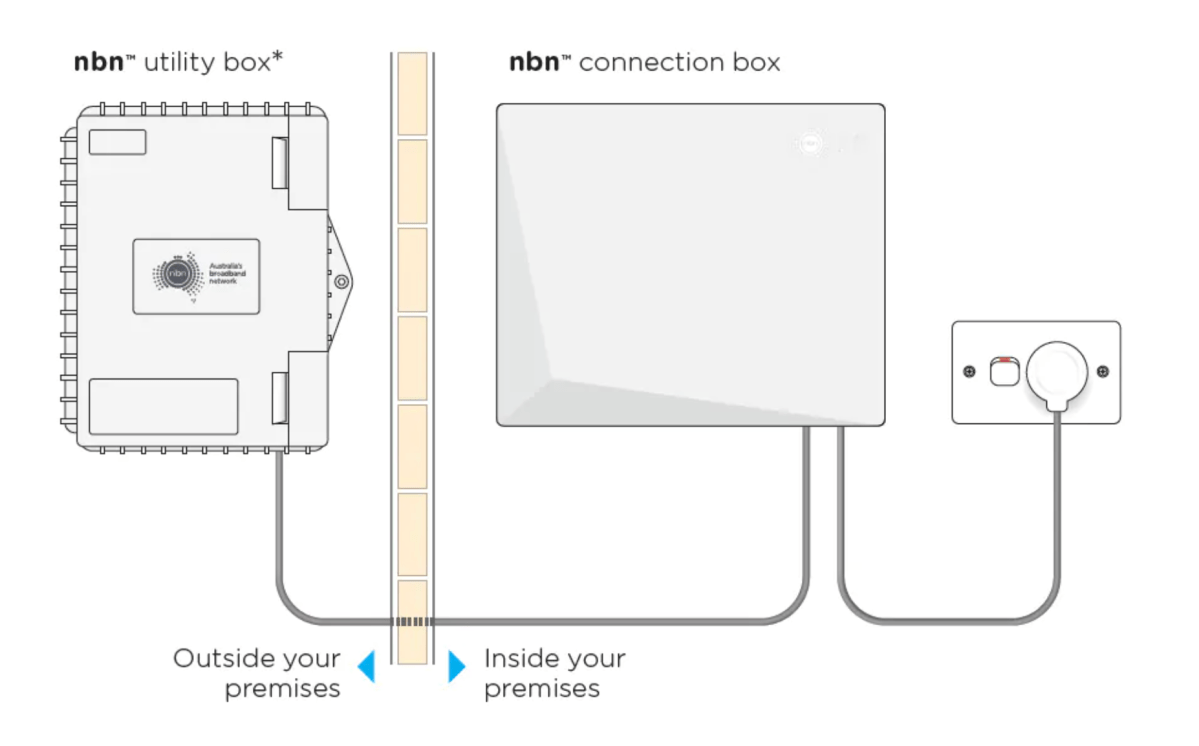
nbn Fibre to the Premises (FTTP) delivers a full fibre-optic connection directly to a premises. This ensures consistently faster speeds, improved reliability, and capacity for future speed upgrades.
There are three main ways you can access nbn Fibre to the Premise (FTTP) at your location:
- New estate or new development: You might live in a new estate or new development area that has nbn FTTP available to order.
- Technology Switch: Your town/community may have received a technology switch upgrading your area to nbn FTTP from another nbn technology (such as satellite or fixed wireless)
If this is the case the process for accessing nbn FTTP looks a little different. You can read more about this type of FTTP rollout here. Once your town is declared ready to connect you will need to place an order with an nbn provider. Providers are also often called RSP’s (Retail Service Providers). You will know a town is ready for nbn FTTP when the nbn rollout map is updated, you may also start receiving brochures in the mail and nbn will usually visit your community to hold a session on getting connected to the new fibre technology.
3. Fixed-Line Upgrade: Your town/community may be receiving a fixed-line upgrade. nbn are upgrading parts of the nbn Fibre to the Node (FTTN) and nbn Fibre to the Curb (FTTC) networks to nbn Fibre to the Premise (FTTP). You can read more about these upgrades here and there is a list of locations available here.
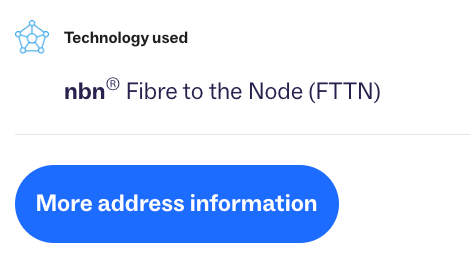
Whilst there is no cost for the new fibre connection, to be eligible for this type of FTTP upgrade, consumers must place an order with a participating provider for a higher speed plan (above 100Mbps). To check if your address is eligible for the nbn FTTP upgrade you can use the nbn roll out map and then click on more information – the blue box will either say nbn full fibre is headed your way (and an approximate date) or nbn fibre is now available.
nb: Even though both FTTN and FTTP technologies are technically called “fibre”, Fibre to the Premises (FTTP) is superior for consumers because, unlike Fibre to the Node (FTTN) which relies on slower, less reliable copper wiring for the last connection, nbn Fibre to the Premises (FTTP) delivers a full fibre-optic connection directly to homes.
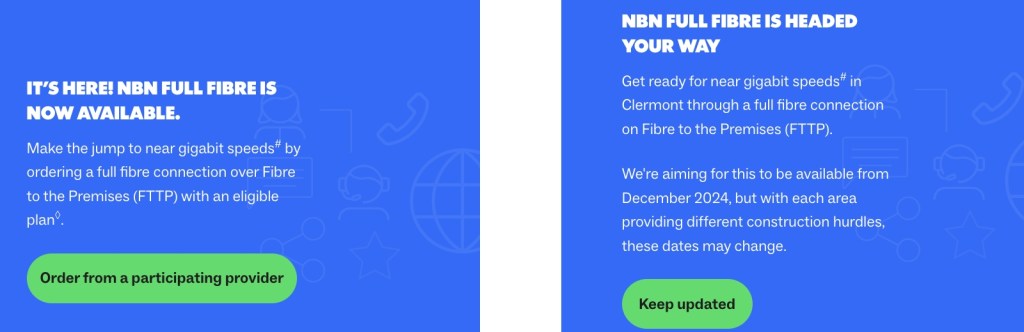
NB: Some address may not yet be on upgrade lists and won’t show an upgrade date at this stage.
Choosing an nbn FTTP Provider
Providers may offer special deals, inclusions or bonuses. Some providers offer modems with 4G SIM back-up, free routers or streaming service subscriptions. It is important to read RSP Critical Information Summaries so you are aware of what you are signing up to and what is being offered. Here is some information that will help you choose a provider, plan and equipment. BIRRR recommends choosing a provider that:
- Offers 30 day plans, with no long lock in contracts, connection or activation fees. Offers business plans if you are a business.
- Offers Australian based support on weekdays, on public holidays and weekends and has a variety of methods to contact them – such as via phone, live chat, email or social media.
- Your experience on the nbn network can depend on your choice of provider, the plan you choose and your in-home equipment. BIRRR have an infographic to assist you in choosing a good home nbn FTTP provider use the arrows to enter full screen and click through the pages.
The above Guide to getting an nbn connection can be downloaded as a PDF here
Choosing A Speed Tier
You will need to choose a speed tier if you require an internet connection. The higher the speed tier, the higher the costs. Not all providers offer all speed tiers and not all nbn technologies have higher speed plans available. You can learn more about what speeds you can access here – *nbn FTTP now has speed tiers up to 2000Mbps download available.
NB: The more devices (phones, laptops, tablets, smart TVs, robot vacuums etc) and data-intensive applications being used at the same time, the higher nbn speed plan you’ll likely need.
Choosing Equipment
If you require Wi-Fi you will need a Wi-Fi router. Routers supplied by RSP’s are recommended as they come with support. If you require a fixed-line (landline) voice service your router needs to be VOiP compatible.
Pick a provider who offers a plug and play router (a router is needed to give you Wi-Fi). Routers that need configuration can be more difficult to connect. To maximise your experience, BIRRR recommends purchasing a new current model router (Wi-Fi 6 or 7) and ethernet cable.
If you have a large home/business you may need to investigate a mesh router system. You may also need to consider if equipment such as medical alarms, security systems, fax machines, existing landline phones and EFTPOS machines will work on the new FTTP connection. You can find out more here.
BIRRR has a webpage on how to extend your in home Wi-Fi coverage here.
Recommended Broadband Plans for nbn FTTP connections
BIRRR have used the tips above to select recommended RSP’s & plans. While all care has been taken in compiling the BIRRR comparisons, we recommend that you check with nbn FTTP RSP’s regarding best plans and offers currently available. Use the arrows to navigate to full screen view.
This comparison sheet can also be downloaded here and was last updated on 17/09/25
Recommended voice only / low cost plans for nbn FTTP connections
If you only require a voice connection (landline) you will need to select your RSP carefully as limited RSP’s offer voice only plans. You will need to check if all calls are included (local, standard & mobile) or if there are call charges and what equipment is required for your voice service. Only Telstra offers Priority Assist Services on nbn FTTP
This comparison sheet can also be downloaded here and was last updated on 24/10/24
NB: Telstra voice only customers. Telstra may change the technology they use to deliver the voice service (except for Priority Assist Customers).
Power Redundancy Information
If you live in an area prone to power failures/outages BIRRR recommends a ensuring you have back-up power such as a generator, Uninterruptible Power Supply (UPS), portable power station or battery pack. You will need to supply power to the NTD (nbn connection box) and router (if you require Wi-Fi). If you have a fixed phone connection you will also need a non-powered phone handset. You can purchase power redundancy and non – powered fixed phones from other suppliers such as Big W, Harvey Norman, Officeworks, JB Hi-Fi etc
IMPORTANT: Please ensure you have power redundancy, such as a uninterruptible power supply (UPS), battery or generator. Your service will not work in a power failure, without an alternate power source.

If you require a longer length power solution a power station like the Energizer Everest 1100 Power Station, will provide power redundancy for your nbn FTTP NTD (nbn connection box) and router for up to 50 hours (this will be less if you are charging other devices), a solar panel can also be added to the power station to enable charging via solar. Available from Mitre 10, Bunnings and other retail stores. BIRRR recommends a Google Search to find the current best available price (typically around $1000).
Developed for BIRRR by numerous volunteers in conjunction with nbn & selected RSP’s & updated 17/09/25
*Please note, while all care has been taken in compiling BIRRR documents, we recommend that you check with your preferred service provider regarding the nbn roll out and your individual needs.
 Better Internet for Rural, Regional & Remote Australia (BIRRR)